
Household with several people online at once
You’re watching a documentary while others stream or work. Test your connection using a wired connection first, then check it where you watch, as advised by the Consumentenbond.


First, test your internet connection using a wired connection, then test Wi-Fi where you watch: a new router won’t fix a slow connection from your provider. If your wired connection is fast enough but Wi-Fi is still weak in the rooms you use, check the router’s placement first. A standalone router may suit one well-covered area, while mesh or a wired access point is worth considering if you need coverage in several rooms.
You’re watching a documentary while others stream or work. Test your connection using a wired connection first, then check it where you watch, as advised by the Consumentenbond.
Wi-Fi works by the modem but isn’t reliable where you watch. Test the connection there and decide whether you need to reposition the router or add another Wi-Fi access point.
You want to connect your own router and manage its settings and updates. ACM ConsuWijzer explains your right to choose your own equipment; the right connection depends on your setup and provider.
| What to consider | What should you check? | Who is this important for? |
|---|---|---|
| Using several devices at once | Test your connection using a wired connection first, then check it on the device you watch on; make sure both your router and devices support the Wi-Fi features you need. | If several people are online at once, I want to know whether the internet connection or Wi-Fi is the limiting factor. Around 36% of consumers prioritise simultaneous use. |
| Coverage where you watch | Test in the rooms you use; compare repositioning the router with adding a wired access point or mesh system. | If the signal is weak behind walls or on another floor, I want reliable Wi-Fi right there. Around 29% of consumers prioritise coverage where they watch. |
| Connection and management | Decide whether the router will sit behind a modem or replace your existing device; ask your provider for the connection settings if needed. | If I add my own device, I want to know which connection and settings are required and how to manage updates. Around 21% of consumers put connection and management first. |
| Total cost of ownership | Check how many Wi-Fi access points are included and whether the features you want require an additional subscription. | If repositioning the router could solve the problem, I don’t want to buy extra equipment or features I don’t need. Around 14% of consumers start by considering the total purchase and running costs. |
A router can’t increase the speed of your connection from your provider. Testing with a wired connection and then where you watch will help you identify the bottleneck.
Test both before choosing a router with a higher advertised speed or switching to a different broadband package.
With wirelessly connected nodes, coverage also depends on their placement and their connection to the main unit. In a Tweakers test, the more distant wireless satellites in the Deco X50 three-pack performed less well than the main unit; this test result doesn’t automatically apply to other sets.
Decide in advance where the nodes can go and check whether you can connect them to each other with a cable.
Additional nodes or cabling may mean more installation work and equipment.
Connecting a router behind an existing modem is different from connecting a device directly to your internet connection. The connection and settings you need depend on your setup.
Decide what role the device will play, and ask your provider for the required settings if you want to connect it directly.
A direct connection may require extra configuration.
These examples relate to specific product ranges and models; they are not an overall assessment of a brand or an indication of availability.
The Archer BE230 is a standalone dual-band router; Deco X50 is a mesh range with multiple Wi-Fi nodes.
According to ASUS, the RT-BE58U is a standalone dual-band router that can be expanded with compatible ASUS devices using AiMesh.
The FRITZ!Box 4060 is designed to connect to an existing modem. It combines router functions with FRITZ! mesh expansion and telephony features.
This selection includes mesh systems for Wi-Fi coverage in several areas and standalone routers for a central Wi-Fi setup.
 No image available
A mesh system for Wi-Fi coverage in several areas of your home.
Wi-Fi 6; mesh system with two units. The described setup connects one unit to a modem using an Ethernet cable and places the other elsewhere.
 No image available
A standalone router to consider if a single central Wi-Fi access point suits the areas you use.
Dual-band Wi-Fi 6; expandable through AiMesh with compatible ASUS routers. The described setup connects the router to a modem using an Ethernet cable.
 No image available
A mesh router to consider if you want Wi-Fi coverage in several areas.
Dual-band Wi-Fi 7; the product name describes it as a mesh router.
 No image available
A mesh router to compare if you need Wi-Fi in several rooms.
Dual-band Wi-Fi 6; the product name describes it as a mesh router.
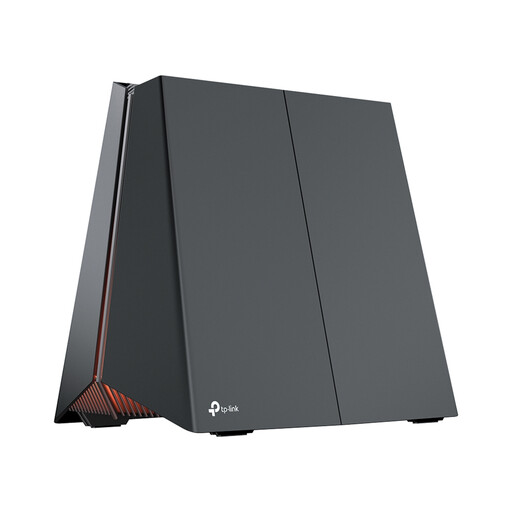 No image available
A standalone router to compare if a single central Wi-Fi access point suits your needs and you want to assess the listed router features.
Tri-band Wi-Fi 7; the product name lists 2.5 Gigabit Ethernet and the 2.4, 5 and 6 GHz bands. The described setup connects the WAN port to a modem.
First, test your connection using a computer connected by cable, then test it on the device you watch on. For its own service, Netflix recommends a stable 5 Mbps for 1080p and 15 Mbps for 4K per stream; these guidelines don’t automatically apply to other services or to the household as a whole.
Not necessarily: a wireless mesh node still needs a usable connection to the rest of the network. Once it’s in place, test the connection where you watch and consider a wired connection between nodes if cabling is an option.
Yes. ACM ConsuWijzer explains your right to choose and use your own router. To connect it directly or replace another device, you’ll need the right connection settings; also check how to keep the device up to date and secure.
The Dutch Authority for Digital Infrastructure states that radio equipment sold in Europe must meet the applicable requirements, including the required CE marking. Check the marking and relevant conformity information for the version on offer; a general product page isn’t a substitute for this check.
No. ACM ConsuWijzer distinguishes between a manufacturer’s or seller’s warranty and your statutory rights. A product must meet the standards you could reasonably expect when used normally; the seller is responsible for providing an appropriate solution if it doesn’t.