
Vandaag of morgen in huis

Kwaliteit gegarandeerd

Welkomstaanbiedingen ontgrendelen: GRATIS bezorging | Tot 80% korting | Gratis 30 dagen JoyPlus-proefperiode
Download de app
Anyone looking for robot vacuum cleaner accessories usually wants to solve one problem: a robot that no longer cleans as well, leaves hair behind or has a mop pad that no longer fits properly. The right replacement parts can make maintenance easier, but only if they genuinely fit the model.
This often goes wrong. An accessory kit may look universal at first glance, while the attachment method, dimensions or software compatibility can vary between robots. These practical checks will help reduce the risk of buying the wrong product.
A robot vacuum cleaner main brush, side brushes or filter may look similar in shape to the original part. However, the length, axle connection, brush height and click-fit attachment may differ. Always check the exact model number, not just the brand.
For example, accessories for a MOVA E20 Plus are not automatically suitable for a MOVA E30 Ultra. The same applies to Dreame L20 Ultra accessories and parts for other Dreame series.
A kit containing lots of parts may seem like good value, but check exactly what is included in the box. Look at the number of main brushes, side brushes, HEPA filters, mop pads and dust bags. Some product descriptions list different quantities in different places. If in doubt, the product specifications and compatibility list take precedence.
A brush clogged with hair, a saturated filter or a worn mop pad can affect everyday cleaning. This does not mean that a part must be replaced on a fixed date. How often you use the robot, your flooring, pets and the amount of dirt all play a role. Check the parts regularly and replace them as soon as they look worn, deformed or difficult to clean.
Search using your robot’s model name and check that it appears exactly in the product information. Relevant search terms include:
Also look out for variants such as “Complete”, “Pro”, “FlexReach” or “Dual”. A small addition to the model name can determine whether the part fits.
A maintenance kit may consist of a single part or a complete combination of accessories. Look at the practical contents:
Nylon bristles, rubber elements and microfibre are commonly used materials. However, the material name alone does not indicate how long a part will last. Above all, check that the brush rotates firmly, that the pad is securely attached and that the part is easy to remove.
Switch off the robot before replacing any parts. After installation, check that the brushes and protective covers click fully into place. Keep small parts out of reach of children and follow the manufacturer’s instructions.
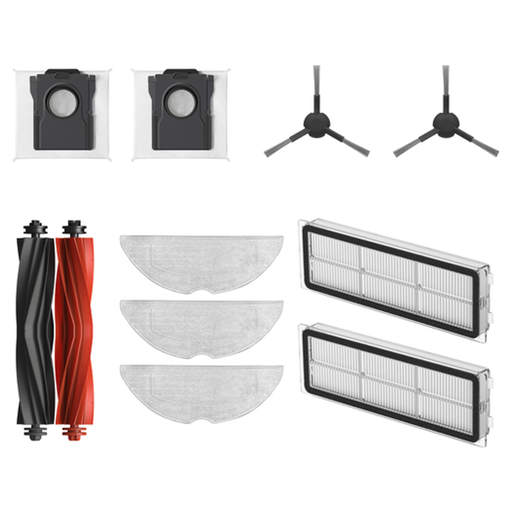
Why it suits this profile: This set is designed for the MOVA E20 Plus and E20 Pro Plus and contains five parts for basic household maintenance.
The product information explicitly names the supported E20 models. Check this model name before ordering.
Five parts in one set; the material is listed as plastic with rubber elements.
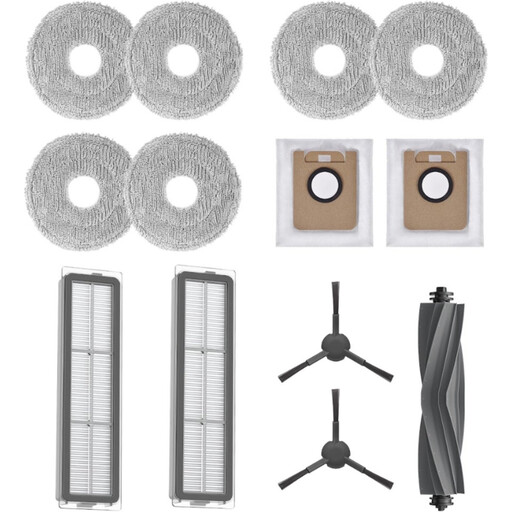
Why it suits this profile: Suitable for owners of a Dreame L20 Ultra or L20 Ultra Complete who want to buy several maintenance parts at the same time.
The set is described as model-specific and contains filters, mop components and brush parts. The listing mentions 13 parts; check the current contents when ordering.
Suitable for the two L20 models named; product weight 0,25 kg according to the product specifications.
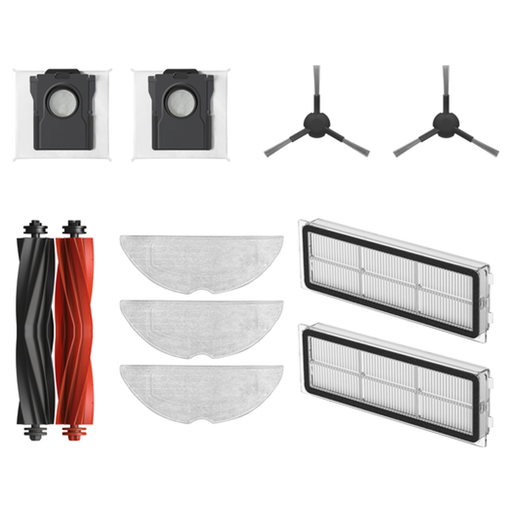
Why it suits this profile: For MOVA E30 Ultra users who want to replace the main brush, side brushes, mop pads, filters and dust bags together.
The set specifies the exact model and breaks down the contents: 1 main brush, 2 side brushes, 3 mop pads, 2 filters and 2 dust bags.
Ten accessories listed; direct replacement without modification according to the product description.
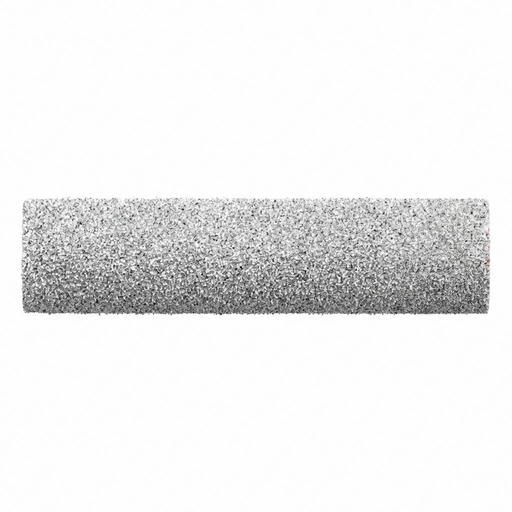
Why it suits this profile: For users of a compatible Dreame upright vacuum cleaner who specifically need a brush roller for everyday or intensive floor maintenance.
The compatibility list includes H12 Pro FlexReach and H15 Pro, alongside other models. Check your exact version carefully; this is not a robot vacuum brush.
Rotating brush with suction function; nylon brush material and one brush per pack according to the specifications.
Remove hair from the main brush and side brushes regularly. Check that the brush still rotates straight and that there are no cracks in the rubber parts. Carefully tap out a non-washable filter as instructed in the manual and replace it when it becomes clogged or damaged.
For robot mops, it is a good idea to let the mop pads dry after use. A damp pad left in the station for a long time may start to smell unpleasant. Replace dust bags when the station no longer fills them properly or when the suction cycle noticeably takes longer.
For a Dreame H12 Pro or H12 Dual, a separate Dreame H12 Pro brush roller is practical when only the roller is worn. For a Dreame L20 Ultra, a complete set may be more convenient if several parts need replacing at the same time.
We have put together a complete, up-to-date list of products that fully meet these strict selection criteria and the applicable European safety regulations.
There is no fixed replacement period for every part. Check the brushes, filters and pads regularly. The right time to replace them depends on the number of cleaning cycles, pets, carpets and the amount of dirt in your home. Use the maintenance intervals in the manual as a starting point.
No. The price does not determine whether a part will fit. Check the exact model, dimensions, attachment point and contents of the packaging. For an accessory kit for the Eureka J12 Ultra or Eureka J15 Pro Ultra, the model name must match explicitly.
Start with a compatible main brush, side brushes and filters. Check the brush for hair and dirt more often than you would in a pet-free household. For example, sets are available for the Eureka J15 Pro Ultra that include a side brush, mop pads, roller brush, HEPA filters and dust bags. The exact contents may vary between offers, so check the product page before ordering.
