Who is this suitable for?

Working from home with several rooms

You want to choose which room gets cleaned while you work and be able to exclude certain areas. Look for a saved map with room selection and no-go zones, rather than just app control; eufy lists these features for the L60 family.

Working from home and wanting to empty the bin less often

You don’t want to keep emptying the dust bin yourself after a cleaning session. Compare models with an automatic emptying station and factor in the station bag and maintenance. Philips lists one for the HomeRun XU2100/15.

Working from home with changing obstacles

You can’t always clear the floor completely before you leave. Look for tests involving cables and other obstacles: a manufacturer’s claim about obstacle recognition doesn’t guarantee that every cleaning session will finish without interruption.

What should you look for when buying?

What to consider What should you check? Who is this important for?
Cleaning the right rooms Check whether the model can select rooms on a saved map and set no-go zones. If you want a specific room cleaned during the working day without having the whole home cleaned again, precise room selection is important. Around 31% of consumers prioritise cleaning by room.
Completing a cleaning session unsupervised Look at tests involving cables and loose rugs, and check how the robot returns to its charging dock. The Consumers’ Association describes tests involving various obstacles. When you’re out, you’ll want to avoid a cable interrupting the cleaning session or the robot failing to return to charge. Around 25% of consumers prioritise an uninterrupted cleaning session.
Emptying the bin yourself less often Check whether the automatic emptying station is included with the exact model, which bag it takes and what maintenance it needs. If you don’t want to empty the dust bin every time you get home, a self-emptying station could be a good fit; just remember to factor in the station bag. Around 19% of consumers prioritise emptying the bin by hand less often.
Results on your floors Look for test results for the exact model and your type of flooring; assess mopping as a separate feature. If you mainly want to know how well the robot cleans your hard floors or carpet, that matters more than the stated suction power alone. Around 13% of consumers prioritise performance on their own floors.
Privacy and maintenance Read the privacy and security update information, and check which bags, filters and brushes are compatible with the model. If you’re considering a robot connected to an app, you’ll want to know in advance how data about your home is handled and what maintenance is required. Around 12% of consumers prioritise privacy and ongoing maintenance.

Common pitfalls

  • Assuming a high Pa rating means it cleans carpets well

    A stated suction power isn’t a test result showing how well the robot picks up dirt from your carpet. The Consumers’ Association assesses dirt pick-up on a range of floor types, among other things.

    Look for results for the exact model and the flooring in your home.

  • Assuming every version empties itself

    An emptying station isn’t automatically included with every version in the same model range. Check the full model name and what’s in the box.

    A version with an emptying station also needs a compatible dust bag, which you’ll have to replace eventually.

    Check which replacement bag is compatible with the version you’ve chosen.

  • Expecting a mopping function to remove stubborn stains

    The Consumers’ Association describes mopping as a way to freshen up the floor, not as a solution for actual stains. The mop pad and, depending on the model, the water tank also need maintenance.

    Choose based on vacuuming performance and your type of flooring first; assess mopping as a separate feature.

  • Choosing app convenience without considering privacy

    Maps and app data can contain information about your home. The Dutch Data Protection Authority recommends considering privacy and security when choosing a smart device.

    Read the privacy policy and information about updates before buying, then check the privacy settings after installation.

Brands to compare

Philips

The HomeRun XU2100/15 is worth considering if you’re comparing robots with an app, navigation and an automatic emptying station.

  • Philips lists an automatic emptying station with a 3,0-litre S-bag for this model.
  • How long it takes to fill depends on how the robot is used; the manufacturer’s figure doesn’t show how long the bag will last in your home.

eufy

The L60 family is worth considering if you want to compare room selection and no-go zones; the L60 SES is a specific version with an automatic emptying station.

  • eufy lists laser mapping and the option to select rooms.
  • Don’t confuse the L60 with the L60 SES: the station is included with the specific version. The stated period between emptying is a manufacturer figure.

Roborock

The Q7 M5 and Q7 L5 families are worth considering if you’re looking at maps for several rooms or floors and versions with a station.

  • Roborock lists LiDAR mapping for this family.
  • A RockDock Plus is included with Plus versions. Check the full model name to see which features and station come with each version.

iRobot

The Roomba Combo j5+ is worth considering if you’re comparing room-by-room cleaning and obstacle recognition.

  • iRobot lists room cleaning and visual obstacle recognition for the j5+.
  • You need to swap the bin to use the mopping mode. A product claim about obstacle recognition doesn’t prove that every obstacle will be avoided.

Dreame

Dreame models are worth comparing individually if you’re considering an app, mopping or an emptying station.

  • The Consumers’ Association’s product comparison lists versions with different combinations of app control, mopping and automatic emptying.
  • Features vary by model, so assess the full version rather than the product range as a whole.

Robot vacuum cleaners at Joybuy

This selection includes robot vacuum cleaners for indoor floors, including versions with a mopping function and models with features such as room mapping or an automatic emptying station.
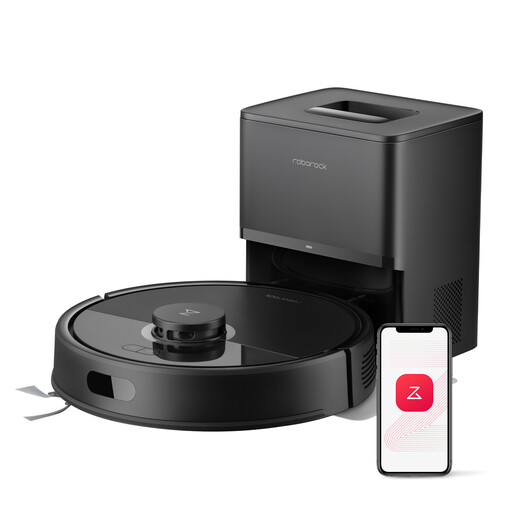
Roborock Q7 L5+ robot vacuum cleaner with mopping function and automatic emptying station

Roborock Q7 L5+ robot vacuum cleaner with mopping function and automatic emptying station

Suitable for anyone wanting to vacuum and mop indoor floors; the product information lists several types of smooth indoor flooring.

Features listed: 8.000 Pa, LiDAR navigation and an automatic emptying station.

According to the product information, this model isn’t designed for thick-pile, high-pile carpets.

Joybuy
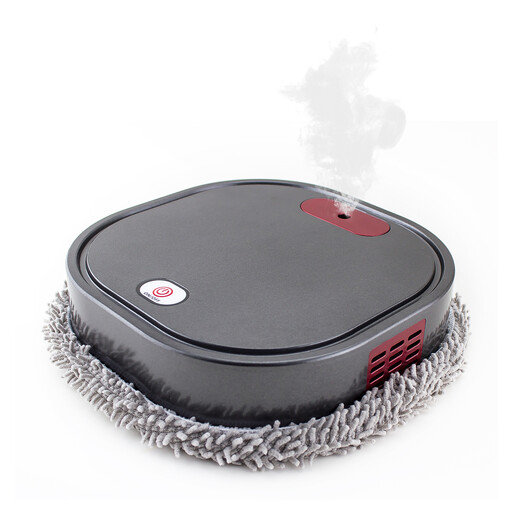
3-in-1 mini robot vacuum cleaner with automatic spray mopping function

3-in-1 mini robot vacuum cleaner with spray mopping function

The product information lists use on smooth indoor floors, including wood and tiles.

Listed noise range: 20–40 dB.

According to the product information, this model isn’t designed for thick-pile, high-pile carpets.

Joybuy
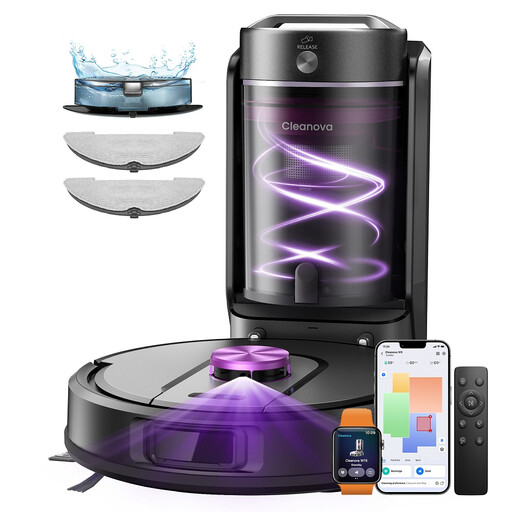
Vactidy W15 robot vacuum cleaner with mopping function and bagless emptying station

Vactidy W15 robot vacuum cleaner with mopping function and bagless emptying station

The product information lists room naming, an adjustable cleaning sequence and up to five maps, which could be useful for cleaning room by room.

Features listed: LiDAR navigation, 10.000 Pa and a runtime of up to 180 minutes.

The user information warns you to remove loose cables and fragile objects from the floor before use.

Joybuy

Eureka J15 Pro Ultra robot vacuum cleaner with mopping function

Eureka J15 Pro Ultra robot vacuum cleaner with mopping function

The product information lists automatic emptying and AI detection with obstacle avoidance for anyone wanting to intervene less often.

Features listed: 16.200 Pa, anti-tangle technology and mop pad cleaning with 75 °C hot water.

The safety information warns against using the appliance on wet surfaces or with flammable liquids.

Joybuy

Eureka E20 Plus robot vacuum cleaner with self-emptying station and obstacle avoidance

Eureka E20 Plus robot vacuum cleaner with self-emptying station

The product information lists app scheduling and no-go zones, so you can set cleaning times and areas.

Features listed: 8.000 Pa, 3D obstacle avoidance, a station with a 2-litre dust container and a runtime of up to 180 minutes.

According to the product information, the app is only compatible with 2,4GHz Wi-Fi.

Joybuy

Frequently asked questions

Can I run the robot without preparing anything while I’m at work?

First, test a cleaning session while you’re at home. The Consumers’ Association assesses how robots handle cables and loose rugs, among other things; a map or a manufacturer’s claim about obstacles doesn’t prove that your floors can be cleaned without a hitch.

How do I set up a robot vacuum cleaner to clean room by room?

Choose a version that supports room selection on a map, let the robot map the accessible areas, then set up rooms and any no-go zones. eufy lists these features for the L60 family; follow the instructions for your chosen model during setup.

What maintenance does an automatic emptying station save me from?

You may need to empty the robot’s small dust bin by hand less often, but you’ll still need to replace the station bag and maintain the brushes, filters and station. The manufacturer’s stated period between emptying depends on how the robot is used.

How can I protect information about my home in the app?

Check the privacy policy and security information before buying, then review the privacy settings after installation. The Dutch Data Protection Authority recommends considering privacy when choosing and setting up a smart device.

What are my rights in the Netherlands when buying online or if a product is faulty?

According to the Dutch government, you usually have a 14-day cooling-off period for distance purchases, with some exceptions. If a product doesn’t meet the standards you’re entitled to expect, the retailer is responsible for the statutory guarantee; a manufacturer’s guarantee doesn’t replace it.
