What should you look for when buying?
First, check that you can set the robot to start at your preferred time and choose specific rooms. Then consider obstacles, floor types, maintenance and the app’s privacy settings.
| What to consider |
What should you check? |
Who should prioritise this? |
| Starting and finishing on time |
Check whether the exact model supports schedules, remote controls and room selection, and how it finds its way back to the dock. |
If I’m coming home to guests, I want the clean to start on time and the robot to find its way back to the dock; around 33% of consumers say starting and finishing on time is their top priority. |
| Cleaning without supervision |
Look at independent navigation reviews, which objects the manufacturer says the model can recognise, and whether you can set no-go zones. |
If shoes, toys or cables might be left lying around, I want to reduce the chance of the clean being interrupted; around 27% of consumers prioritise obstacle avoidance and uninterrupted cleaning. |
| Hard floors and carpets |
Check how the model handles carpets while mopping and whether its mopping function suits the type of regular clean you want. |
If my home has both hard floors and carpets, I want to choose the right approach for each floor type; around 20% of consumers say suitability for different floor types matters most. |
| Reducing maintenance |
Compare the tasks the dock can handle and check which bags, filters, brushes or mop components need regular attention. |
If I run the robot often, I want to do as little as possible before and after the working day; around 13% of consumers prioritise fewer maintenance tasks. |
| Privacy and account security |
Read the privacy notice and information about security and updates. Also check which app and camera features you can configure. |
If a robot can process data about my home, I want to understand in advance how my data and account are protected; around 7% of consumers give privacy and account security top priority. |
Joybuy products
These Joybuy products are suited to cleaning while you’re out, with options for app control, obstacle handling, and automatic emptying or mop maintenance, depending on the model.
 No image available
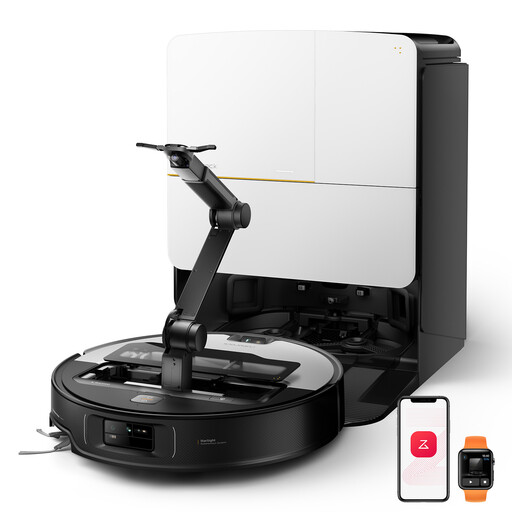
Roborock Saros Z70, 22.000 Pa, silver
A good fit if you want to mop as well as vacuum and value obstacle recognition.
The product name lists an OmniGrip arm, AI assistance, 22.000 Pa, a height of 7,98 cm, a FlexiArm Riser, AdaptiLift Chassis, and mop pads washed and dried with hot water.
View at Joybuy
 No image available
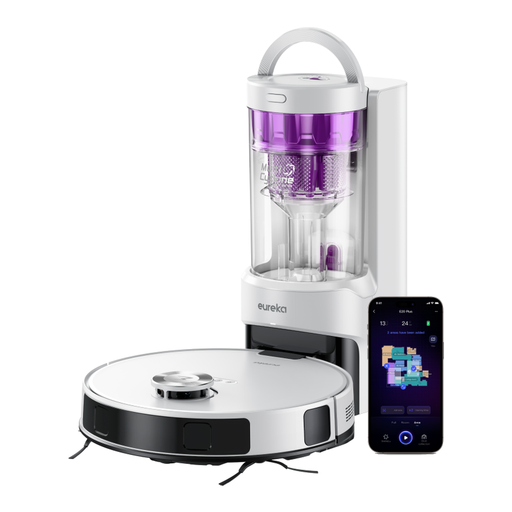
EUREKA E20 Plus
A good fit if you want to set cleaning schedules and zones, and need to account for obstacles.
The product name lists 8.000 Pa, DuoDetect AI 3D obstacle avoidance, an anti-hair brush and app control.
View at Joybuy
 No image available
EUREKA J15 Pro Ultra, 16.200 Pa
A good fit if you want to combine vacuuming and mopping, with a focus on obstacle recognition and station maintenance.
The product name lists 16.200 Pa, anti-wrap technology, liquid detection and a liftable brush, plus cleaning with 75 °C hot water.
View at Joybuy
 No image available
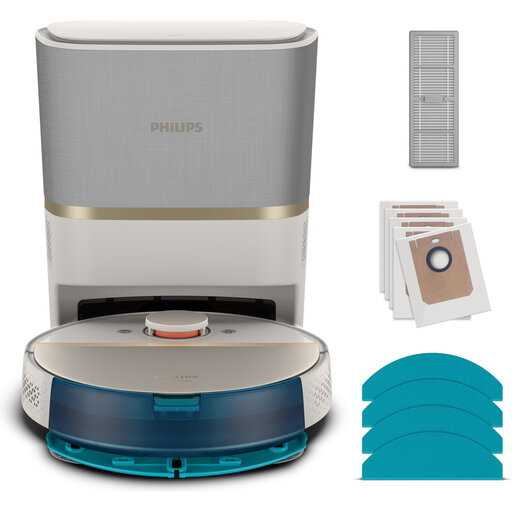
Philips XU7100/02 HomeRun 7000 Series
A good fit if you want cleaning to start at a set time and to empty the robot manually less often.
The product name lists 5.000 Pa, 180 min runtime, an auto-empty station and LiDAR navigation.
View at Joybuy
 No image available
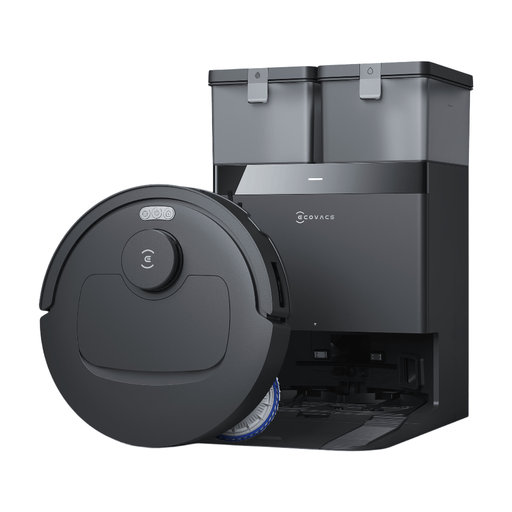
ECOVACS Deebot T30C OMNI Gen2, black
A good fit if you want to combine vacuuming and mopping and automate station maintenance.
The product name lists 20.000 Pa, OZMO Turbo 2.0 mopping, ZeroTangle 3.0, TruEdge 2.0 and mop pads washed at 75 °C.
View at Joybuy
Frequently asked questions
Can I have the robot clean while I’m at work?
Many robot vacuums can be controlled remotely using an app and set to start on a schedule. Check this for the exact model and set up its route in advance. A schedule won’t prevent the robot from getting stuck on an obstacle.
What can I test before going out for the first time?
Test your chosen rooms and check that the robot can return to the dock while you’re at home. Clear problem areas and check whether the model supports maps or no-go zones. If you have more than one floor or a split-level home, cliff detection is another point to consider.
Does automatic emptying mean I won’t need to do any maintenance?
No. You’ll still need to check the station bag, brushes, wheels, filters and sensors, as dirt and debris can affect performance or navigation. A mopping station also needs maintenance, depending on the model.
Is the warranty in the Netherlands always limited to two years?
No. According to the Dutch Government, statutory warranty in the Netherlands doesn’t have a fixed time limit: a product should last as long as you can reasonably expect it to. If there’s a problem, contact the seller to find a solution. The manufacturer’s warranty is separate.
What privacy and security information can I check?
The Dutch Data Protection Authority advises checking the privacy notice, data security and information about future updates when buying smart devices. This is general buying advice, not a product-specific claim that a robot is safe or unsafe.


