Choose a robot vacuum that suits your floors and room layout, and check that the exact model supports scheduled or remote cleaning. Clear away cables and other loose items before you leave. A self-emptying dock saves you from emptying the robot, but it still needs maintenance itself. Judge cleaning results on your type of flooring and dirt, rather than relying on the stated suction power alone.
Who is it for?
Someone who wants to run the vacuum undisturbed while at work
Want to set a cleaning cycle after a weekend away without being at home? Look for good navigation and check whether the exact model supports a schedule or remote control. Testaankoop notes that some models offer these features.
Pet owner with a full dustbin
Want to tackle hair and built-up dirt without having to empty the robot’s dustbin in between? Compare cleaning results on your own flooring and check whether the version you choose comes with an automatic emptying dock.
Someone with both hard floors and carpet
You may want a vacuum that can also mop, but check what it does with the mop when it reaches carpet. Check how the exact model behaves on your type of flooring.
What should you look for when buying?
If the robot will be working while you’re out, the most important things to consider are whether its route suits your home, your type of flooring and how much maintenance you’ll need to do yourself.
| Consideration |
What to look for |
Who is this important for? |
| Cleaning without supervision |
Check whether the exact model supports a schedule or remote control. Clear cables and loose items from its route beforehand. |
If I can’t step in while I’m at work, I want the robot to follow a clear route. Around 31% of consumers prioritise uninterrupted cleaning. |
| Dust and pet hair |
Compare results for hair on your type of flooring and check whether the robot has an automatic emptying dock. |
After a weekend away, I want to tackle built-up hair and dirt without having to keep emptying the robot’s bin. Around 25% of consumers give dust and hair top priority. |
| Hard floors and carpet |
Check how the exact model detects carpet and what it does with the mop; compare results for each type of flooring. |
If I have both hard floors and carpet, I want to know where the mop can be used. Around 19% of consumers prioritise suitability for different floor types. |
| Maintenance |
Check which parts of the robot and dock you need to clean or replace yourself, and whether suitable replacement parts are available. |
If I want to keep maintenance to a minimum after getting home, I need to know which jobs the dock takes care of and which ones are still mine to do. Around 13% of consumers prioritise maintenance requirements. |
| Privacy when using the app |
Read the privacy policy and check the information about security and the provider. |
If the robot connects through an app, I want to know how my data is handled. Around 12% of consumers give privacy top priority. |
Common pitfalls
-
Choosing based on stated suction power alone
A single figure doesn’t tell you how well a robot picks up dust, crumbs or hair from different surfaces. Consumentenbond assesses these cleaning tasks separately.
Where available, compare test results for your flooring and the type of dirt you need to clean up.
-
Assuming automatic emptying means no maintenance
A self-emptying dock takes some of the effort out of emptying the robot’s dustbin, but both the robot and dock still need maintenance. What’s required varies by model.
Check which bins, brushes, filters and any mop components you’ll need to look after yourself.
-
Assuming every mopping function is suitable for carpet
A mopping function alone doesn’t tell you what happens when the robot reaches carpet. This depends on the model and its settings.
Check how your chosen model detects carpet and whether it lifts the mop or avoids the area.
Brands to consider
The features mentioned below apply to the specific models or versions listed; they are not an independent comparison of the brands as a whole.
eufy
According to eufy, the Omni C20 combines automatic emptying with washing and drying the mop pads. For the C28, eufy lists a self-cleaning roller mop.
- The C20’s features may be useful if you want to automate mop maintenance as well as vacuuming.
- These are manufacturer-listed features specific to the models, not proof of better cleaning. eufy notes that the C20’s performance can vary depending on the type of flooring and amount of dust.
Philips
Some versions of the HomeRun 7000 Series offer vacuuming, mopping and automatic emptying. Philips describes object recognition for the XU7100/01.
- The range includes models to compare if you want vacuuming, mopping and emptying features in one choice.
- Check the full model number and dock version. The object recognition Philips describes for the XU7100/01 does not automatically apply to other versions.
Xiaomi
Xiaomi describes the Robot Vacuum S20+ as a vacuum and mop robot with laser navigation and carpet detection.
- The manufacturer lists lifting the mop pads when carpet is detected as a feature of this model.
- That doesn’t mean it’s suitable for every carpet, or that its stated suction power predicts cleaning results.
Dreame
For the Dutch L10s Ultra Gen 2, Dreame describes a fully automatic base station, along with navigation and obstacle-avoidance features.
- These features are worth comparing if you’re looking to reduce the number of jobs you need to do at the dock.
- These are the manufacturer’s descriptions of this model, not independent confirmation of its performance when nobody is at home.
ECOVACS
The DEEBOT range includes different approaches to vacuuming and mopping, including the X, T and mini series.
- The different series offer models to compare by feature set and size.
- Features listed for a series don’t automatically apply to every DEEBOT. Check the full model’s specifications.
Robot vacuums on Joybuy
This Joybuy selection focuses on robot vacuums with app control or scheduling, and features that can reduce the need to empty the bin by hand. Also check how each version suits your floors and maintenance preferences.
 No image available
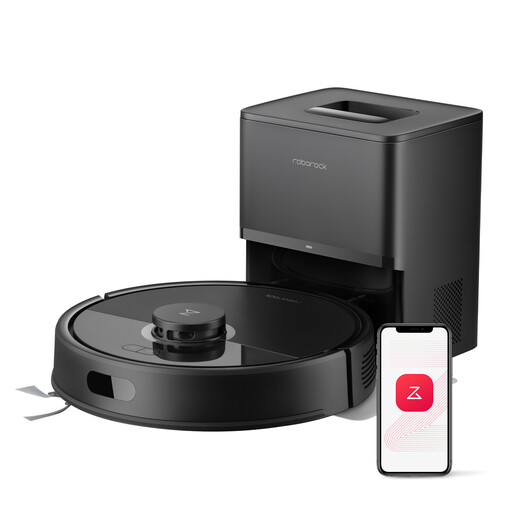
roborock Q7 L5+ robot vacuum
App scheduling and a dock that empties the dustbin make it a good fit for cleaning while you’re out.
The product information lists LiDAR navigation, a mopping function with a water tank, an anti-tangle brush system and a stated suction power of 8.000 Pa.
View on Joybuy
 No image available
EUREKA E20 Plus
App scheduling and a self-emptying station suit a cleaning cycle that runs while you’re out, without you needing to be home to empty the dustbin.
The product information lists DuoDetect AI with LiDAR, obstacle avoidance, a 10 mm mop lift when carpet is detected, a stated suction power of 8.000 Pa and a runtime of 180 minutes.
View on Joybuy
 No image available
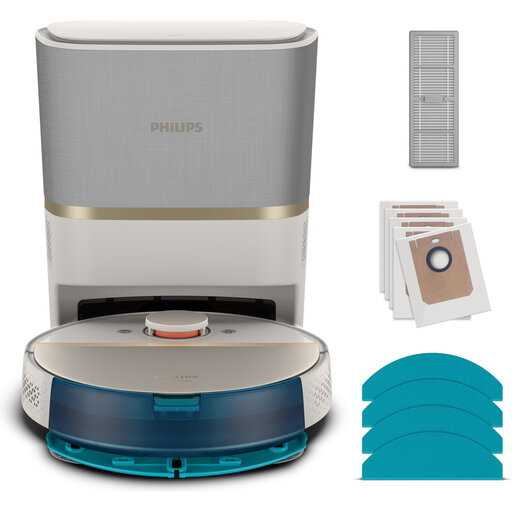
Philips XU7100/02 HomeRun 7000
This version combines app control and LiDAR navigation with an automatic emptying dock for cleaning while you’re out.
The product information lists a stated suction power of 5.000 Pa and a runtime of 180 minutes. The app is required for full functionality; creating an account involves sharing data.
View on Joybuy
 No image available
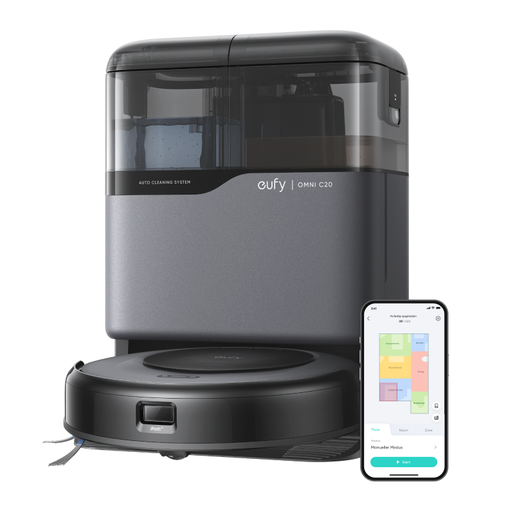
eufy Omni C20
According to the product information, the app supports cleaning schedules, while the station empties the robot and washes and dries the mop pads.
The product information lists a stated suction power of 7.000 Pa and a height of 8,5 cm. Wi-Fi support is limited to 2,4 GHz; also check that the version is compatible with your local mains voltage.
View on Joybuy
 No image available
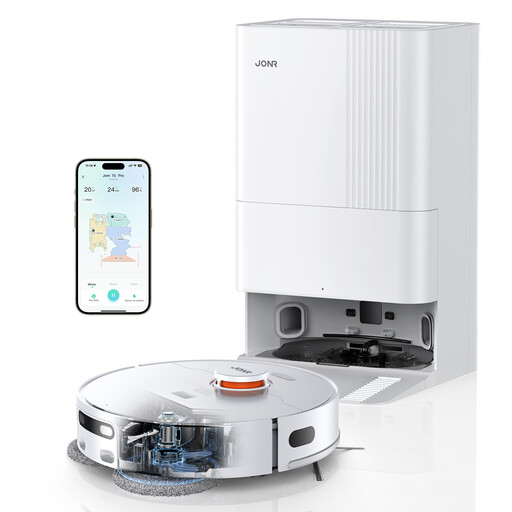
JONR T5 Pro
The product information lists app-based cleaning schedules and a station that empties the dustbin and takes care of the mop module.
Listed features include LiDAR navigation, obstacle avoidance and hot-air drying. For the first map to be created, clear loose objects from the floor and leave internal doors open.
View on Joybuy
Frequently asked questions
Can I start a robot vacuum from work?
Some models can start on a schedule or be controlled remotely. Check that the exact version offers this feature and clear its route beforehand; app control alone doesn’t guarantee an uninterrupted cleaning cycle.
Does a robot vacuum with an emptying dock still need maintenance?
Yes. Automatic emptying takes care of one task, but maintenance requirements vary between robots and docks. Check which bins, brushes, filters and any mop components you’ll need to look after yourself.
What can I do if a robot vacuum bought in the Netherlands turns out to be faulty?
The Dutch government states that you’re entitled to a product that works properly, and that there is no fixed statutory warranty period in the Netherlands. If something is wrong, contact the seller; the appropriate solution depends on the circumstances. For distance purchases, you’ll also often have a 14-day cooling-off period. This is a separate right.
What should I look for when it comes to privacy with a robot vacuum app?
The Dutch Data Protection Authority advises checking the privacy policy, the device’s security and the provider before you buy. This advice does not mean that any particular model has been judged safe or unsafe.


