When choosing a robot vacuum cleaner to run while you’re working, first look for a schedule that suits you and a route that works with your furniture, floors and thresholds. A self-emptying dock means you’ll need to empty the dust container less often, but it takes up more space; with a simpler dock, you’ll have more maintenance to do yourself. The Dutch Consumers’ Association points out that a dock with a dust bag takes up more room than a standard charging dock. And even with a schedule, you’ll need to keep the floor clear enough.
Who is this choice relevant to?
If you want to clean while you’re working
You want to set a schedule for a tidy, accessible floor and check afterwards where the robot has been. The Dutch Consumers’ Association describes app controls and setting schedules as ways to use a robot vacuum cleaner.
If space is limited
Narrow passageways and limited room for the charging dock make the size of both the robot and the dock important. The Dutch Consumers’ Association discusses the space needed for a dock with a dust bag, while ECOVACS lists the dimensions of the DEEBOT mini.
If you want to empty it less often
A self-emptying dock could be a good fit if you want to empty the robot’s dust container less often and have room for a larger dock. The Dutch Consumers’ Association also points out that brushes, wheels and filters still need maintenance.
What should you look for when choosing?
Start by considering the schedule and the route through your home. Then decide how much space you can give the dock and how much maintenance you’re happy to do yourself.
| What to consider |
What should you check? |
Who is this most relevant to? |
| Schedule and route |
Check whether the model has a cleaning schedule and map or zone controls. Try out the route while you’re at home first. |
If I want to clean while I’m working, the robot needs to be able to complete its route too; a schedule alone isn’t enough. Around 28% of consumers prioritise scheduled cleaning without the robot getting stuck. |
| Space for the robot and dock |
Measure the passageways, the space for the entire dock and the clear approach area specified by the manufacturer. |
In a small home, I want to know in advance whether the robot and dock will fit without taking up too much floor space. Around 22% of consumers prioritise having enough room. |
| Floors and thresholds |
Make a note of your floor types and thresholds. Check the stated limits and the information for those exact conditions. |
If I have different floor types or thresholds, I want to know whether the robot can reach the rooms I want it to clean. Around 22% of consumers prioritise access and cleaning on their own floors. |
| How much maintenance is still needed |
Check how to empty the robot and dock, and which bags or maintenance parts you’ll need. |
If I want to empty the dust container less often, I’ll only choose a larger dock if there’s room for it at home. Around 17% of consumers prioritise emptying it less often. |
| App and home map privacy |
Read the privacy policy and check which security options and app features are available. |
When I control the robot through an app, I want to know what data is shared and which features I really need. Around 11% of consumers prioritise limiting data sharing. |
Common mistakes
-
Assuming a self-emptying dock needs no maintenance
Automatic emptying doesn’t eliminate all maintenance. Brushes, filters and sensors still need attention.
Before buying, check the maintenance instructions and find out which consumables you’ll need for the model you’ve chosen.
-
Measuring only the robot
A larger dock takes up more floor space and needs to be accessible to the robot.
Measure the full area needed for the dock and allow for the clear approach space specified in the manual.
-
Expecting a schedule to make a cluttered floor manageable
Loose cables and other objects can disrupt the route or cause the robot to miss areas of the floor.
Clear the floor and test the route at home before letting the robot start unattended.
Brands to consider
These brands illustrate different considerations around dock space, emptying and controls. Always check the exact model variant and the space available for the robot and dock.
eufy
The L60 and L60 SES show the choice between a standard model and one with a self-emptying dock.
- According to eufy, the L60 SES has laser navigation, app-controlled zones and a self-emptying dock. The stated 5,000 Pa is a manufacturer specification, not an independent comparison of cleaning performance.
- Allow for the space needed for the dock, as well as maintenance for the dock and dust bag.
ECOVACS
The DEEBOT mini is an example to consider when weighing the robot’s dimensions against the space taken up by the complete dock.
- ECOVACS lists the DEEBOT mini as 28,6 cm wide, with a dock height of 38,5 cm.
- These dimensions don’t prove that the robot will fit under your furniture or through every passageway. Measure the passageways, furniture clearance and the full space needed for the dock.
iRobot
The Roomba Combo Essential is an example of a robot with app scheduling and vacuuming and mopping functions.
- iRobot lists cleaning schedules and notifications showing where the robot has cleaned.
- Check which features and dock are included with each version; don’t assume every model has the same configuration.
Robot vacuum cleaners at Joybuy
These product picks are aimed at scheduled cleaning while you’re out, with models that differ in their dock and maintenance requirements.
 No image available
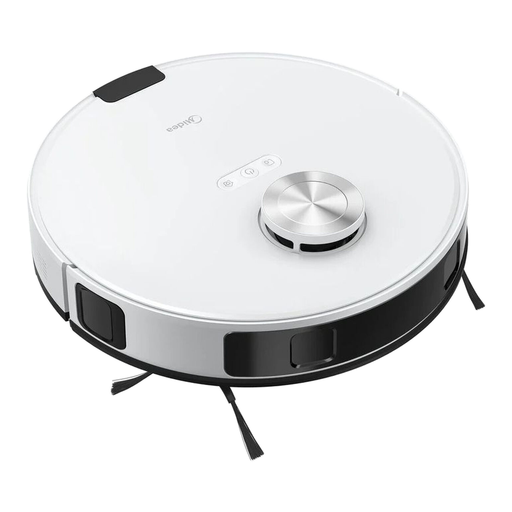
Midea M9, white
Suitable if you want to schedule cleaning; the product information lists app scheduling and 3D obstacle avoidance.
Colour: white. Stated maximum threshold height: 1 cm.
Joybuy
 No image available
EUREKA E20 Plus, 8000 Pa, black
Suitable if you want to combine scheduled cleaning with less frequent manual emptying; the product information lists app scheduling and an automatic emptying dock.
Stated suction power: 8000 Pa. Stated operating time: 180 minutes. The product name also mentions an anti-tangle function and 3D obstacle avoidance.
According to the product information, app control is only compatible with 2,4GHz Wi-Fi.
Joybuy
 No image available
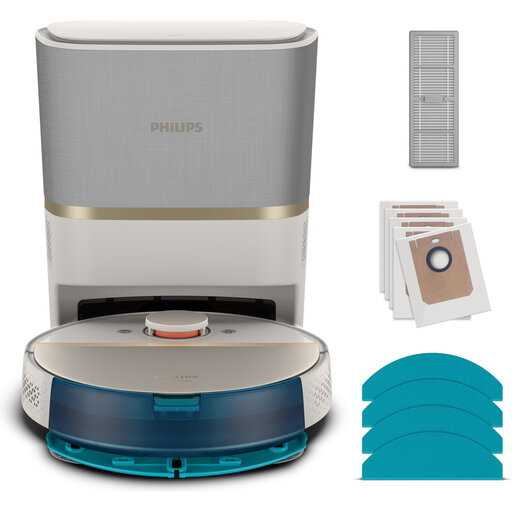
Philips XU7100/02 HomeRun 7000 Series
Suitable if you want to schedule cleaning and empty the robot’s dust container less often; the product information lists app scheduling and an automatic emptying dock.
Stated suction power: 5000 Pa. Stated operating time: 180 minutes. The product name also mentions LiDAR navigation.
According to the product information, sharing data is required to create an app account.
Joybuy
 No image available
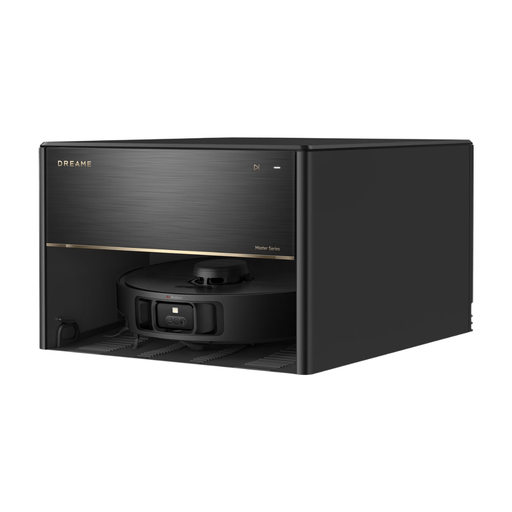
Dreame X40 Master
Suitable if you’re looking for app scheduling and automatic emptying; the product information also lists automatic water refilling and drainage.
Stated suction power: 12000 Pa. The product name mentions an 8-in-1 base station and MopExtend RoboSwing.
Stated base station dimensions: 485 × 426 × 280 mm. Measure the available space before choosing a location.
Joybuy
 No image available
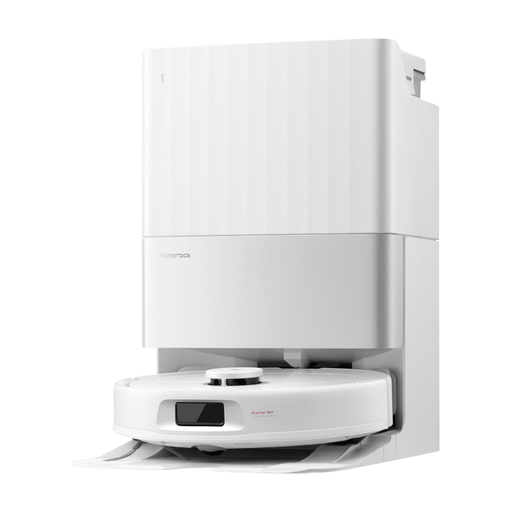
Roborock Qrevo 5AE, white, QRSP02-00
Suitable if you want to combine scheduled cleaning with automatic emptying; the product information lists app schedules and LiDAR navigation.
Colour: white. Model code: QRSP02-00.
Joybuy
Frequently asked questions
Can I set the robot to start while I’m at work?
Yes, if the model you choose has a suitable app scheduling feature. Clear away loose cables and other objects, and first check that the robot can reach its route and dock. A schedule doesn’t guarantee that cleaning will be completed.
Where should I put the charging dock in a small home?
Measure the dock and the clear approach space specified in the manual for the model you’ve chosen. The clearances published by iRobot for a Roomba Combo charging dock apply to that model and aren’t a general guide for other brands.
Is a self-emptying robot vacuum cleaner maintenance-free?
No. You’ll still need to replace the dock’s dust bag and maintain the brushes, filters and sensors, among other things. Follow the instructions for your specific model.
What data does a robot vacuum cleaner app share?
This varies from one app to another. The Dutch Data Protection Authority recommends reviewing the privacy policy and security of connected devices; the Dutch Consumers’ Association points out that using an app can involve sharing data with the manufacturer.
Am I always entitled to exactly two years’ legal guarantee in the Netherlands?
No. According to the Dutch Government, there is no fixed period for the legal guarantee in the Netherlands; what matters is what you can reasonably expect from the product. If a product is faulty, the retailer is your point of contact.


