When choosing a robot vacuum cleaner to run while you’re working, start by considering its route through your rooms, the obstacles it may encounter and whether you can set a reliable cleaning schedule. A high quoted suction power doesn’t, by itself, tell you how the robot will navigate your home. An automatic emptying station means you won’t need to empty the robot’s dust container as often, but it takes up space and requires replacement bags. Agree cleaning times and app access with your housemates, too.
Who is this relevant for?
Housemates who are out during the day
You want to set a schedule and have a robot that completes its route and returns to the charging station, without having to empty its dust container after every clean. The Consumentenbond describes app schedules as a way to plan cleaning for a time of your choice.
People sharing a busy living space
Shoes, cables, furniture legs and rugs can affect the robot’s route. The Consumentenbond highlights these kinds of obstacles when testing robot vacuum cleaners. Think about how much you can clear away before each clean.
Housemates who value privacy or peace and quiet
You may not all be out at the same time, or want the same level of access to a map of your home and the app. Agree schedules and account access together, and check the settings. The Dutch Data Protection Authority advises people to consider data use and privacy settings when using smart devices.
What should you look for when buying?
First, consider whether the robot can handle your rooms and obstacles while you’re working. Then choose a station and agree on arrangements for quiet, maintenance and app use that suit your household.
| What to consider |
What to look for when buying |
Who is this important for? |
| Cleaning while you work |
Check whether the app lets you set a schedule and control cleaning by room. Also check whether the robot returns to its charging station after cleaning. |
When I’m working, I want the robot to clean the accessible floor without anyone at home having to start it. Around 25% of consumers mainly want scheduled cleaning. |
| Belongings and doorways |
Check for cables, loose rugs and thresholds. Test the route first while someone is at home. |
In a shared room, housemates’ belongings can change the robot’s route. I want to know what we need to put away beforehand. Around 25% of consumers mainly prioritise obstacles and access between rooms. |
| Privacy and shared controls |
Discuss who will have access to the app and home map, and check which privacy and account settings are available. |
If the robot uses a map of shared spaces, I want to agree with my housemates who can view and manage it. Around 20% of consumers prioritise privacy and app access. |
| Noise and cleaning times |
Agree times with housemates who work from home or sleep during the day. Remember that both the robot and an automatic emptying station can make noise. |
When someone is at home, I want to avoid the robot cleaning or emptying at an inconvenient time. Around 15% of consumers mainly prioritise keeping things quiet for housemates who are at home. |
| Maintenance and consumables |
Check how much space the station needs and which bags, filters, brushes or mop pads are required for the model. |
I want to know in advance which regular maintenance tasks we’ll share and which parts need replacing. Around 15% of consumers mainly consider maintenance and consumables. |
Common pitfalls
-
‘Self-operating’ doesn’t mean you’ll never need to tidy up or carry out maintenance
Loose items can block the robot’s route, and parts can get dirty. A station that uses a dust bag will also need its bag replacing.
Supervise the robot on its first run, and agree with your housemates who will clear the floor and maintain the parts.
Allow time to clear the floor and clean the parts. If the station uses a bag, you’ll also need to replace it periodically.
-
Don’t choose based on the maximum Pa rating alone
A quoted suction power doesn’t tell you how a robot will deal with cables, carpets or finding its way back to the station. The Consumentenbond assesses these factors separately.
Compare results for your floors and obstacles, and check the specifications for the exact model variant.
-
Don’t assume models with almost identical names are the same version
A different addition to a model name can indicate a different version of a robot mop. For example, Dreame describes the L10s Pro Ultra Heat; that name doesn’t prove that the L10s Pro Ultra without ‘Heat’ has the same features.
Check the full model name and which station and mopping features come with the version you’re considering.
Brands to consider
Philips
The HomeRun 2000 series includes models with app control and LDS navigation. Philips says the XU2100/15 comes with an automatic emptying station.
- Philips specifies a 3,0-litre S-bag for the XU2100/15.
- Philips’ claim of up to 70 days without emptying depends on usage. Remember to allow space for the station and budget for replacement bags.
Xiaomi
Xiaomi describes the Robot Vacuum S40 Pro as having route planning, obstacle avoidance and an extendable brush and mop arm.
- The manufacturer quotes a suction power of 15.000 Pa for this model.
- A manufacturer’s specification doesn’t show how the robot will handle your cables, rugs and thresholds. Test its route under supervision first.
Dreame
Dreame describes the L10s Pro Ultra Heat as having mopping features and automated maintenance, which may be useful in homes with lots of hard flooring.
- The features listed apply to the version with ‘Heat’ in its model name.
- Don’t assume the specifications also apply to an L10s Pro Ultra without that addition. A robot mop still needs maintenance, too.
iRobot
According to iRobot, the Roomba 105 Combo with AutoEmpty Dock combines LiDAR, mopping and a self-emptying station.
- For this version, iRobot claims up to 75 days without emptying, depending on usage.
- This is the manufacturer’s claim. Also check the model version and availability with the retailer.
Roborock
According to Roborock, the Q7 series includes versions with LiDAR and adjustable water flow. Whether there’s an emptying station depends on the version.
- The series includes several model variants.
- Roborock lists different suction power ratings for different versions. Check the full model name, including whether it has a plus sign.
Joybuy products for cleaning while you work
These models offer a range of scheduled cleaning options, from a standard charging station to automatic emptying and more extensive mop maintenance.
 No image available
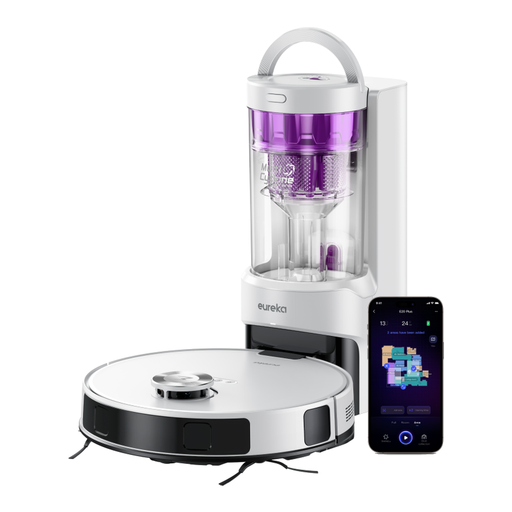
EUREKA E20 Plus Robot Vacuum Cleaner, 8000Pa
A good fit if you want to set a cleaning schedule and empty the robot’s dust container less often.
The product information lists app scheduling and a bagless emptying station with a 2-litre dust container. The app requires 2,4 GHz Wi-Fi. The user instructions also specify that you need to leave clear space around the station.
Joybuy
 No image available
EUREKA J15 Pro Ultra, 16200 Pa
An option if you want to combine vacuuming and mopping, while spending less time maintaining the mop pads.
The product name lists anti-wrap technology and cleaning with 75°C hot water. The product information describes a station that washes and dries the mop pads.
Joybuy
 No image available
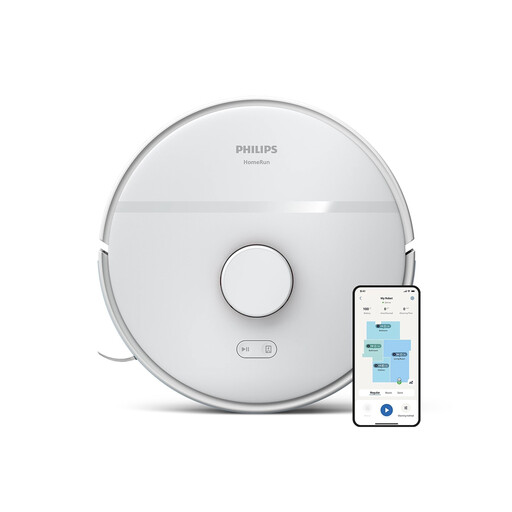
Philips HomeRun 2000 Series XU2000/25, 6000 Pa
A good fit if you want cleaning schedules and mapping features without an automatic emptying station.
The product information lists control through the HomeRun app, map-based navigation and adjustable no-go zones. You’ll need to empty the dust container by hand when required and rinse the mop pad.
Joybuy
 No image available
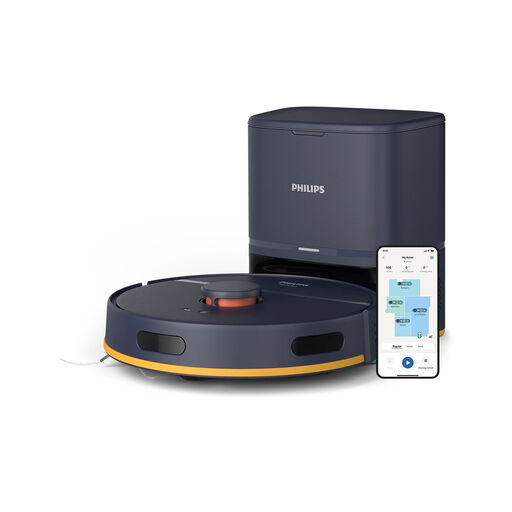
Philips HomeRun 2000 Series XU2100/15, 6000 Pa
An option if you want scheduled cleaning and less frequent emptying of the robot’s dust container.
The product information lists app control, LDS map-based navigation and an automatic emptying station with a 3-litre S-bag. Remember to replace the bag, clean the mop pad and leave enough space around the station.
Joybuy
 No image available
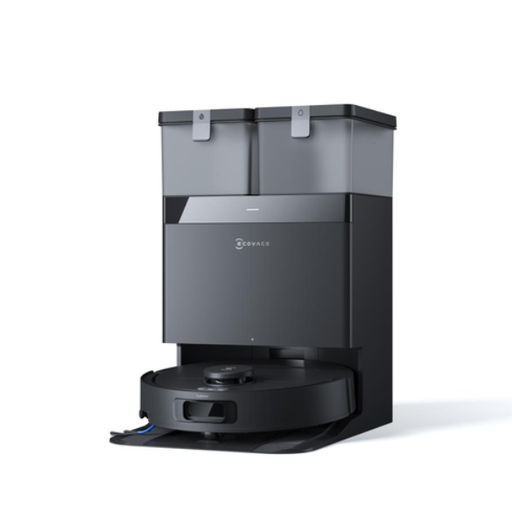
DEEBOT T30e OMNI EU, Black, 25000Pa
A good fit if you want a station that takes care of more than emptying dust, including tasks involving the mop pads.
The product information describes an OMNI station that empties dust and cleans and dries the mop pads.
Joybuy
Frequently asked questions
Can I set the robot to start while I’m working?
Yes, many robot vacuum cleaners let you set a schedule through an app. Put away loose items first, check the route while someone is at home and agree a start time with housemates who may be working from home or sleeping.
Does a robot with an emptying station still need maintenance?
Yes, an emptying station doesn’t eliminate all maintenance. Replace the station bag when needed and check which brushes, filters, wheels and sensors need attention. Also check which parts are available for the exact version you have.
How can I protect my housemates’ privacy?
Before buying, discuss who can use the app and view the home map, and read the privacy policy for the model you choose. The Dutch Data Protection Authority advises checking the privacy settings after installation and using multi-factor authentication if it’s available.
What are my rights when buying online in the Netherlands?
For an online purchase, you generally have a statutory cooling-off period of up to 14 days after delivery, subject to applicable exceptions, according to ACM ConsuWijzer. The seller is also responsible for the statutory guarantee if the product doesn’t perform as you could reasonably expect under normal use. This doesn’t mean every robot comes with a fixed two-year guarantee period.


