Which buying considerations matter?
Standard charging dock or dirt compression in the robot
Choose this if: your shared cupboard has little room and you’re happy to empty the dust container yourself.
Bear in mind: you’ll need to empty it by hand and, if it has a mopping function, look after the mop pad yourself.
Robot with an automatic emptying station
Choose this if: you want to empty the small dust container less often when vacuuming regularly.
Bear in mind: you’ll need extra space for the station, access for maintenance and replacement dust bags.
Vacuum and mop robot with an advanced station
Choose this if: you want to mop a suitable hard floor and leave more of the mop-pad maintenance to the station.
Bear in mind: you’ll need room for the complete station, and water, reservoirs and mop pads will still need looking after.
First make sure the docking spot works. Then decide how much emptying and mop maintenance you’re happy to do yourself.
| Consideration |
What to check before buying |
Who is this important for? |
| Docking spot |
Measure the station, cupboard opening and clear approach route. Follow the instructions for the exact model. |
If my shared cupboard is cramped, I want the robot to set off and return without blocking the walkway. Around 33% of consumers prioritise having a suitable docking spot. |
| Open-plan floor |
Check the navigation and how the robot handles loose items, furniture legs and rugs. |
I want the robot to cover the open-plan floor regularly without loose items or rugs getting in the way. For around 27% of consumers, cleaning this floor comes first. |
| Mopping function |
Check that your floor is suitable, how rugs are handled and which mopping tasks the station takes care of. |
If I have a suitable hard floor, I want to know whether mopping suits my needs and how much pad and water maintenance I’ll still need to do. Mopping is the top priority for around 20% of consumers. |
| Maintenance |
Check which parts you’ll need to look after yourself, whether consumables are compatible with the model and whether you can reach them in the cupboard. |
I want to know in advance how much emptying, cleaning and replacing I’ll need to do myself. Around 20% of consumers prioritise low maintenance. |
Which brands are worth considering?
The models listed illustrate different combinations of station size and mop maintenance. A brand name alone says nothing about availability or whether a model will suit your cupboard.
iRobot
The Roomba 205 Combo and Roomba 115 Combo show two different approaches: compressing dirt in the robot or using a separate emptying station.
- According to iRobot, the Roomba 205 Combo doesn’t need a separate self-emptying dock.
- According to iRobot, the Roomba 115 Combo does use an AutoEmpty station. These features and claims apply to the models listed, not automatically to other Roomba versions.
Philips
The HomeRun 5000 XU5100/10 is a vacuum and mop robot with an automatic emptying station.
- Philips lists a 3,0-litre S-bag in the station for the XU5100/10.
- Check the exact bundle and make sure you can still access the station to replace the bag and carry out other maintenance.
ECOVACS
According to ECOVACS, the DEEBOT T50 OMNI Gen2 combines vacuuming, mopping and a multifunctional station.
- For this model, ECOVACS lists automatic emptying and hot-air drying at 45 °C.
- Claims for this specific product don’t automatically apply to other T50 versions. Make sure there’s also room to access the station.
eufy
The Omni C20 is a vacuum and mop model with a station that can empty, wash and dry the pads, as well as refill the water.
- According to eufy, this model dries the pads with room-temperature air.
- eufy says performance can vary depending on the floor type and amount of dust. Also check that the station will remain accessible.
Robot vacuums at Joybuy
This selection focuses on vacuum and mop robots with stations that handle emptying and mop maintenance. Measure the space available for the complete station and, before buying, check the documentation and required product marking for the exact model.
 No image available
EUREKA J15 Pro Ultra
Ideal if you want to combine vacuuming and mopping, while automating some of the mop-pad maintenance too.
The product name lists 16.200 Pa suction power and cleaning with water at 75 °C. The product information also mentions liquid detection and brush lifting.
View at Joybuy
 No image available
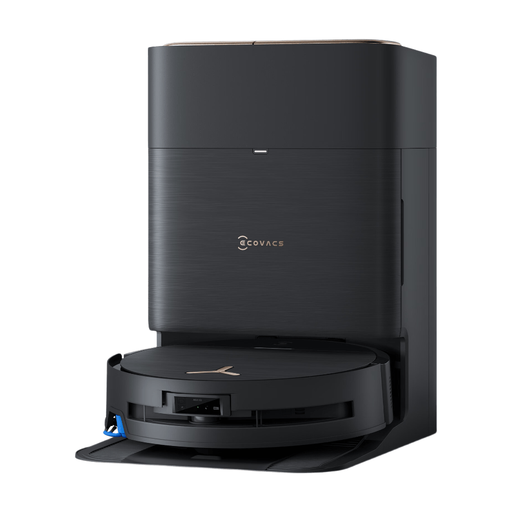
ECOVACS DEEBOT X9 PRO Omni
Ideal if you’re considering a vacuum and mop robot with a station that takes care of mop maintenance.
The product name lists 16.600 Pa, an OZMO roller and an all-in-one Omni station. The product information says it washes the mop with hot water and dries it with hot air.
View at Joybuy
 No image available
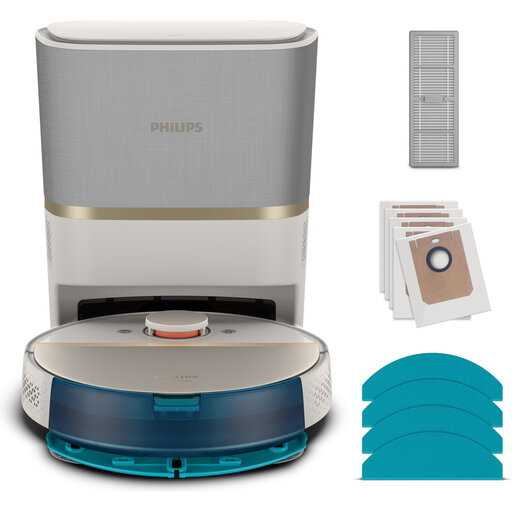
Philips XU7100/02 HomeRun 7000 Series
Ideal if you’re looking for a robot with LiDAR navigation and an automatic emptying station. Check that the station will be accessible in your shared cupboard.
The product name lists 5.000 Pa suction power, a stated running time of 180 minutes and LiDAR navigation. The product information mentions two washable mop pads and obstacle detection.
View at Joybuy
 No image available
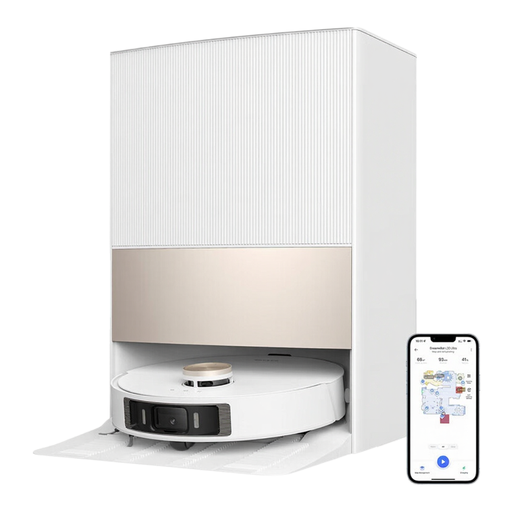
Dreame L20 Ultra
Ideal if you want to combine vacuuming and mopping and leave more tasks to the station. Bear in mind that the station needs enough room.
The product information lists a dust bag and AI object recognition. It also says the station empties the robot, washes and dries the mop pads, and refills the water.
View at Joybuy
 No image available
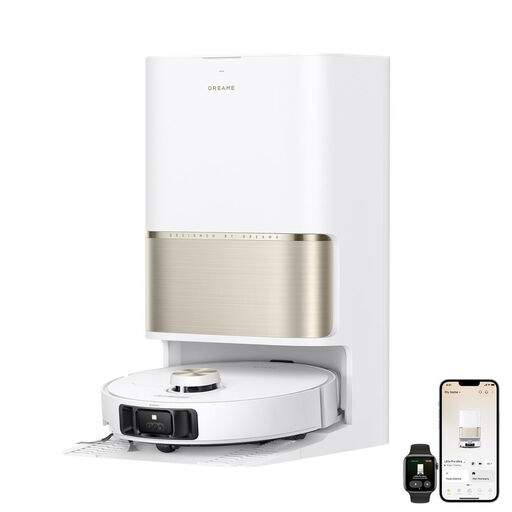
Dreame L50s Pro Ultra
Ideal if you’re considering a robot with station-based mop maintenance. Check that the station can be placed somewhere accessible in your shared cupboard.
The product name lists 30.000 Pa suction power, self-cleaning with water at 100 °C and Matter compatibility. Check that it’s compatible with your own devices and intended use.
View at Joybuy
Frequently asked questions
Can the charging dock go behind a closed cupboard door?
It depends on the model and cupboard layout. Check the instructions for the exact version and make sure the robot can leave and return with the door in its normal position. For the models covered by its advice, Roborock Support specifies a flat, hard floor and clear space around the dock; don’t automatically apply those measurements to other robots. Philips lists an obstacle or blocked signal as a possible reason why a robot may not return to its dock.
Will a robot vacuum do all my usual vacuuming?
No. The Consumers’ Association says a robot can tackle everyday dirt on the floor, but also points out its limitations with stairs, gaps, deep-pile carpet and some edges. Have another cleaning method ready for areas the robot can’t reach properly.
What will I still need to do after mopping?
Follow the instructions for the pads and reservoirs supplied with your chosen model. A station can automate some tasks, but it doesn’t mean maintenance is no longer needed. According to eufy, the Omni C20 dries the pads with room-temperature air. The manufacturer says the appropriate drying time depends on factors including humidity.
Am I automatically entitled to exactly two years’ legal guarantee in the Netherlands?
No. According to the Government of the Netherlands, there is no fixed statutory guarantee period in the country. You can expect a product to last for a period that’s reasonable for that product. If something goes wrong, the seller must provide a solution; any manufacturer’s guarantee is in addition to this.
What should I check when buying online and choosing a robot with an app?
Check the purchase terms and how the device handles your data. For an eligible online consumer purchase, the Government of the Netherlands generally states a 14-day cooling-off period. The Dutch Data Protection Authority recommends checking the privacy notice and security, then reviewing the privacy settings after installation. Also check the required product marking and documentation for the specific electrical device. General information doesn’t prove that a particular version meets these requirements.


