What should you look for when buying?
Start by checking where the robot will be kept and the route it needs to take to get there. Then consider how much manual maintenance you want to do and how the robot will navigate the shared space.
| What to consider |
What to look for when buying |
Who is this important for? |
| Permanent docking spot |
Measure the robot and dock for the exact model, and check access to the power socket and a clear route in and out. |
I want to know whether the robot and dock will fit in or near the shared cupboard and remain accessible; around 36% of consumers give this permanent docking spot top priority. |
| Emptying and maintenance |
Compare manual and automatic emptying, compatible dust bags and who will maintain the dock. |
If I don’t want to empty the dust container every time, the convenience is worth the extra space for the dock and bags; around 29% of consumers prioritise emptying the container less often by hand. |
| Route around obstacles |
Check the navigation and how the robot returns to the dock. Consider the layout of your floors and put away loose items wherever the manufacturer recommends. |
If there are cables, rugs or furniture legs, I want the robot to find a suitable route and return to the dock; around 21% of consumers give the route top priority. |
| Controls and privacy |
Check which features work without an app, who manages the account, and what data and security settings are involved. |
In a household with several users, I want to agree in advance on schedules, rooms and account access; around 14% of consumers prioritise shared controls and privacy. |
Robot vacuums with a self-emptying dock
This Joybuy selection includes robot vacuums with a mopping function and a self-emptying dock, according to the product information. Measure both the robot and the dock, and check the space needed for the robot to reach the dock before choosing a permanent spot.
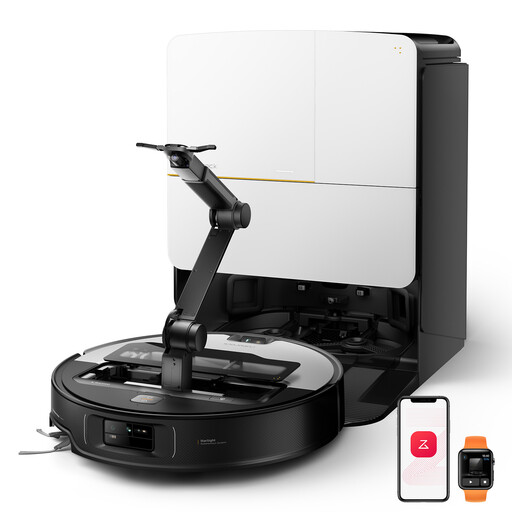 No image available
Roborock Saros Z70
An option to compare if you’re looking for automatic emptying and a low-profile robot; check separately whether the dock will fit in your shared space.
The product information lists a self-emptying dock and AI obstacle avoidance. The product name specifies 22.000 Pa and a height of 7,98 cm.
View at Joybuy
 No image available
EUREKA J15 Pro Ultra
This model may suit you if you want to compare automatic dust emptying with other features of a robot mop. Check how much space the base needs before buying.
The product information lists automatic emptying and a self-cleaning base. The product name specifies 16.200 Pa and anti-tangle technology.
View at Joybuy
 No image available
EUREKA E20 Plus
Worth considering if you want to empty the dust container by hand less often; check whether there’s a practical place for the dock in or near the shared cupboard.
The product name lists a self-emptying dock, 8.000 Pa and 3D obstacle avoidance. The product information specifies a 2-litre dust container.
View at Joybuy
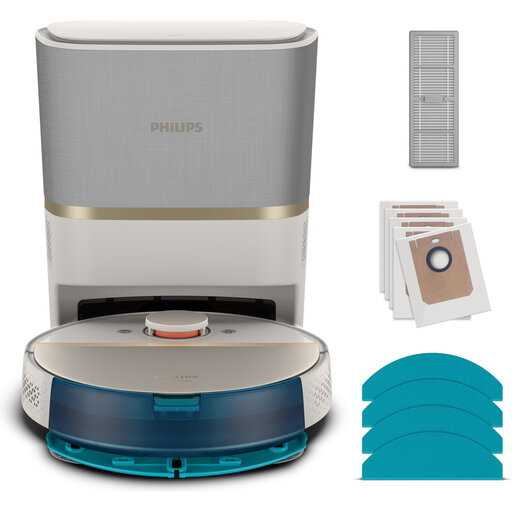 No image available
Philips XU7100/02 HomeRun 7000 Series
An option to compare if automatic emptying and navigation matter to you. Bear in mind that, according to the product information, the app is needed to access all features.
The product name lists 5.000 Pa, a 180-minute runtime, a self-emptying dock and LiDAR navigation. Data sharing is required to create an account.
View at Joybuy
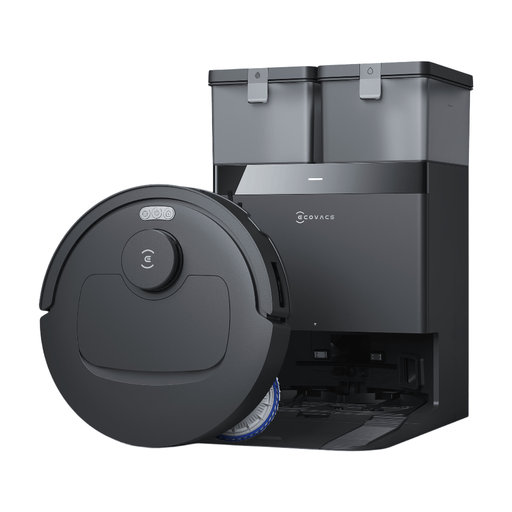 No image available
ECOVACS Deebot T30C OMNI Gen2
This model is worth comparing if you want automatic dust emptying alongside mopping features; remember to allow space for the dock too.
The product information lists automatic dust emptying via the OMNI station. The product name specifies 20.000 Pa and mop cleaning with water at 75 °C.
View at Joybuy
Frequently asked questions
Can the charging dock go at the back of a shared cleaning cupboard?
Only if the robot can reach the dock as instructed, and the dock can stay there safely and charge. For the Roomba Mini, iRobot requires a hard, level surface with the area around the dock kept clear. Check the instructions for the model you choose.
Does a robot with a self-emptying dock still need maintenance?
Yes. The dust bag needs replacing, and the brushes, wheels, filters and sensors need attention. Check which parts are required for the exact model and agree on who will take care of maintenance.
What can you do in the Netherlands if a robot vacuum bought online turns out to be faulty?
When you buy as a consumer, you’re entitled to a product that works as it should, and you can hold the seller responsible under the statutory guarantee. According to the Dutch Government, the Netherlands does not have a fixed two-year statutory guarantee period for every product; what you can reasonably expect depends, among other things, on the product and how it is used. For online purchases from a business, you will often also have a 14-day cooling-off period.
Are robots with an app or home map banned in a shared home?
The Dutch Data Protection Authority does not issue a general ban on app-controlled household robots. It advises you to check the privacy statement and security before buying, and to review the account and privacy settings after installation. This is general privacy advice, not an assessment of a specific model.


