Who should consider this?

Scheduling cleaning while you’re out during the day

You want to schedule a cleaning session and come home without first having to empty a full dust container. Check that the robot can return to its station, consider obstacles and find out what maintenance the auto-empty station needs. The Dutch Consumers’ Association lists emptying the container and cleaning the brushes, wheels, filters and sensors as regular maintenance tasks.

A shared or small space for the station

You share the cupboard or spot where the robot is kept and want to make sure the station or its route isn’t in the way. Decide in advance where a plugged-in station can stay and whether the robot can reach it freely. The Dutch Consumers’ Association highlights the extra space needed for a dust-bag station; ECOVACS lists the DEEBOT mini station as 38,5 cm high.

Floors with tricky routes

You may have cables, rugs, thresholds or lots of furniture. If the robot is running while no one is home, the areas it can reach and how it navigates matter just as much as its stated suction power. The Dutch Consumers’ Association points out that robots can struggle with loose cables and other obstacles.

What should you look for?

Robot with an auto-empty station

Choose this if: you’re often out, want to empty the robot’s dust container less often and have a permanent spot for the station.

Trade-off: the station takes up more space; you’ll still need to replace dust bags and carry out other regular maintenance.

Robot with a compact station

Choose this if: you want a station, but available space is a major consideration. ECOVACS lists the DEEBOT mini station as 38,5 cm high.

Trade-off: a compact exterior doesn’t mean the station can operate inside a closed cupboard; check the full setup and access.

Robot without an auto-empty station

Choose this if: a small charging station matters more to you than reducing maintenance, and you’re happy to empty the robot’s dust container yourself.

Trade-off: according to the Dutch Consumers’ Association, the small dust container on most robots needs emptying after a substantial vacuuming session.

What to consider What should you check? Who is this important for?
Cleaning independently Check the scheduling function, whether the robot can return to its station and what preparation is needed. Auto-emptying reduces the need to empty the dust container during a cleaning session, but takes up space and requires consumables. If I want to clean while I’m at work, I need to know whether the robot can start and return without help. Around 33% of consumers are most concerned about independent cleaning.
Space for the station Measure the available space and check that the robot can reach it and that you can remove the containers or bags. The station’s height alone doesn’t tell you whether the whole setup will fit. If I share a cleaning cupboard, I want a spot that stays clear and gives the robot room to come and go. For around 27% of consumers, shared space for the station is the main consideration.
Floor routes and obstacles Consider navigation, cables, rugs, thresholds and which areas of your floor the robot can reach. Tidy away loose items; don’t assume the robot can reach every corner. With cables, furniture or changes in floor level, I need to know where the robot can go and return without help. Around 27% of consumers are most concerned about the robot getting stuck and how much of the floor it can reach.
Privacy and app use Read about data processing and security, and check how account access is managed in a shared household. If I want to control the robot remotely via an app, I need to understand the privacy and security choices involved before I buy. Around 13% of consumers put data protection first.

Common pitfalls

  • Assuming auto-emptying means no maintenance

    An auto-empty station reduces the work involved in emptying the robot’s dust container, but it takes up space and other parts still need maintenance. The Dutch Consumers’ Association lists brushes, wheels, filters and sensors among the things to look after.

    Before you buy, check that the right dust bags are available and that you can replace them where you plan to put the station. Follow the maintenance instructions for the exact model.

  • Measuring only the station’s height

    A station might fit inside a cupboard, but a door or other items could stop the robot returning to it. If a robot has trouble returning, ECOVACS recommends checking whether the door to the room with the station is open.

    Measure the whole setup, keep the route clear and check the placement instructions for your chosen model before using the cupboard as its permanent home.

  • Assuming suction power means the robot can move around freely

    A robot’s stated suction power doesn’t tell you on its own whether it can handle cables, rugs or furniture. The Dutch Consumers’ Association highlights problems with loose cables and also tests how robots deal with obstacles.

    Where possible, look for test information about the exact model and see how well it matches your floors and thresholds. Tidy away loose or delicate items before leaving the robot to run unattended.

Brands to compare

eufy

The eufy X10 Pro Omni comes with a station for collecting dust and maintaining the mop. It’s designed for people who want less to do between scheduled cleaning sessions.

  • According to eufy, this model can create maps and set no-go zones, and the station empties the robot’s dust container.
  • These features don’t guarantee that the robot will avoid obstacles in every home. Check how much space the station needs and which consumables it uses.

ECOVACS

The DEEBOT mini Blue has a compact station, making it an option for people with limited space.

  • ECOVACS lists this model as 28,6 cm wide, with a station height of 38,5 cm and an auto-empty function.
  • Check the total space needed and make sure the station is accessible. Compact doesn’t automatically mean the station can sit inside a closed cupboard.

iRobot

The Roomba 105 Combo with AutoEmpty Dock offers scheduled vacuuming, optional mopping and automatic dust collection.

  • For the white Y351240 model, iRobot lists app scheduling and a self-emptying dock.
  • A maintenance interval stated by the manufacturer isn’t guaranteed to apply in every home. Consider your floors and how you use the robot, and check the maintenance requirements for the exact model.

Joybuy products

These Joybuy products are robot vacuum cleaners with an auto-empty station, for anyone who wants to schedule cleaning sessions and empty the robot’s dust container less often.
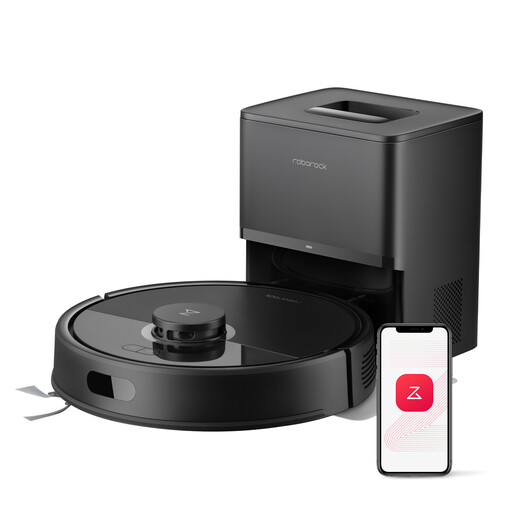
roborock Q7 L5+ robot vacuum cleaner with mopping function

roborock Q7 L5+

The product information lists app scheduling and auto-emptying, making this a good fit if you want to schedule a cleaning session and empty the robot’s dust container less often.

The product name lists 8.000 Pa, LiDAR navigation, a dual anti-tangle system and a mopping function.

Joybuy

EUREKA E20 Plus robot vacuum cleaner with self-emptying station

EUREKA E20 Plus

The product information lists app scheduling and auto-emptying, for anyone who wants the robot to clean while they’re out.

The product name lists 8.000 Pa, 3D obstacle avoidance, DuoDetect AI and a stated runtime of 180 minutes.

The product information lists a mop lift height of 10 mm and a 2-litre dust container.

Joybuy
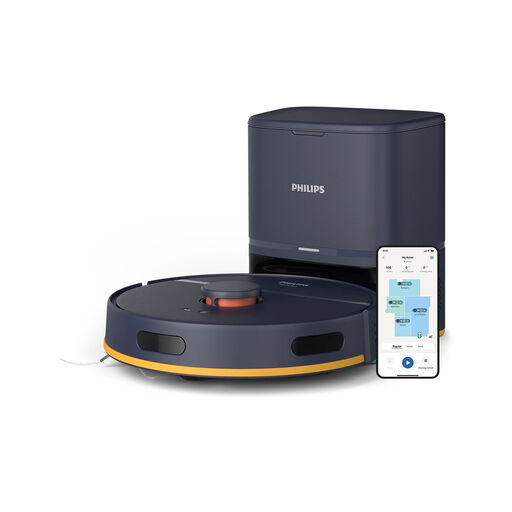
Philips HomeRun 2000 Series XU2100/15 robot vacuum cleaner with auto-empty station

Philips HomeRun 2000 Series XU2100/15

The product information lists app scheduling and auto-emptying, for anyone who wants to set a cleaning session remotely and empty the robot’s dust container less often.

The product name lists 6.000 Pa and a mopping function. The product information lists a 3,0-litre S-bag.

The installation instructions specify at least 0,5 m of clear space on either side and 1,5 m in front of the auto-empty station. Measure the space before choosing a spot.

Joybuy
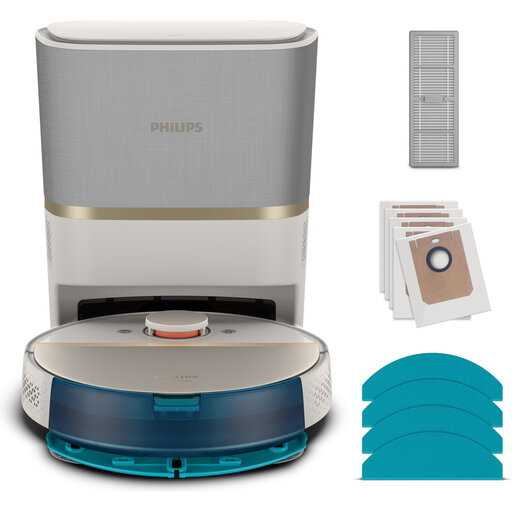
Philips XU7100/02 HomeRun 7000 Series robot vacuum cleaner with auto-empty station

Philips XU7100/02 HomeRun 7000 Series

The product information lists a programmable schedule, app control and auto-emptying, for anyone who wants to schedule cleaning remotely.

The product name lists 5.000 Pa, LiDAR navigation and a stated runtime of 180 minutes. The product information lists a 3,0-litre S-bag and a mopping function.

Joybuy
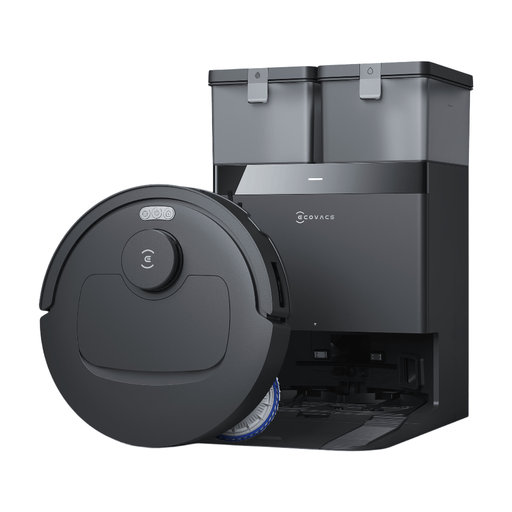
ECOVACS Deebot T30C OMNI Gen2 robot vacuum cleaner with OMNI station

ECOVACS Deebot T30C OMNI Gen2

The product information lists automatic dust emptying, mapping and app control, for anyone who wants to schedule cleaning and spend less time emptying dust by hand.

The product name lists 20.000 Pa, a mopping function and an OMNI station. The product information lists TrueMapping 2.0 and automatic mop pad washing and drying.

Joybuy

Frequently asked questions

Can I put the station behind the door of a shared cleaning cupboard?

Don’t assume that you can. If a robot has trouble returning, ECOVACS recommends checking whether the door to the room with the station is open. Measure the whole setup and check the instructions for the exact model before choosing the cupboard as its permanent home.

Why does a scheduled cleaning session sometimes fail to start?

For DEEBOT models, ECOVACS lists Do Not Disturb mode, the robot being switched off and a low battery as possible causes. For other brands, check the relevant app and manual; these points won’t necessarily apply to every model.

What maintenance does a self-emptying robot need?

Check the dust bag or container and clean the brushes, wheels, filters and sensors according to the model’s manual. The Dutch Consumers’ Association lists these as regular maintenance tasks; auto-emptying doesn’t replace them.

What are my rights when buying online in the Netherlands?

When you buy online from a business, you generally have 14 days to change your mind, according to the Netherlands government. Your statutory guarantee is separate from any manufacturer’s or seller’s guarantee. If a product proves faulty sooner than expected under normal use, the seller is responsible for providing an appropriate solution at no extra cost, according to ACM ConsuWijzer. Check which terms apply to your purchase.

Is an app for remote control automatically safe for my privacy?

No, an app isn’t automatically safe for your privacy. Before buying, the Dutch Data Protection Authority recommends checking the privacy policy and security of a connected device. When setting it up, use a strong password and a secure network.
