What should you look for when buying?
First, check whether the robot can navigate independently where you need it to. Then make sure the station and maintenance requirements suit your home and routine.
| What to consider |
What should you check? |
Who is it for? |
| Cleaning while you're out |
Check whether the exact model supports schedules, zone settings and returning to the station. Run a test cycle while you're at home first. |
When you're out, you want the robot to reach the rooms you’ve selected and return to its station, without losing sight of loose cables and belongings. Around 28% of consumers prioritise reliable navigation. |
| Space and doorways |
Measure the space for the robot and station, the clearance around furniture and any thresholds. Compare these measurements with the dimensions and stated capabilities of the exact model. |
In a small rented flat, you want to know whether the station will fit and whether the robot can move between rooms without making permanent changes to your home. Around 22% of consumers prioritise space and doorways. |
| Floors and carpets |
Where possible, look for test results for your type of flooring and check how the model handles rugs and any mopping function. |
If your home has hard floors, carpets or both, you want the features you choose to suit them. Around 22% of consumers choose mainly according to how suitable a model is for their own flooring. |
| Maintenance |
Check which dust bags, filters, brushes or mop parts you’ll need, and what maintenance the manufacturer recommends for that version. |
You want to know how much ongoing work the station and robot require, even if the dust container empties automatically. Around 17% of consumers prioritise maintenance and ease of use. |
| App and privacy |
Read the privacy policy and check which security settings and updates are available for the model. Use a strong, unique password. |
If you use an app and a map of your home, you want to be able to assess what data the provider processes and how to secure your account. Around 11% of consumers make data protection their main purchasing consideration. |
Joybuy products for cleaning while you're away
This selection focuses on robot vacuum cleaners with an automatic emptying station, for scheduled cleaning while you’re out. Remember to measure the space the station needs, too.
 No image available
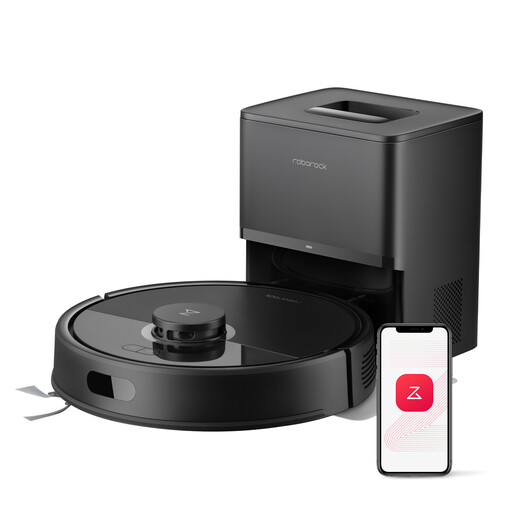
roborock Q7 L5+ robot vacuum cleaner
Suited to anyone looking for a self-emptying station and scheduled cleaning. Check that your flat has enough space for the station.
The product name lists a mopping function, 8,000 Pa suction power and LiDAR navigation. The stated suction power doesn’t measure how well it will clean your floors.
Joybuy
 No image available
EUREKA E20 Plus
Suited to anyone who wants automatic emptying alongside scheduled cleaning. Measure the space for the station before choosing where to put it.
The product name lists 8,000 Pa suction power and a running time of 180 minutes. These are stated product specifications, not a guarantee of results in your home.
Joybuy
 No image available
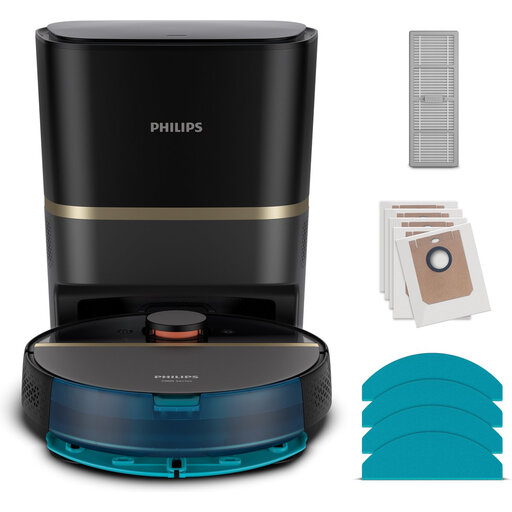
Philips XU7100/01 HomeRun 7000 Series
Suited to anyone looking for a robot with an automatic emptying station and the option to schedule cleaning while away. Check that the station fits in the space available.
The product name lists 5,000 Pa suction power, a running time of 180 minutes, automatic emptying and LiDAR navigation.
Joybuy
 No image available
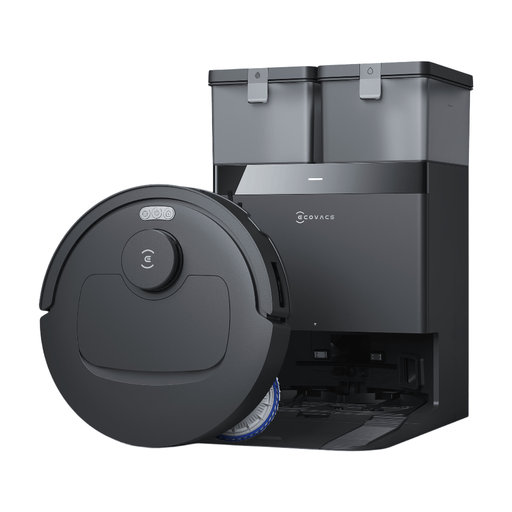
ECOVACS Deebot T30C OMNI Gen2
Suited to anyone looking for a robot with a mopping function and an OMNI station. Check its dimensions and the maintenance required for the station’s features.
The product name lists 20,000 Pa, OZMO Turbo 2.0, ZeroTangle 3.0, TruEdge 2.0 and mop washing with 75 °C water. These are product specifications, not an independent performance measurement.
Joybuy
 No image available
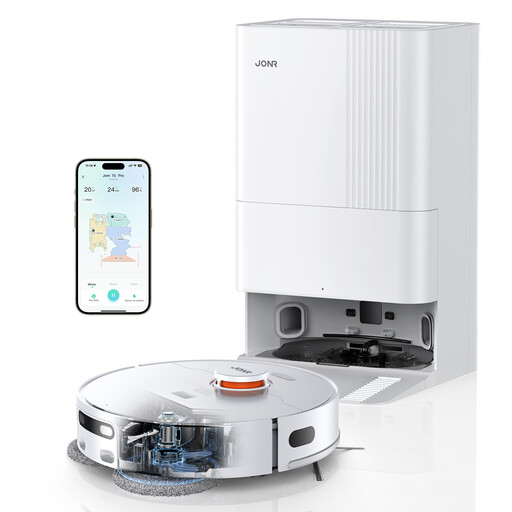
JONR T5 Pro
Suited to anyone looking for automatic emptying and scheduled cleaning. When choosing a spot, allow for the stated clearance around the station.
The product name lists a mopping function, 8,150 Pa, LiDAR navigation, obstacle avoidance and hot-air drying.
Joybuy
Frequently asked questions
Do I need permission to use a robot vacuum cleaner in my rented home?
You don’t need to make any alterations to place a freestanding appliance. If you want to attach or change anything in the property, consider whether the change can be reversed without significant cost, and check the relevant tenancy agreement if necessary. The Dutch government sets out the rules for making changes to a rented home.
Can I start the first clean as soon as I leave for work?
Run a test cycle while you’re at home first. Check the route around cables, rugs and thresholds, and make sure the robot returns to its station. Follow the instructions for the exact model when charging it and caring for its battery; the fire service recommends taking care when charging battery-powered devices.
What maintenance will I need to keep up with after setup?
Check the dust container or station bag, and clean the brushes, wheels, filters and sensors according to the model’s instructions. With a robot mop, you’ll also need to look after the water and mop parts; a self-emptying station doesn’t do away with all maintenance.
Do I need an extended warranty to benefit from my statutory rights?
No. An extended warranty doesn’t replace your statutory rights. In the Netherlands, the retailer is responsible if a product doesn’t perform as you could reasonably expect under normal use. Consider any extra insurance or service separately, and check what additional cover it provides. ACM ConsuWijzer explains your statutory warranty rights.
How can I set up a robot with an app to better protect my privacy?
Before buying, read the privacy policy and information about security and updates. Then set a strong, unique password and check the privacy settings. Use multi-factor authentication if it’s available. These are general recommendations from the Dutch Data Protection Authority, not an assessment of the security of any specific model.


