Start by considering how well it covers your type of flooring and how it handles furniture and loose items. Compare cleaning tests on a similar surface rather than relying on the stated suction power alone. A self-emptying dock saves you from emptying the bin by hand, but it needs space and maintenance. A mopping function is most useful on a suitable hard floor, and won’t remove stubborn stains by itself. The Consumentenbond discusses these trade-offs in its robot vacuum buying advice.
Who is this relevant to?
People with a large open-plan floor
If the robot needs to cover a lot of accessible floor during its weekly run, look at how it navigates around furniture, loose items and edges. The Consumentenbond describes tests covering different surfaces and types of dirt.
People with mainly hard floors
If you want to combine vacuuming with mopping, consider the cleaning results on your own flooring separately from how much you need a mopping function. Having a mopping function doesn’t, by itself, tell you how well a model removes stains.
People who want to empty the bin less often
An automatic emptying dock could suit you if you’d rather empty the robot’s dustbin less often after a bigger clean. Weigh this against the space the dock takes up and the maintenance it still needs.
What should you consider when choosing?
Standard charging dock
Suitable for: an open, easy-to-access floor that you want to keep on top of each week, if you’re happy to empty the dustbin yourself.
Trade-off: after a big clean, you’ll generally need to empty the robot’s dustbin yourself. The brushes, filters and sensors also need attention.
Automatic emptying dock
Suitable for: a weekly clean where emptying the bin by hand less often is important to you.
Trade-off: allow space for the dock and, depending on the model, budget for compatible dust bags and extra maintenance.
Mopping function or mop-maintenance dock
Suitable for: a home with mainly hard floors that are suitable for mopping, if you want to tackle light dirt as well as dust.
Trade-off: stain removal varies by model. Check how the model handles rugs and what maintenance the mop pads and tanks need.
Start by looking at coverage and cleaning results on your type of flooring. Then decide whether emptying the bin less often or having a mopping function is worth the extra space and maintenance for your weekly routine.
| What to consider |
What to look for |
Who is this important to? |
| Coverage and navigation |
Compare tests for missed areas, obstacles and edges. Check that the mapping and no-go zone features suit your space. |
I want the robot to cover all my accessible floors without repeatedly getting stuck on furniture or loose items. Around 36% of consumers prioritise coverage and navigation. |
| Results on your flooring |
Look at tests for dust and crumbs on your type of flooring; assess mopping and stain removal separately. |
If I also want to mop a suitable hard floor, I want to know how much extra work will be needed for dirt and stains. Around 29% of consumers focus mainly on cleaning results for their own type of flooring. |
| Emptying and maintenance |
Check the space needed for the dock, how it collects dust and how to clean the brushes, filters and sensors. |
After a long clean, I’d rather not empty the dustbin myself too often, but I’m prepared to maintain the dock. Around 21% of consumers give top priority to emptying the bin less often. |
| Controls and routine |
Check which features are controlled through an app, any account or Wi-Fi requirements, and the maintenance set out in the manual. |
For a regular weekly start, I want controls that suit my routine and app and maintenance tasks that I can keep track of. Around 14% of consumers prioritise easy controls and ongoing maintenance. |
Common buying mistakes
-
Comparing stated suction power alone
A pressure figure doesn’t tell you how well a particular model picks up dust and crumbs from your floor, or how it navigates and mops.
Where available, compare tests covering hard floors, edges, navigation and stain removal.
If the robot misses areas, edges or stains, you may still need to do extra cleaning by hand.
-
Assuming a self-emptying dock means no maintenance
Automatic emptying means you have to empty the robot’s bin less often, but the brushes, filters, sensors and dock still need maintenance.
Check the dock’s dimensions, the type of dust collection it uses and which parts need maintenance according to the model instructions.
The dock takes up space and, depending on the model, may need compatible dust bags.
-
Assuming every robot mop avoids rugs
Controls for mopping areas vary by model. iRobot says the Roomba Combo i5/i5+ does not support keep-out zones.
Check the instructions for the exact model and make sure it suits your combination of hard floors and rugs.
Brands to consider
Philips
The HomeRun 7000 Series Aqua XU7100/01 is a model to compare if you’re considering vacuuming, mopping and an automatic emptying dock.
- Philips describes the XU7100/01 as offering vacuuming and mopping in one. Check the features for the full model number.
- The manufacturer’s product description is not independent confirmation of cleaning performance, and does not automatically apply to other HomeRun models.
eufy
The Omni C20 is designed for people who want to combine vacuuming and mopping with a dock that also maintains the mop pads.
- According to eufy, the Omni C20 is 8.5 cm tall and its dock dries the mop with room-temperature air.
- eufy says performance can vary depending on the type of flooring and amount of dust. Its feature description is not an independent test result.
iRobot
The Roomba Combo i5+ is worth considering if you want to use a Combo bin for vacuuming and mopping.
- iRobot says the Combo bin must be fitted for the i5+ to mop.
- According to iRobot support, the i5/i5+ does not have keep-out zones. Check whether this limitation suits your rugs and layout.
Dreame
The L50s Pro Ultra is a model to compare if you’re looking for an advanced maintenance dock and edge-cleaning features.
- A Dutch retailer lists automatic emptying, washing and drying of the mop pads, and water refilling for this model.
- These are claims made by a retailer about a specific model, not an independent performance assessment or features you can assume apply to the whole brand range.
Robot vacuums at Joybuy
This selection focuses on weekly cleaning runs across open floors, where navigation, less frequent emptying, or combined vacuuming and mopping may be important.
 No image available
EUREKA J15 Pro Ultra
Worth considering if you want to combine vacuuming and mopping and are interested in edge-cleaning features.
The product name lists 16200 Pa, anti-wrap technology, liquid detection and a brush lift.
The product name mentions cleaning with hot water at 75°C.
Joybuy
 No image available
EUREKA E20 Plus
An option to consider if you’re looking for scheduled weekly cleaning and less frequent emptying by hand.
The product name lists 8000 Pa, a self-emptying dock, anti-tangle function, 3D obstacle avoidance and a 180-minute run time.
The Wi-Fi features described require 2.4GHz Wi-Fi; 5GHz is not supported.
Joybuy
 No image available
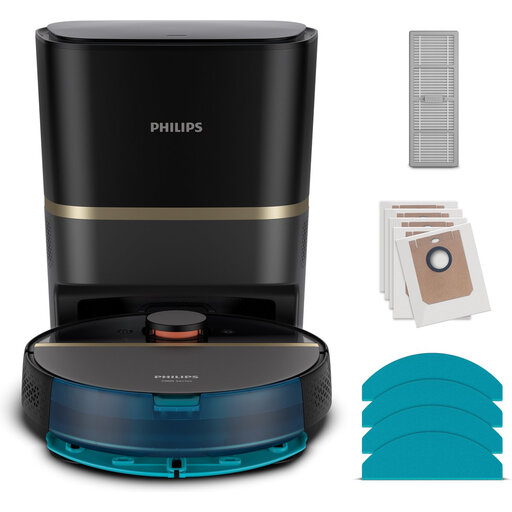
Philips XU7100/01 HomeRun 7000 Series
An option to consider if you want to combine vacuuming and mopping in a weekly cleaning routine.
The product name lists 5000 Pa, a 180-minute run time, an automatic emptying dock and LiDAR navigation.
According to the product description, the app is needed for full functionality, and creating an account involves sharing data.
Joybuy
 No image available
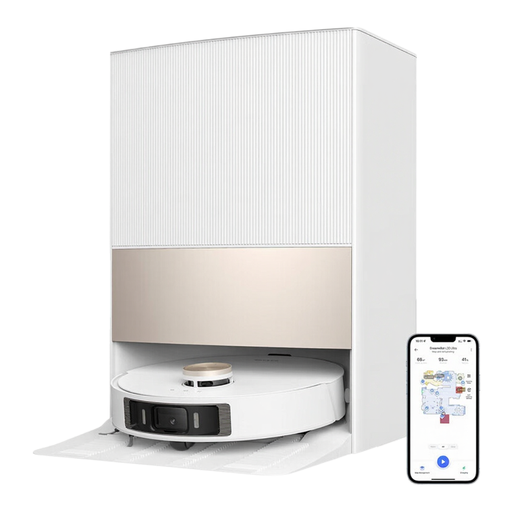
Dreame L20 Ultra
An option to consider if you want to compare dust collection, mop maintenance and obstacle-handling features for a weekly clean.
The product name lists a dust bag, dual cleaning, LED lighting and AI object recognition.
Joybuy
 No image available
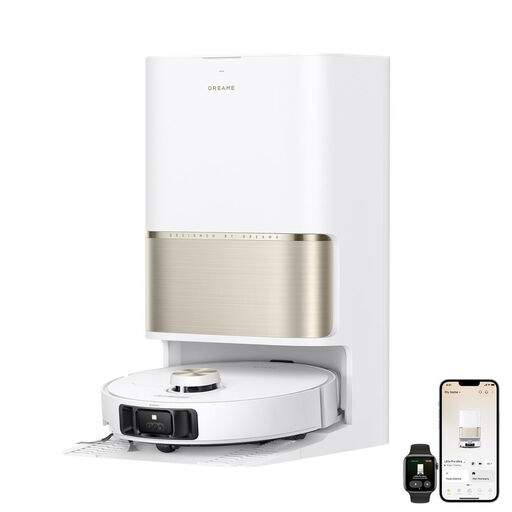
Dreame L50s Pro Ultra
An option to consider if you’re looking for a weekly cleaning schedule and edge-cleaning features.
The product name lists 30000 Pa, EasyLeap System, self-cleaning with hot water at 100°C and Matter compatibility.
Joybuy
Frequently asked questions
Do I need a mopping function for my weekly clean?
No, not if you only want to vacuum. If you also want to mop a suitable hard floor, compare the specific model’s stain-removal test results. The Consumentenbond points out that many robot vacuums struggle with stains.
What should I do before the first clean, and what maintenance is needed afterwards?
Clear loose items from accessible floors and follow the model instructions for placing the dock and setting any no-go areas. Afterwards, clean the dust container, brushes, filters and sensors as instructed. A self-emptying dock doesn’t mean the robot needs no maintenance.
Should I buy an extended warranty?
No, you don’t need an extended warranty to have your statutory rights if a product is faulty. According to the Dutch government, when you buy a product in the Netherlands, you’re entitled to one that meets the terms of the agreement, and the seller must offer a solution if it doesn’t. There is no single statutory warranty period that applies to all products; an extended warranty is only worthwhile if its terms add something to your existing rights.
What product safety information is relevant when buying in the Netherlands?
Electrical and electronic equipment must meet European safety requirements. Ondernemersplein, a Dutch government website for businesses, states that after an assessment of conformity, the manufacturer draws up and signs an EU declaration of conformity. Check the information for the specific model; a product listing alone does not prove that it meets the requirements.


