What should you consider when buying?
Start with the stair edge and floor coverage. Then consider whether you want to empty the robot less often by hand and whether you have enough room for a dock with extra features.
| What to consider |
What to look for |
Who should pay extra attention? |
| Stair edges and steps |
Check the edge-detection features of the exact model and whether you can mark off a risk area using supported zones. Follow the sensor instructions in the manual. |
If I have an accessible stairwell, I want to know how the model handles the edge. Around 33% of consumers make stair safety their top priority. |
| Coverage of the open-plan floor |
See how the model navigates, uses maps or zones, and returns to its dock. Look for independent reviews that mention missed areas of floor. |
With a large open-plan floor, I want the robot to cover the space systematically and account for obstacles on its route. Around 27% of consumers prioritise complete floor coverage. |
| Noise in an upper-floor flat |
Compare the noise made while vacuuming and, if there’s an auto-empty dock, during automatic emptying too. Remember to consider housemates and neighbours. |
If I want to keep noise nuisance to a minimum, I consider both stages and plan when to use the robot carefully. Around 20% of consumers make limiting noise their top priority. |
| Maintenance and space for the dock |
Measure the space available and check which tasks the dock takes care of. Also check which dust bags or mopping components come with the model. |
If you want to empty the robot less often yourself or use it to mop as well, factor in the extra space and maintenance the dock requires. Around 20% of consumers prioritise minimising manual maintenance. |
Robot vacuums at Joybuy
This selection of Joybuy products focuses on robot vacuums for open-plan floors, with models for vacuuming and options with a mopping function or a dust-emptying dock.
 No image available
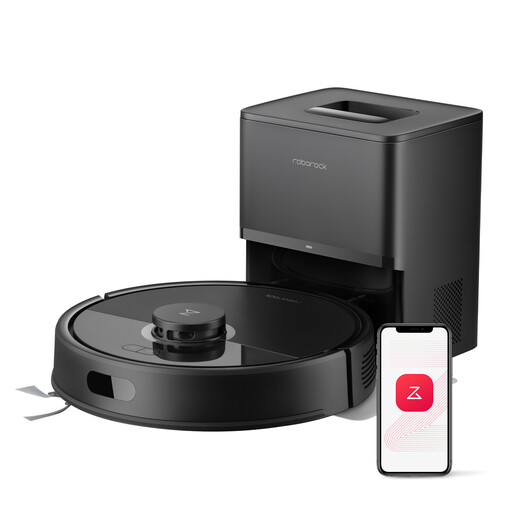
Roborock Q7 L5+ robot vacuum with mopping function, 8.000 Pa and LiDAR, black
The combination of LiDAR navigation and automatic emptying could suit anyone who wants to map an open-plan floor and empty the robot by hand less often.
The product name lists a mopping function, 8.000 Pa, a dual anti-tangle system and LiDAR navigation.
View at Joybuy
 No image available
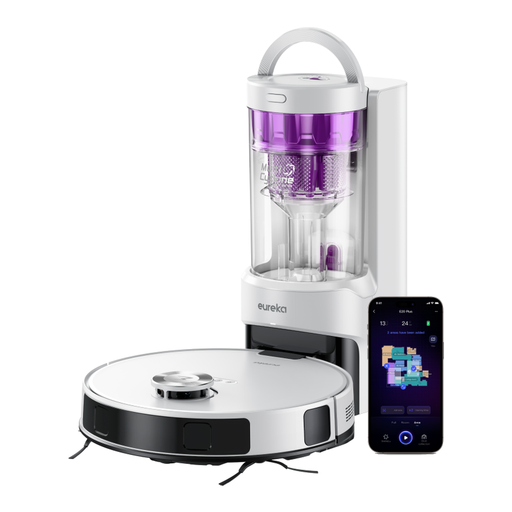
Eureka E20 Plus robot vacuum, 8.000 Pa and DuoDetect
The listed LiDAR and adjustable no-go zones could be useful if you want to map an open-plan floor and mark off certain areas.
The product name lists 8.000 Pa, DuoDetect obstacle avoidance and app control.
View at Joybuy
 No image available
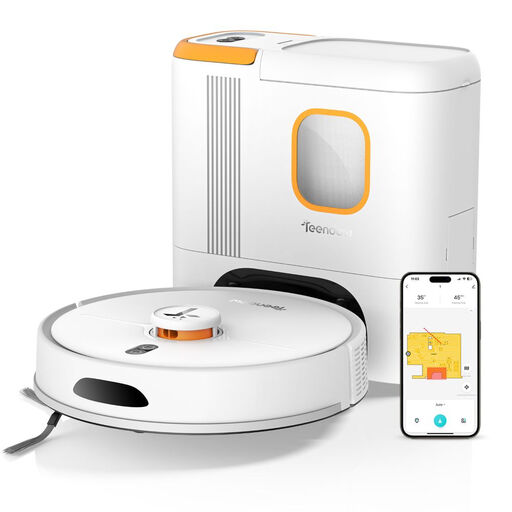
Teendow D20S Max 2-in-1 robot vacuum, 6.000 Pa and LiDAR
The product information lists LiDAR navigation and a dust-emptying dock, features that could suit an open-plan floor and help you empty the robot by hand less often.
The product name lists 6.000 Pa and a 3-litre dust bag.
View at Joybuy
 No image available
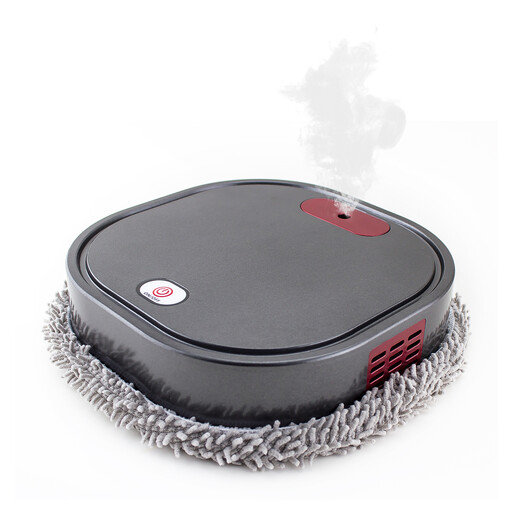
3-in-1 mini robot vacuum with automatic spray mop, black
The product name lists vacuuming and an automatic spray mop for various hard indoor floors.
According to the product information, this model isn’t designed for thick, deep-pile carpets.
View at Joybuy
 No image available
Eureka J15 Pro Ultra robot vacuum with mopping function, 16.200 Pa
According to the product information, this model combines vacuuming and mopping with a self-cleaning dock. Bear in mind the space it takes up and the maintenance it requires.
The product name lists 16.200 Pa, anti-wrap technology and cleaning with water at 75 °C.
View at Joybuy
Frequently asked questions
Can a robot vacuum clean the stairs too?
No, a robot vacuum won’t clean the steps. The Consumentenbond lists stairs as one of the jobs a robot vacuum can’t do, so plan another way to clean them.
How should I prepare an open-plan floor and a stair edge?
Clear away loose items and set no-go zones only if the exact model supports this feature. Check the stair edge and follow the sensor instructions in the manual. iRobot says that dark surfaces or carpets near a stair edge can trigger a drop alert on some Roomba models.
Can I use the robot at any time in my upper-floor flat?
Don’t assume there’s one set of permitted hours that applies to every home. Check the relevant building or tenancy rules, and agree with your neighbours how to handle any noise nuisance. The Dutch government recommends discussing problems together first.
What maintenance is still needed with an auto-empty or mopping dock?
An auto-empty dock may use replaceable dust bags, and a robot mop needs care and maintenance for its components. Check which dust bags, brushes, filters and mopping components are needed for the exact model.
What should I consider if the robot saves a floor plan of my home?
Before buying, read the privacy policy and information about data security and the provider. The Dutch Data Protection Authority recommends checking these points. Also check which map and app data the model you choose processes.


