Who is a robot vacuum suitable for?

For keeping on top of everyday dust

If you mainly want to vacuum accessible floors regularly and don’t mind emptying the dust container yourself, compare performance on your type of flooring. Consumentenbond assesses dust pick-up on hard floors, in crevices and on carpets separately.

For cleaning several rooms

If your new layout has several rooms, mapping can help you set routes or zones. Once you’ve unpacked the robot, clear its route and check for thresholds or loose items that could get in the way.

For emptying the dust container less often

An automatic emptying station could suit you if you’d rather not empty the robot’s dust container yourself as often. Bear in mind that the station takes up space, and check which dust bags and other maintenance parts you’ll need.

What should you look for when choosing?

Mapping without an emptying station

A good fit if: you want to keep on top of everyday dust and are happy to empty the dust container yourself.

The trade-off: the base station won’t empty the robot’s container, and mapping features don’t guarantee that every spot is accessible.

Robot with an automatic emptying station

A good fit if: emptying the dust container less often is a key reason for choosing a robot.

The trade-off: make room for the station and check which dust bags fit the model.

Vacuuming and mopping

A good fit if: you want to wet-clean hard floors as well as vacuum up dry dust.

The trade-off: mop pads need maintenance, and guidance on carpets varies by model.

What to consider What should you check? Who is this important for?
Dust on your floors Compare results by floor type and check how well it picks up dust in crevices and along edges. I mainly want to clear loose dust from my own hard floors or carpet, and I want to know which areas need extra attention. Around 33% of consumers put dust pick-up first.
Routes and room coverage Check the mapping and zone features of the exact model, as well as relevant doorways and thresholds. I want to clean several rooms and avoid the robot missing a room because of the new layout. Around 27% of consumers prioritise routes and coverage.
How often you need to empty it Check whether the package includes an emptying station and which dust bags fit it. I don’t want to empty the dust container myself every time and can make room for a station. Around 20% of consumers prioritise emptying it less often.
Wet cleaning Check whether the robot can vacuum without mopping and what the manual says about carpets. I want to wet-clean hard floors as well as vacuum up dry dust, and I can make time for extra mop-pad maintenance. Around 20% of consumers prioritise combined wet cleaning.

Common buying mistakes

  • Assuming the stated suction power proves how well it cleans

    A figure in Pa doesn’t, by itself, tell you how much dust a robot picks up from your floor, out of crevices or from carpets. Consumentenbond assesses these areas and surfaces separately.

    Where possible, compare test results for the types of flooring and areas found in your home.

  • Expecting an emptying station to remove the need for maintenance

    An emptying station takes care of emptying the robot’s dust container, but brushes, filters and compatible dust bags still need attention. The parts required can vary by model.

    Before buying, check which station parts are included and which replacement items fit the exact model.

    Also allow for replacing compatible dust bags and parts that wear out when they need changing.

  • Assuming similar model numbers mean the same version

    A Joybuy listing for the Rowenta RR87D5FE and the Dutch Rowenta product information for the RR87D5 use different full model numbers. That difference doesn’t prove that it’s simply a different way of writing the same number.

    Before ordering, compare the full model number, the station parts included and the product information from the manufacturer and retailer.

Brands to compare

Philips

The Dutch HomeRun 2000 Series includes models with different features, including one version with LDS navigation and another with an automatic emptying station.

  • Philips says the XU2000/25 can resume a cleaning cycle after charging. For the XU2100/25, Philips lists a station with a 3,0-litre dust bag.
  • These manufacturer details aren’t an independent comparison of dust pick-up. Also check the full model number of the version you’re considering.

Rowenta

The X-Plorer Serie 85+ RR87D5 is an example of a model with mapping, a mopping function and an automatic emptying station.

  • Rowenta lists 360° laser detection and three dust bags included with the version mentioned.
  • Check the full model number and what’s included in the package when viewing a listing; specifications apply to the specific version.

iRobot

Roomba Combo models are worth comparing if you want to vacuum and mop; instructions vary depending on the exact model.

  • According to iRobot, the Combo Essential can vacuum on its own or vacuum and mop at the same time.
  • For the Combo Essential, iRobot recommends rolling up or removing carpets in the area to be mopped. This instruction doesn’t automatically apply to other Roomba models.

eufy

eufy’s robot models vary, so compare what the station does for each version and which accessories fit it.

  • eufy lists model-specific dust bags, brushes, filters and mop pads as accessories.
  • Check that replacement parts are compatible with the exact model. Accessory information isn’t an independent assessment of the brand’s cleaning performance.

Robot vacuums at Joybuy

This Joybuy selection includes robots for everyday vacuuming, with features such as route planning, a mopping function or an automatic emptying station, depending on the version. Check which features and accessories come with the exact model.
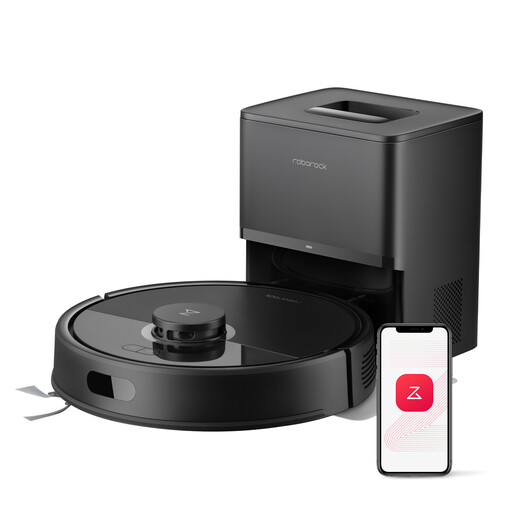
roborock Q7 L5+ robot vacuum with mopping function

roborock Q7 L5+ with mopping function

The listed automatic dust emptying and LiDAR route planning suit anyone who wants to empty the container less often and set routes.

The product name lists 8.000 Pa suction power and a mopping function.

View at Joybuy
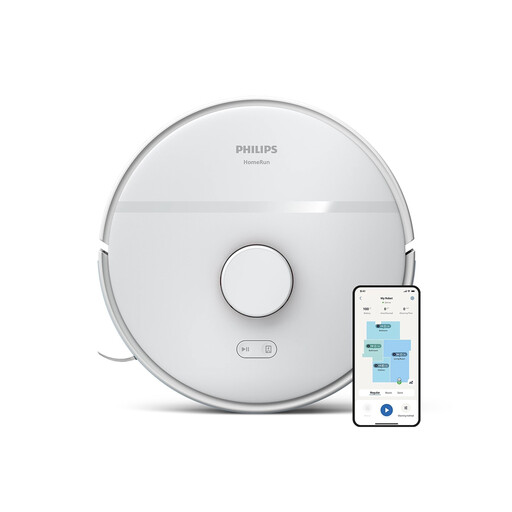
Philips HomeRun 2000 Series XU2000/25 robot vacuum

Philips HomeRun XU2000/25

The listed mapping and schedules suit anyone who wants to plan cleaning across several rooms and have everyday dust picked up.

The product name lists a mopping function and 6.000 Pa suction power. Check the full model number in the listing.

View at Joybuy
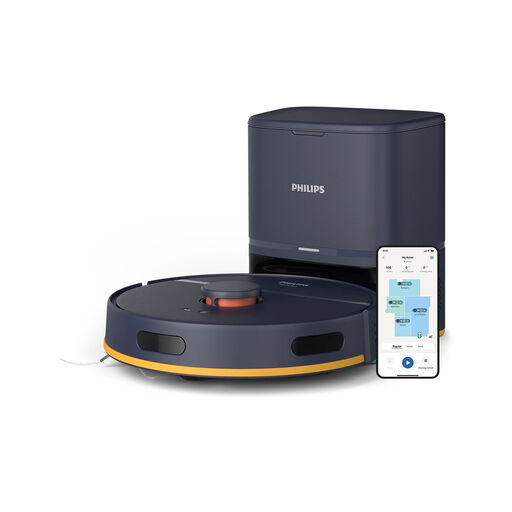
Philips HomeRun 2000 Series XU2100/15 with automatic emptying station

Philips HomeRun XU2100/15 with emptying station

The product information lists mapping and automatic dust emptying, making it a good option if you want to empty the robot’s container less often.

The product name lists a mopping function and 6.000 Pa suction power. This is the XU2100/15 version; check the model number and what’s included with the station.

View at Joybuy
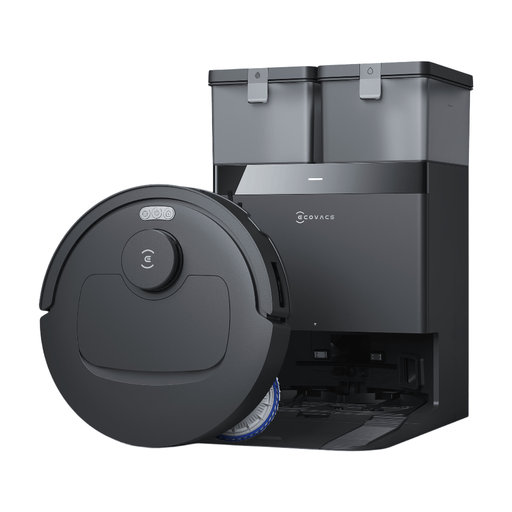
ECOVACS Deebot T30C OMNI Gen2 robot vacuum

ECOVACS Deebot T30C OMNI Gen2

The product information lists an OMNI station, automatic dust emptying and mop cleaning. Check which maintenance tasks this version of the station takes care of.

The product name lists a mopping function, 20.000 Pa and an OMNI station.

View at Joybuy
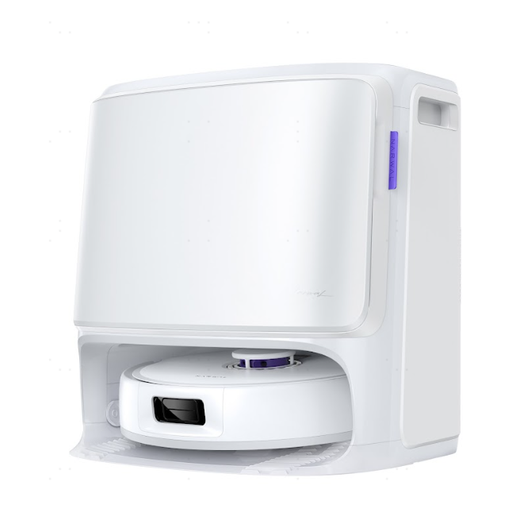
Narwal Freo X10 Pro robot vacuum

Narwal Freo X10 Pro

The product information lists a dust collection station and LiDAR route planning, making it a good fit if you want to empty the container manually less often.

The product name lists 11.000 Pa and a mopping function. The product information also mentions carpet detection and automatic mop lifting; check the conditions for your rugs.

View at Joybuy

Frequently asked questions

Can a robot vacuum completely replace regular vacuuming after you move house?

Don’t assume that it can. Consumentenbond assesses dust on hard floors, in crevices, on carpets and along walls separately. Compare results for your floors and allow for areas the robot can’t reach.

What should you do with rugs before using the mopping function?

Follow the instructions for the exact model. For the Roomba Combo Essential, iRobot recommends rolling up or removing carpets in the area to be mopped; this advice doesn’t automatically apply to all robot vacuums.

What needs maintaining on a robot with an automatic emptying station?

You’ll still need to check the brush, filter and dust bag that fits the model. An emptying station takes care of emptying the robot’s container, not replacing parts that wear out.

Do you need extra cover in the Netherlands to be entitled to a repair?

No. ACM ConsuWijzer explains that your statutory guarantee applies alongside any manufacturer’s or retailer’s guarantee. The appropriate solution depends on the circumstances and what you could reasonably expect from the product; this doesn’t mean every robot vacuum has a fixed statutory guarantee lasting exactly two years.

What should you look for in a robot vacuum with an app and internet connection?

Read the privacy policy and check the security carefully. This is the advice of the Dutch Data Protection Authority for smart devices; it isn’t a general ban on robot vacuums with apps.
