
Vandaag of morgen in huis

Kwaliteit gegarandeerd

Welkomstaanbiedingen ontgrendelen: GRATIS bezorging | Tot 80% korting | Gratis 30 dagen JoyPlus-proefperiode
Download de app
A robot vacuum with mop function can remove dust, crumbs and light dirt from hard floors every day. Even so, models differ greatly in navigation, upkeep and the way they mop. A high suction figure on the box doesn’t automatically mean a robot handles carpet, pet hair or loose cables well.
For households, three purchasing pitfalls are especially important:
Suction power is usually expressed in Pa, short for pascal. A higher number can indicate more available suction pressure, but it’s not a standalone quality metric. Also check whether the model has an anti-tangle brush, how large the dustbin is, and whether the manufacturer lists carpet and pet hair as suitable applications.
A robot vacuum for pets shouldn’t just pick up hair; it should also minimise hair wrapping around the brush. On carpet, an automatic boost in suction or a carpet mode is useful. Note that mopping on carpet is only safe when the mop is lifted, or when you set the carpet as a no-go zone in the app.
A robot vacuum with laser navigation usually uses LiDAR or LDS to map rooms. That helps with systematic routes, multiple rooms and setting no-go zones. A laser sensor won’t prevent every issue, though. Dark surfaces, floor-level mirrors, cables and stray toys can still cause interruptions.
So check:
A robot vacuum with an app makes scheduling and zone cleaning easier, but first check that the model connects to your Wi‑Fi network. Some devices only work with 2.4GHz Wi‑Fi.
With a mopping robot, the water tank, water control and mop movement matter more than the mere presence of a cloth. Electronically controlled water flow can help dampen hard floors evenly. For wooden floors, a low water setting is usually wiser than an intensive one.
Also check whether the mop is automatically lifted on carpet. Systems with a base station may add extra features such as washing and drying the mops, clean and dirty water management, or dosing detergent. Use only products allowed by the user manual. Don’t fill water tanks with random cleaning agents.
A docking station with a dust bag also brings recurring costs. A bagless station can cut this consumption, but will need manual emptying and cleaning more often.
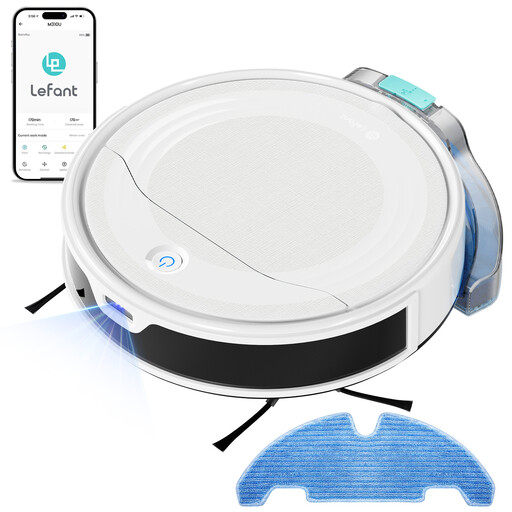
Why it fits this profile: According to the product information this model combines vacuuming and mopping, with 6,000 Pa maximum suction, a 500 ml dustbin and a 200 ml water tank. That offers a straightforward start for hard floors and pet hair.
The specs list both a water tank and a HEPA filter. That makes it clear in advance that the mopping function is a separate module and that the cloth and tank still require maintenance.
ToF laser navigation, app and Alexa control, up to 170 minutes’ battery life and a compact size of 28 × 28 × 7.9 cm.
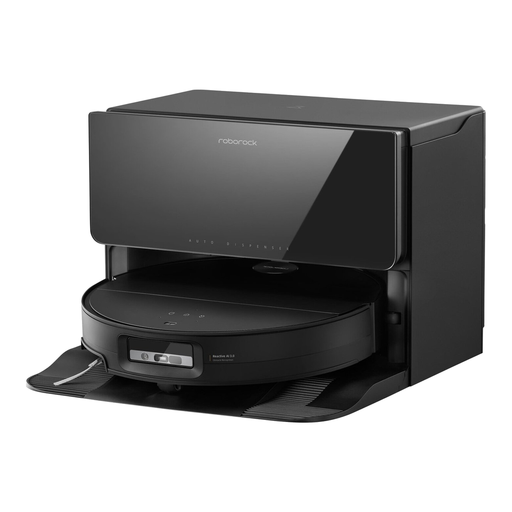
Why it fits this profile: According to the product description this model features LDS laser navigation, AI object recognition, a mopping function with warm-water cleaning and up to 220 minutes of battery life.
The product information mentions carpet detection and lifting the mop. That reduces the risk of a damp mop running over carpet, although zones and settings must be checked in advance.
22,000 Pa as the stated maximum suction power, obstacles up to 4 cm according to the product details, and an auto-empty station with a 2.5 litre dust bag.
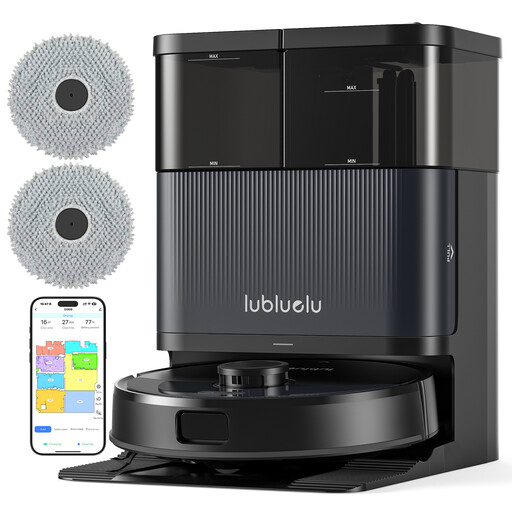
Why it fits this profile: According to the product information, this model is aimed at homes with pets, carpet and hard floors. It has a maximum suction of 10,000 Pa, LiDAR mapping and an all-in-one station.
The instructions explicitly state that the mop and water tank must be removed and dried after use. That makes it clear that automatic cleaning is not the same as maintenance-free use.
App control, automatic mop lift on carpet according to the product description, LiDAR navigation and a station with automatic dust emptying.
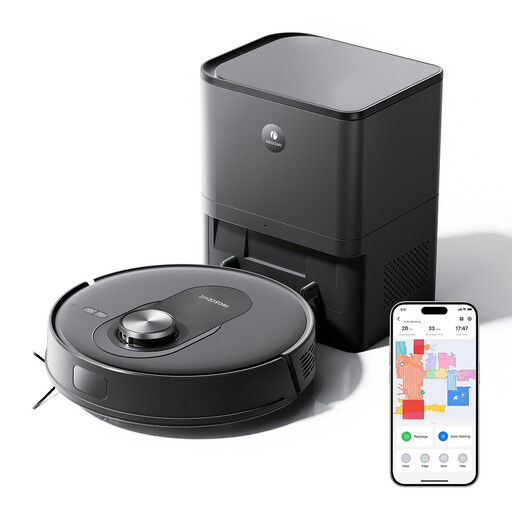
Why it fits this profile: The product listing mentions 8,000 Pa, up to 200 minutes of runtime, an emptying station with a 3 litre dust bag, laser navigation with five maps and control via app and Alexa.
The station capacity and battery life are stated clearly. That lets you better estimate in advance how often emptying and charging will be needed, rather than relying on marketing language alone.
Multiple maps, laser navigation, automatic dust emptying and voice control via Alexa, according to the product information.
We’ve compiled a complete, up-to-date list of products that fully meet these strict selection criteria and comply with current European safety regulations.
Before the first clean, clear the floor of cables, toys, clothes and small objects. A robot can get stuck or drag items along, even when obstacle detection is present. Place the station on a level surface with enough clearance and make sure it isn’t right next to a stair edge.
Also schedule regular maintenance:
A powerful robot vacuum is especially useful if there’s lots of hair, crumbs or carpet at home. In a small apartment with mostly smooth floors, navigation, noise level, height and ease of maintenance may weigh more heavily than the maximum Pa figure.
That depends on the mop lift and settings. For carpet, choose a model that automatically lifts the mop or set carpet zones as no-go areas in the app. Also check the stated maximum pile height. A robot isn’t automatically suitable for every rug.
Lifespan depends on use, maintenance, battery health and the availability of spare parts. Regularly cleaning brushes and filters prevents unnecessary strain. With a model that can mop, it’s important to care for the water tank and mop properly after use.
Beyond the purchase price, dust bags, filters, brushes and mop cloths can add costs. A station with a large dust bag needs emptying less often, but generally consumes replacement bags. A bagless system may reduce bag costs, but will require manual maintenance more often. Check this in the product specifications before buying.
