
Vandaag of morgen in huis

Kwaliteit gegarandeerd

Welkomstaanbiedingen ontgrendelen: GRATIS bezorging | Tot 80% korting | Gratis 30 dagen JoyPlus-proefperiode
Download de app
A robot vacuum with a mopping function can automatically tackle dust, crumbs and light stains. However, not every model is suitable for every home in the Netherlands. A flat with hard floors has different needs from a house with deep-pile carpet, pets and several floors.
The product name alone doesn’t tell you enough. Pay particular attention to navigation, maintenance and how the mop handles carpet. Below, you’ll find the main pitfalls to avoid, important technical details and three models suited to different households.
A high Pa rating sounds appealing. According to the product specifications, a powerful robot vacuum with, for example, 10,000 Pa or more can move a lot of air, but real-world performance also depends on the brush, flooring, filter and seals.
A robot vacuum with high suction power isn’t automatically suitable for every carpet. So check the following too:
Most models use a damp cloth or rotating mop. This is designed for light marks and everyday upkeep, not for sucking up puddles or stubborn spills. Manufacturers may describe their products as suitable for intensive cleaning, but only use a robot mop for the purposes specified.
Check whether the mop lifts automatically when it detects carpet. On some models, you’ll need to remove the mop module by hand when you only want to vacuum.
A robot vacuum with an automatic emptying station cuts down on daily chores, but doesn’t eliminate maintenance. You’ll still need to check the dust bag, dust container, water tank, filter and mop pad regularly.
With a robot vacuum that has a self-cleaning station, the mop pads can be washed and dried. This saves you some effort, but check whether you’ll still need to empty dirty water, top up cleaning solution or clean any parts.
A robot vacuum with LiDAR navigation uses laser sensors to map rooms and obstacles. This helps it follow systematic cleaning routes and lets you set virtual walls and no-go zones. LiDAR generally works well in homes with several rooms, but the robot still needs enough clear space around its station.
When buying, look for:
If your home has both carpet and hard floors, automatic carpet detection and a liftable mop are useful features. They help prevent a damp cloth from moving over the carpet. Also check:
A larger station means you’ll need to empty and refill it less often, but it takes up more space. A bagless station means you won’t need to buy dust bags, while a system with dust bags often involves less direct contact with dirt.
Don’t rely solely on a claimed maintenance interval. How long it actually lasts depends on the size of your home, how many pets you have and how often you clean. Check the price and availability of replacement filters, brushes, mop pads and dust bags too.
A smart robot vacuum with an app can let you select rooms, set cleaning times and adjust suction or water levels. Check that the app works with your smartphone and whether it needs a 2.4GHz Wi-Fi network. For models with voice control, check which platforms are actually supported.
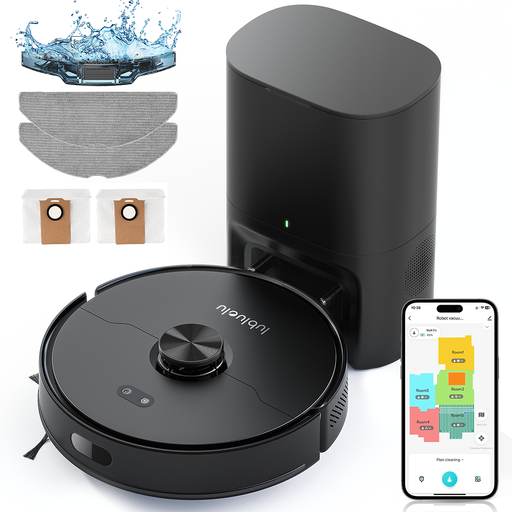
Why it suits this household: This model combines vacuuming, sweeping and mopping with laser navigation, app controls and support for up to five maps. It’s a good fit for a flat or a home with several rooms.
The product information lists adjustable suction settings, no-go zones and automatic resumption after charging. The mop module can be removed for dry vacuuming.
4000 Pa according to the product specifications, laser navigation, app controls and up to five saved maps.
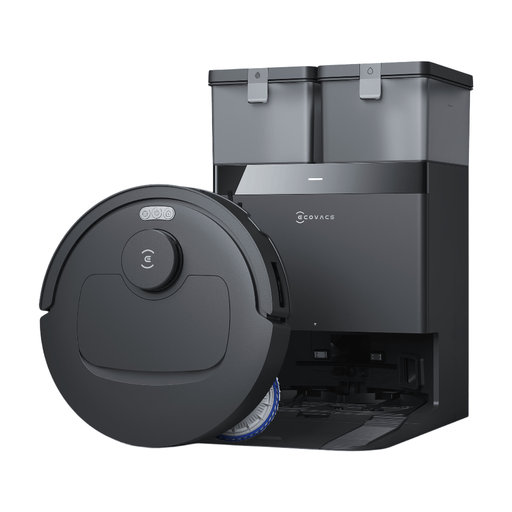
Why it suits this household: A good choice for households wanting to minimise hands-on maintenance and make the most of automatic mop cleaning, carpet detection and a feature-rich app.
According to the product description, the OMNI station automatically empties the dust container, washes the mop with hot water and dries it with warm air. You’ll still need to check the tanks and parts.
20.000 Pa according to the product specifications, 75°C mop washing, 45°C drying, automatic carpet detection and TrueMapping 2.0.
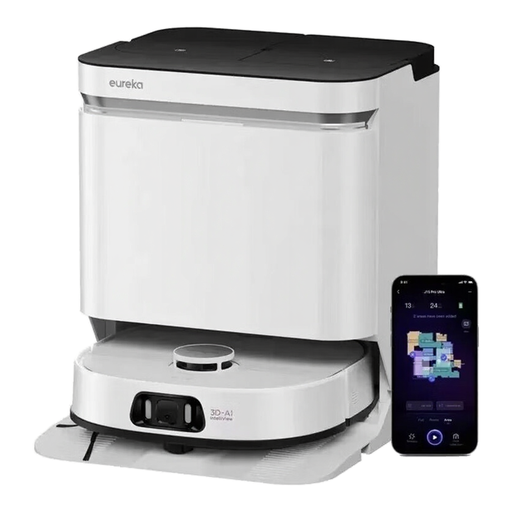
Why it suits this household: An option for larger homes and households with pets, carpet and hard floors. The station is designed to empty the vacuum, wash the mop and dry it automatically.
The product description lists a liftable brush and mop, as well as FlexiRazor technology to prevent hair build-up. This is a manufacturer claim, so check the settings and maintenance schedule for yourself.
16200 Pa according to the product specifications, LDS laser navigation, 3-litre dust capacity and a station with hot-water cleaning and drying.
We’ve put together a complete, up-to-date list of products that meet these strict selection criteria and the applicable European safety regulations.
Before the first clean, clear the floor of cables, toys, loose clothing and small objects. Let the robot create a full map with the internal doors open. Place the station on a flat, hard surface and leave the recommended amount of clear space around it.
For everyday use:
Yes, if the model detects carpet and lifts the mop automatically, or lets you set a carpet zone. For deep-pile carpet, check the maximum obstacle height and brush design too.
It depends on how often you use it, the floor area and whether you have pets. Check the dust container after every cleaning cycle, clean the filters and brushes regularly, and wash the mop pad after use. A self-cleaning station reduces the work but doesn’t replace these checks.
As well as the purchase price, you’ll need to factor in the cost of electricity, filters, brushes, mop pads and, sometimes, dust bags or cleaning solution. A bagless station can reduce ongoing costs for dust bags. Before you buy, check which consumables are available and how often they need replacing according to the manual.
