
Vandaag of morgen in huis

Kwaliteit gegarandeerd

Welkomstaanbiedingen ontgrendelen: GRATIS bezorging | Tot 80% korting | Gratis 30 dagen JoyPlus-proefperiode
Download de app
A robot vacuum and mop can tackle everyday dust, hair and light stains without you having to vacuum constantly. However, models vary considerably when it comes to navigation, mop maintenance and controls. A high suction power rating on the box, for example, doesn’t automatically mean a robot will handle carpets, cables or pet hair well.
The main pitfalls:
A robot vacuum with LiDAR navigation uses lasers to map rooms and obstacles. This helps it clean systematically, navigate multiple floors and set virtual walls. Check that the app supports multiple maps, rooms and no-go zones.
LiDAR won’t prevent every problem. Loose cables, clothing, toys and long fringes can still get caught. So clear the floor before the first mapping run and before scheduled cleaning sessions.
For a robot vacuum for carpets and hard floors, automatic mop lifting or carpet detection is useful. The robot can then lift the mop when it detects carpet. Also check:
Hard floors such as vinyl, laminate or tile need an appropriate water setting. Always follow the product instructions, especially with delicate floor finishes.
A robot vacuum for pet owners needs to do more than pick up hair: it should also be easy to keep clear of it. Look for an anti-tangle brush, an easy-to-remove main brush and a filter that’s available as a replacement part.
An auto-empty robot vacuum means you won’t need to empty the dustbin as often. However, a dock with a dust bag requires replacement bags, while a bagless dock needs its collection bin emptied and cleaned. Check the dimensions too. A dock usually needs clear space at the sides and front so the robot can dock properly.
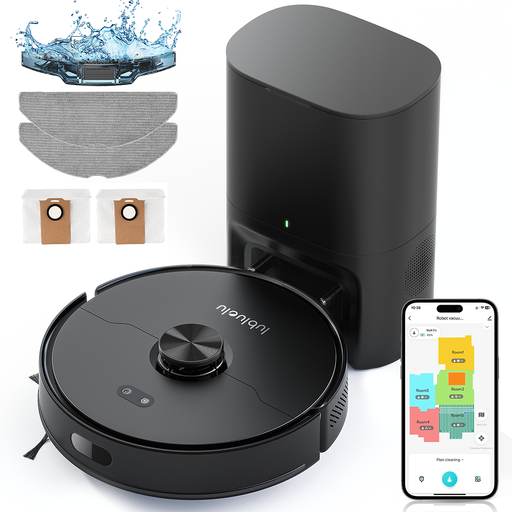
Why it suits this type of household: This model combines vacuuming, sweeping and mopping with laser mapping, app control and support for up to five maps. It’s a practical choice for a household looking for automated features without going straight for a full-featured mopping dock.
The product information lists adjustable suction power, no-go zones and a separate mopping module. The instructions emphasise that the mop should be rinsed and dried after use.
4,000 Pa according to the product listing, laser navigation and app control with support for multiple maps.
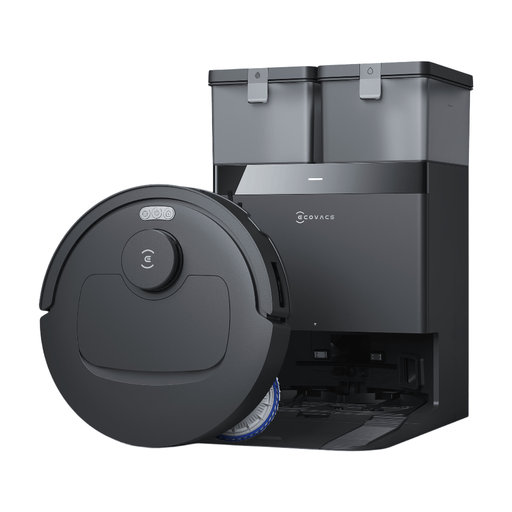
Why it suits this type of household: According to the product description, this model comes with an OMNI dock that empties the dustbin automatically, washes the mop with 75 °C water, dries it with warm air and has a 4-litre clean water tank.
According to the product information, the mop is washed and dried automatically. This reduces the amount of manual maintenance, although you’ll still need to check the tanks, brushes and notifications.
20,000 Pa according to the product listing, dual rotating mops and automatic carpet detection.
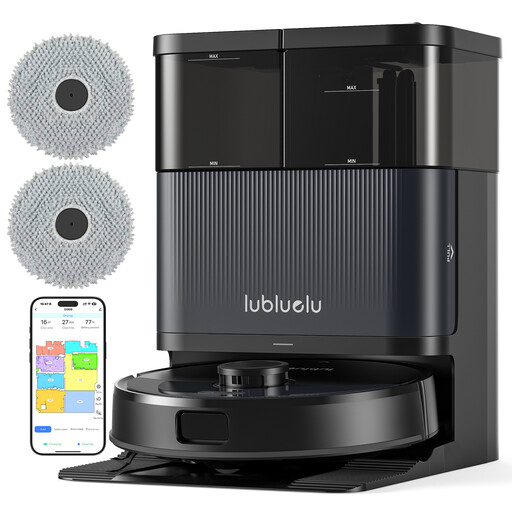
Why it suits this type of household: The product listing states that it offers up to 10,000 Pa, LiDAR mapping, app control and automatic mop lifting on carpets. This makes it a good fit for homes with pets, carpets and hard floors.
According to the instructions, the mop can lift automatically when the robot detects carpet. The manual also recommends emptying the dustbin regularly, cleaning the sensors and drying the mop after use.
10,000 Pa according to the product listing, LiDAR navigation and automatic return to the dock.
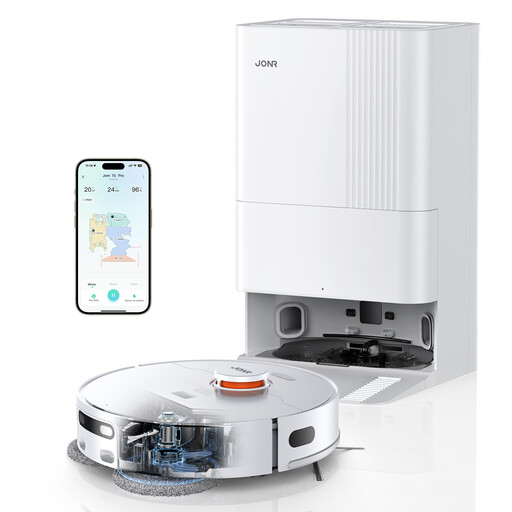
Why it suits this type of household: According to the product information, this model combines 8,150 Pa suction power, LiDAR navigation, obstacle avoidance, an anti-tangle side brush and an all-in-one dock with hot-air drying.
The anti-tangle side brush and hot-air drying address two common maintenance issues. You’ll still need to check the dirty water tank and dust bag in the app.
8,150 Pa according to the product listing, LiDAR navigation and app-based scheduling for cleaning sessions.
Place the charging or mopping dock on a level surface against a wall. Leave the clearance specified in the manual; many models need about half a metre on either side and some space in front. For the first run, open the internal doors and let the robot create a complete map.
Also keep these points in mind:
We’ve put together a complete, up-to-date list of products that meet these strict selection criteria and current European safety requirements.
Usually not. The mopping module is generally designed for wiping floors with a damp pad. Large puddles and wet spills can damage the motor, electronics or dock. Always check the specific manual.
It depends on how often you use it, the floor area and whether you have pets. Check the dustbin and brushes regularly, wash the mop after use, and clean the filters and sensors as instructed. An automatic dock reduces the work, but doesn’t eliminate the need for maintenance.
As well as the purchase price, you may need to pay for dust bags, filters, mop pads, brushes and, in some cases, cleaning solution. A bagless dock can help keep recurring dust bag costs down, while a more advanced mopping dock may require more parts and maintenance. So compare not only the price of the appliance, but also the availability of replacement consumables.
