
Vandaag of morgen in huis

Kwaliteit gegarandeerd

Welkomstaanbiedingen ontgrendelen: GRATIS bezorging | Tot 80% korting | Gratis 30 dagen JoyPlus-proefperiode
Download de app
A robot vacuum and mop can make everyday cleaning easier, but not every model suits every home. A flat with hard floors has different needs from a house with carpets, pets and multiple floors. And a high suction power figure on the box doesn’t tell you everything about how easy a model is to use.
So, focus on how navigation, maintenance, mopping technology and available settings work together. Below, you’ll find the key points to consider, along with models suited to different needs.
Suction power is often measured in Pa. A higher figure can help pick up dust and hair, but performance also depends on the brush, airflow, flooring and cleaning programme. A powerful robot vacuum isn’t automatically more practical if its dust bin is small or hair gets caught around the brush.
So, check these details too:
Many robot mops use a damp cloth that’s dragged across the floor. This is suitable for everyday cleaning of light dust and dirt, but may not remove dried-on stains or spills. You should also never use a robot vacuum to pick up puddles or liquids unless the manufacturer explicitly says it’s safe to do so.
Look out for the difference between:
A robot vacuum with a self-emptying dock needs more space than a charging dock alone. Check in advance that there’s a level surface and enough clear space around it. Some models recommend around 0.5 metres on either side and 1 to 2 metres in front.
Don’t place the dock on a thick carpet, and avoid spots where children, pets or loose cables could block the robot from returning to it.
A robot vacuum with LiDAR navigation uses laser scans to map rooms and obstacles. This helps it clean systematically, set no-go zones and save multiple maps. It’s useful in homes with several floors or lots of furniture.
Ideally, the app should let you:
Do check the Wi-Fi requirements. Some models only work on a 2.4GHz network. Also check what information you’ll need to create an account and use the app.
The stated run time depends on the suction setting, flooring and navigation. A model advertised as running for 180 minutes will usually run for less time in turbo mode. A useful feature is automatic recharging: the robot returns to its dock, charges, then picks up where it left off.
For larger homes, multiple maps, room selection and a generous battery are more useful than a high maximum suction power alone.
A stated noise level of, for example, 55 or 60 dB gives you an indication, but the actual experience varies depending on the setting and flooring. If you work from home or have young children, look for a quiet mode and the option to set a cleaning schedule.
A robot vacuum for homes with pets also needs regular maintenance. Remove hair from the roller brush, empty the dust container and clean the filters according to the product instructions.
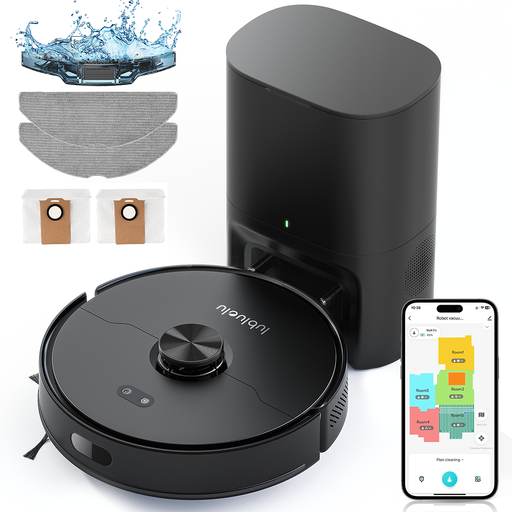
Why it suits this type of user: This model combines vacuuming, sweeping and mopping with laser navigation, app control and support for up to five maps. It gives first-time buyers straightforward essential settings without the need for a full all-in-one dock.
The product information lists multiple suction settings, virtual boundaries and systematic laser mapping. That means you don’t have to rely on the Pa rating alone.
Maximum suction power of 4000Pa, a stated noise level of 55 dB, app control and a maximum run time of 180 minutes, according to the product information.
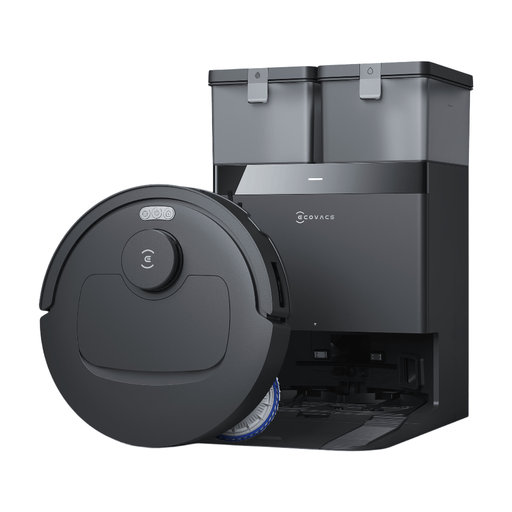
Why it suits this type of user: The OMNI dock automates several maintenance tasks. It’s a good fit for households that want to minimise the time spent emptying, washing and drying by hand.
The product description specifies automatic dust emptying, hot-water mop washing and drying. Be sure to check the dock’s dimensions and the maintenance products it requires beforehand.
Stated suction power of 20.000Pa, automatic carpet detection, several cleaning modes and a dock with a 4-litre clean water tank, according to the product information.
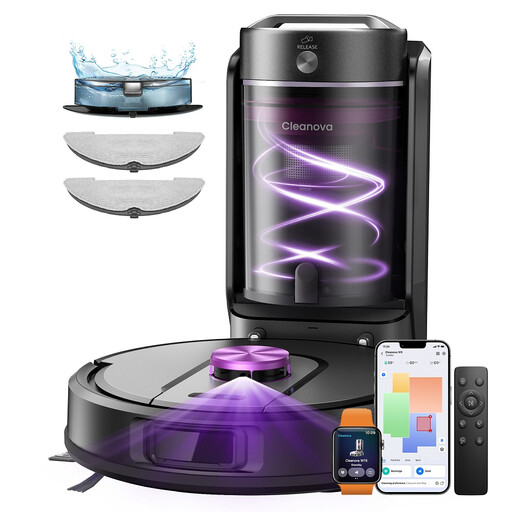
Why it suits this type of user: This model is designed for homes with carpets, hard floors and pets. Its bagless self-emptying base and extensive mapping features are handy for regular use.
The product information lists three suction settings, three water settings, carpet detection and up to fifteen no-go zones. This lets you adjust how it works in each room.
Stated suction power of 10000Pa, 4-litre dust storage in the dock, LiDAR navigation, five maps and a run time of up to 180 minutes, according to the product information.
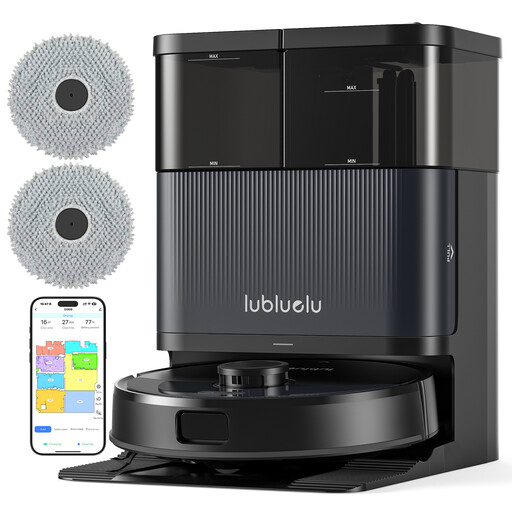
Why it suits this type of user: The combination of LiDAR mapping, app control, carpet detection and automatic mop lifting makes it a good fit for homes with different types of flooring.
The listed features go beyond suction power: according to the product information, the robot can detect carpets and lift the mop automatically.
Stated suction power of 10000Pa, a stated noise level of 55 dB, app scheduling and an all-in-one dock for automatic emptying, according to the product description.
We’ve put together a complete, up-to-date list of products that meet these strict selection criteria and current European safety requirements.
An automatic vacuum saves the most time when you prepare the space first. Pick up loose cables, toys, clothes and small breakable items from the floor. After the first map is created, check thresholds, dark areas and spaces under furniture in particular.
It’s also worth following this routine:
It depends on its features. If you have carpets, choose a model with carpet detection, a mop that lifts automatically or adjustable no-go zones. Otherwise, it could run over the carpet with a damp mop pad.
Its lifespan depends on how often you use it, how well it’s maintained, the condition of the battery and whether replacement parts are available. Regularly cleaning the brushes and filters helps prevent extra strain. Before buying, check that consumables and service information are available.
As well as the purchase price, you may need to pay for filters, brushes, mop pads, dust bags and cleaning products. A bagless dock doesn’t use disposable dust bags, while a dock with a dust bag can reduce direct contact with dust. So compare not only the purchase price, but also the annual maintenance costs.
