Choose a robot vacuum based on the layout of the property, the floor types and how often you’re there yourself. App control and an auto-empty dock can reduce the tasks you need to do while you’re at work, but you’ll still need to maintain the dock and robot. Check thresholds and obstacles too. If you rent out the property, assess camera and video features separately: the Dutch Data Protection Authority says that camera surveillance in rented homes is almost never permitted, but its guidance does not rule on every holiday home or navigation sensor individually.
Who is this for?
Owners who want to clean while they’re at work
You want to keep the floors clean remotely and avoid arriving to find a full dust container. The Dutch Consumers’ Association notes that most robot vacuums have a small dust container that needs emptying after a thorough clean.
Users with tricky floor layouts
You’ll need to take thresholds, loose items, carpets and rooms the robot may not reach properly into account. The Dutch Consumers’ Association lists cables, loose rugs, furniture legs and glass objects among the obstacles to consider when assessing robot vacuums.
Landlords with guests
You want to schedule cleaning without using camera or video features without thinking while guests are staying. The Dutch Data Protection Authority warns about the privacy impact of cameras in rented homes.
What should you look for when buying?
First, decide how often you’ll be at the property yourself and whether you want to control the robot remotely. Then consider the floor layout and the maintenance required by a dock or mopping function.
| Consideration |
What to look for when buying |
Who it’s for |
| Cleaning while you’re away |
Check app control, scheduling and whether the robot can find its way back to the charging dock. See if the model empties itself automatically. |
If I want to clean while I’m at work and can’t step in straight away, I look for a robot that can empty itself and return to the dock independently. Around 33% of consumers put reducing manual intervention first. |
| Thresholds and obstacles |
Measure thresholds and check the route, obstacle detection and any areas you can exclude in the app. Clear away loose items. |
If my property has thresholds, cables or items on the floor, I want to know which rooms the robot can reach and where I’ll need to tidy up. Around 27% of consumers prioritise accessibility and navigation. |
| Cleaning different floor types |
Decide whether you only want to vacuum or would also like to mop. Check how the exact model handles carpets and mopping, and allow for some manual finishing. |
If the property has both hard floors and carpets, I want to know which cleaning method suits each floor and how much maintenance the mop needs. Around 20% of consumers see floor compatibility as their main concern. |
| Privacy when renting out |
Check which camera, video and data features the exact model has. Assess image monitoring separately before enabling it while guests are staying. |
If guests are staying, I want to be able to schedule cleaning without unnecessarily affecting their privacy. Around 20% of consumers put privacy when renting out first. |
Things to watch out for when buying
-
Assuming an auto-empty dock means maintenance-free cleaning
An auto-empty dock can reduce how often you need to empty the robot’s dust container, but it shifts some of the maintenance to the dock.
Check that replacement dust bags are available and that there’s enough space around the dock.
Allow space for the larger dock, replacement dust bags and maintenance.
-
Assuming obstacle detection will solve everything
Cables, loose objects and thresholds can interrupt a cleaning cycle or make rooms inaccessible. The Dutch Consumers’ Association considers various types of obstacles when testing robot vacuums.
Measure thresholds, clear the floor and test the route before leaving the robot to clean unsupervised.
-
Treating camera or video features as an obvious bonus
Image monitoring can affect the privacy of residents or guests. The Dutch Data Protection Authority says that camera surveillance by landlords in rented homes is almost never permitted; its guidance does not address every holiday home or navigation camera individually.
Don’t enable image monitoring without first assessing the specific feature and how you plan to use it. Check which image features you can actually switch off.
Brands to consider
eufy
The L60 variants show the difference between a robot vacuum and a version with an auto-empty dock.
- According to eufy, the L60 SES has laser navigation, configurable no-go zones and an auto-empty dock.
- The maintenance interval stated by eufy is not an independent measurement or a guarantee for a busy holiday home.
Roborock
The Qrevo 2 Pro is an example to consider if you want to mop as well as vacuum and have carpets.
- Roborock lists app control, a multifunctional dock and automatic mop detachment for carpets.
- The stated suction power is a manufacturer specification, not a directly comparable measurement of cleaning performance.
iRobot
The Roomba j9+ is a vacuum-only model with automatic emptying; the Combo j9+ is a separate model with a mopping function.
- According to iRobot, the j9+ recognises items including shoes and cables.
- Features of the Combo j9+ do not automatically apply to the standard j9+.
Dreame
The L40 Ultra is an example of a robot vacuum with a mopping function and automatic emptying.
- The Dutch Consumers’ Association’s product listing mentions remote app control, a mopping function and automatic emptying.
- The listed height is 10,2 cm; measure your furniture before assuming the robot will fit underneath. The product listing confirms features, not general suitability for every holiday home.
ECOVACS
The DEEBOT range includes models combining vacuuming, mopping and dock functions.
- The Dutch shop page lists these features for specific models.
- Features vary between DEEBOT versions, so check the specifications of the exact model.
Joybuy products
These Joybuy products include robot vacuums with automatic emptying and models with a dock that provides extra mop care. Check that each model’s features and maintenance requirements suit the floors and layout of your holiday home.
 No image available
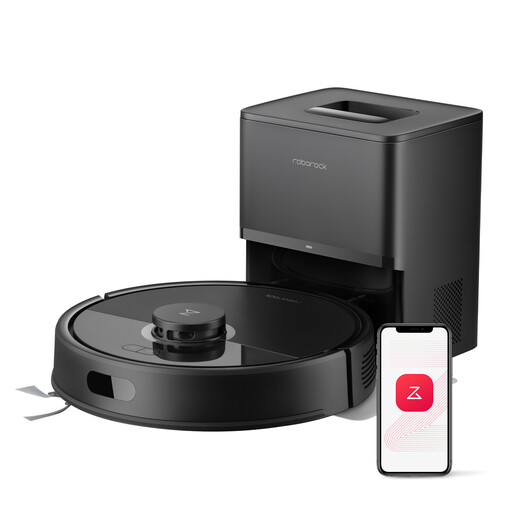
Roborock Q7 L5+
An option to consider if you want to schedule cleaning and reduce how often you need to empty the robot’s dust container.
The product information lists automatic emptying after a cleaning cycle, app schedules and no-go zones. The product name specifies 8.000 Pa and LiDAR navigation.
View at Joybuy
 No image available
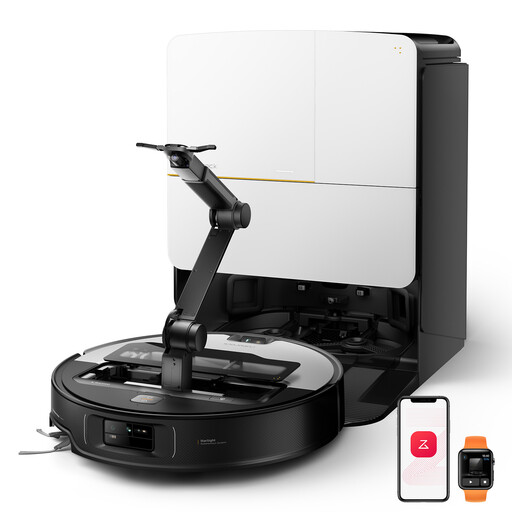
Roborock Saros Z70
Consider this model if you want to combine vacuuming with mop care through a dock.
The product name specifies an OmniGrip arm, 22.000 Pa and a height of 7,98 cm. The product description mentions a self-emptying dock that washes the mop after use and dries it with heat.
View at Joybuy
 No image available
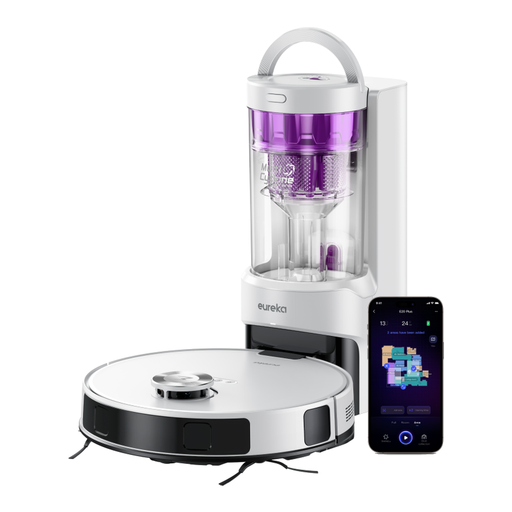
Eureka E20 Plus
An option to compare if you want app control and an auto-empty dock.
The product name specifies 8.000 Pa and DuoDetect AI 3D obstacle avoidance. The product description lists LiDAR, no-go zones, app schedules and a bagless auto-empty dock with a 2-litre dust container.
View at Joybuy
 No image available
Eureka J15 Pro Ultra
Consider this model if you want to combine vacuuming and mop care in one dock.
The product name specifies 16.200 Pa and cleaning with 75 °C hot water. The product description mentions automatic emptying and a self-cleaning base station.
View at Joybuy
 No image available
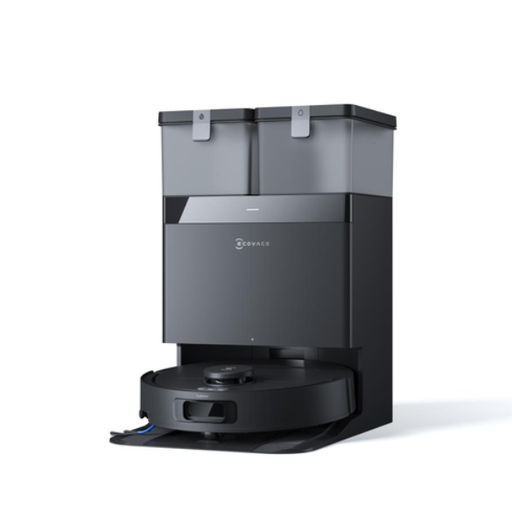
ECOVACS DEEBOT T30e OMNI EU, Black
An option to consider if you’re looking for a dock that looks after the mop parts as well as emptying the robot.
The product name specifies 25.000 Pa. The product description lists an OMNI station that automatically empties the robot and refills, cleans and dries the mop pads.
View at Joybuy
Frequently asked questions
Can I start the robot remotely while I’m at work?
You can with models that have the relevant app feature, provided the connection and set-up are working. Check the exact model and test in advance that the robot can find its way back to the dock. Remove loose cables from the floor.
Can a robot look after the holiday home completely on its own?
No, not completely. The dust container or dock, brushes and any mop parts need maintaining. Stairs, furniture and some corners may still need to be cleaned by hand.
What should I look for when maintaining an auto-empty dock?
Check that replacement dust bags are available, how much space the dock needs and which parts require maintenance. An auto-empty dock reduces the need to empty the robot by hand, but it doesn’t eliminate maintenance.
Can I use the robot’s camera to check on guests in a holiday home?
Don’t assume that you can. The Dutch Data Protection Authority says that camera surveillance by a landlord in a rented home is almost never permitted. Its guidance does not rule on every type of holiday rental, navigation camera or sensor individually. Assess the specific feature and how you plan to use it before enabling image monitoring.


