Choose based on the floors the robot can actually reach and how much maintenance someone can manage between cleaning visits. An auto-empty station means you won’t have to empty the robot’s dustbin by hand as often, but it takes up space and needs replacement bags. If you only need to deal with dry dust, you may not need a more elaborate mopping station. Keep up with a regular clean, too, for stairs, corners and other areas a robot can’t reach properly.
Who is this suitable for?
Property manager who doesn’t visit every day
You want to keep the accessible floors clean between visits and avoid having to empty the robot’s small dustbin too often. An auto-empty station can help, but someone still needs to check the bag, brushes and station. Philips describes a station of this kind for the HomeRun XU2100/25.
Cleaner with a short changeover window
You want to use daily vacuuming to keep on top of dust, without replacing a full clean. The Consumers’ Association points out that cables, rugs and furniture legs can affect the robot’s route. So agree on who will prepare the floor and clean awkward spots by hand.
Landlord with changing guests
You want to schedule cleaning without disturbing guests, and need to consider app access and any camera functions. The Dutch Data Protection Authority highlights the privacy implications of cameras in rented homes, so check the features and settings of the exact model before using it.
What should you look for when choosing?
Start with the floor areas the robot can reach every day. Then work out how much hands-on maintenance is practical between cleaning visits.
| What to consider |
What should you check? |
Who is this important for? |
| Maintenance between visits |
Check whether the model empties itself, what type of bag it uses, and who will replace the bag and brushes. |
If I’m not at the property often, I want to know in advance who will look after the station and consumables. Around 36% of consumers prioritise keeping maintenance to a minimum. |
| Reach and dust pick-up |
Map out hard floors, rugs, thresholds, stairs and hard-to-reach areas; look for test results covering the floor types in the property. |
If picking up dust from my own floors every day is the main task, I want to know which areas the robot can actually reach. Around 29% of consumers give floor coverage and dust pick-up top priority. |
| Navigation and obstacles |
Check which mapping features and no-go zones are available, and how the model handles obstacles and returns to its station. |
If items move around or there are several rooms, I want cleaning runs to keep going without getting stuck. Around 21% of consumers prioritise reliable navigation. |
| Quiet operation and privacy |
Consider how noisy the robot is when vacuuming and emptying, app access, and any camera functions on the exact model. |
If guests may be staying at the property, I want to minimise disruption and unnecessary access to data. Around 14% of consumers give quiet operation and guest privacy top priority. |
Common buying mistakes
-
Assuming an auto-empty station means maintenance-free cleaning
The station saves you one task, but takes up space and the dust bag will eventually need replacing. The brushes and station also need checking.
As part of the changeover clean, agree who will check the robot and station, and who will arrange suitable replacement bags.
Allow for the ongoing cost of replacement bags and the time needed to check the station and brushes.
-
Confusing the stated suction power with proven results on your floors
Dust pick-up depends partly on the type of flooring and which areas the robot can reach. A robot can’t get everywhere, including stairs and some corners.
Compare test results for the floor types in the property, and keep a manual cleaning routine for areas the robot can’t reach properly.
-
Choosing a mopping station for a job that only involves dry dust
Extra mopping features don’t take care of maintenance for the mop and other parts by themselves.
Only choose a mopping function if it suits the floors and someone can take care of the related maintenance.
A mopping station also means looking after the mop and, depending on the model, clean and dirty water.
Brands to consider
Philips
The HomeRun XU2100/25 is described as a vacuum and mop robot with LDS navigation and an auto-empty station.
- Philips says the XU2100/25 uses a 3.0-litre S-bag and can go up to 70 days between emptying, depending on use and conditions.
- That stated interval isn’t guaranteed for a holiday home; the mop still needs maintenance.
eufy
The range includes the L60 with Self-Empty Station and the Omni C28 with a more comprehensive vacuum and mop station.
- According to eufy, the L60 SES has laser navigation, no-go zones and a 2.5-litre dust bag. The C28 features auto-emptying, mop washing and water functions, according to eufy.
- These capacities and features are manufacturer claims for specific models; they don’t show which model will clean better in every home.
iRobot
The Roomba Combo j9+ is described as a vacuum and mop model with an auto-fill and auto-empty station.
- iRobot says this model can recognise objects and lift the mop when it detects carpet.
- Check the exact version and availability of compatible parts before choosing a model.
ECOVACS
The DEEBOT T30 family includes variants with different station and mopping features.
- ECOVACS lists hot-water mop cleaning only for the DEEBOT T30 PRO OMNI.
- Check the full model name: a feature on one variant doesn’t automatically apply to every T30 model.
Robot vacuum cleaners at Joybuy
This selection includes robot vacuum cleaners for everyday floor care, including models with an auto-empty station and models with a mopping function.
 No image available
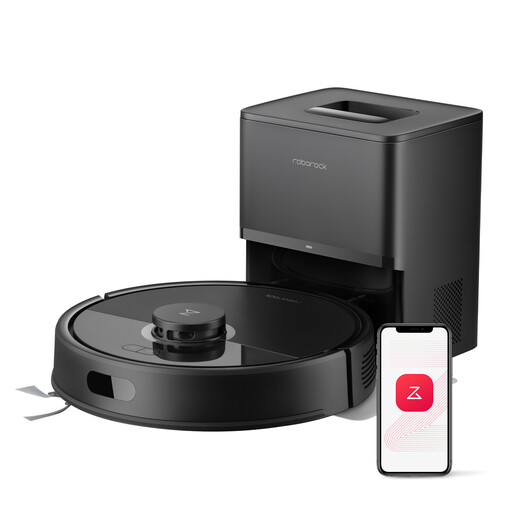
roborock Q7 L5+
For anyone who wants to keep on top of daily dust and is looking for a robot that empties itself.
The product name lists a mopping function, auto-emptying, LiDAR navigation, an anti-tangle system and 8.000 Pa suction power.
View at Joybuy
 No image available
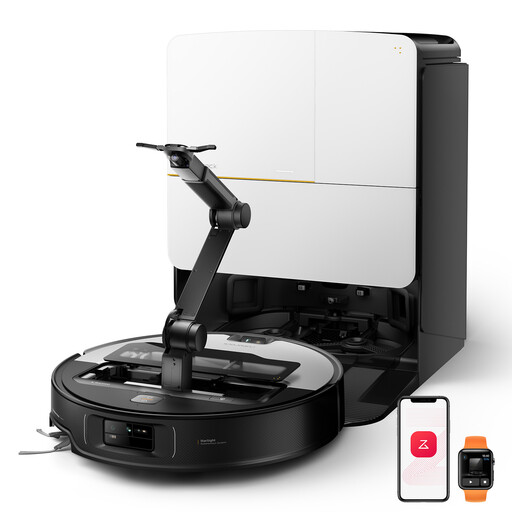
Roborock Saros Z70 (Silver)
An option for anyone who wants to consider mopping and station features as well as vacuuming.
The product name lists a mopping function, OmniGrip Arm, 22.000 Pa suction power and a height of 7,98 cm.
View at Joybuy
 No image available
EUREKA J15 Pro Ultra
For anyone considering a robot vacuum cleaner with a mopping function and self-cleaning feature.
The product name lists 16.200 Pa, anti-wrap technology, liquid detection and brush lifting, plus 75 °C hot-water cleaning.
View at Joybuy
 No image available
EUREKA E20 Plus
An option for anyone looking for auto-emptying, navigation and obstacle avoidance features.
The product name lists 8.000 Pa, an auto-empty station, 3D obstacle avoidance, DuoDetect AI and a runtime of 180 minutes.
View at Joybuy
 No image available
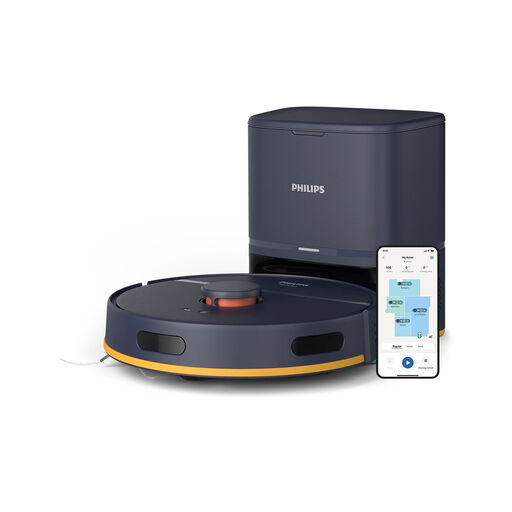
Philips HomeRun 2000 Series XU2100/15
For anyone comparing robot vacuum cleaners with a mopping function and auto-empty station.
The product name lists 6.000 Pa suction power and a compact design.
View at Joybuy
Frequently asked questions
Can a robot vacuum cleaner replace the clean between guests?
No. Use the robot for everyday floor care in areas it can reach; the Consumers’ Association points out that a robot can’t do everything a regular vacuum cleaner can. Stairs, some corners and areas with lots of obstacles still need to be included in your regular clean.
What should I check when setting it up and using it?
Clear loose obstacles from the floor, check stair edges and the robot’s return to its station, and set up any available no-go zones. Then regularly check the dust bag or dustbin, brushes, filters and station.
Which parts and maintenance tasks should I factor in?
If you choose a model with an auto-empty station, replacing dust bags may become part of the routine. Also check whether compatible brushes, filters and any mop parts are available, and agree on who will maintain them.
Can a landlord use a robot with a camera while guests are staying at the property?
First check the features of the exact model; there’s no general yes or no that applies to every robot and rental situation. The Dutch Data Protection Authority warns that camera surveillance in rented homes is a serious invasion of privacy and is almost never allowed. So check whether the device can record or provide access to images of guests, and seek specific legal advice if needed.


