What should you look for when buying?
First, check whether the robot can reach your hallway and clean the dirt on your flooring. Then consider whether mopping or a station would fit into your cleaning routine.
| What to consider |
What should you check? |
Who is this important for? |
| Dry dirt on the floor |
Look at independent test results for dust and crumbs on hard floors and, if you have a mat, for dirt on carpet or rugs. |
If you mainly want to keep on top of sand and crumbs brought in from outside, look for results on your type of flooring; around 36% of consumers say dry dirt is their top purchasing priority. |
| Access and obstacles |
Measure your thresholds and check how the model handles your doormat, cables and other loose items. |
If items are often left in the hallway, you’ll want to know whether the robot can reach it without getting stuck all the time; around 29% of consumers prioritise a clear route. |
| Mopping |
Check whether your flooring is suitable, how the model handles doormats and what its mopping test results are like. |
If you often have wet footprints on a suitable hard floor, mopping may be worth considering alongside vacuuming; around 21% of consumers say wet marks are their top purchasing priority. |
| Emptying and space for a station |
Check the dimensions of the complete station and whether compatible bags and parts are available for the model. |
If you’d rather empty the robot’s dust container less often, check whether you have room for a station and can keep up with its maintenance; around 14% of consumers prioritise less maintenance. |
Robot vacuums at Joybuy
This selection includes robot vacuums for everyday floor care, with a range of features for obstacle avoidance, mopping and emptying.
 No image available
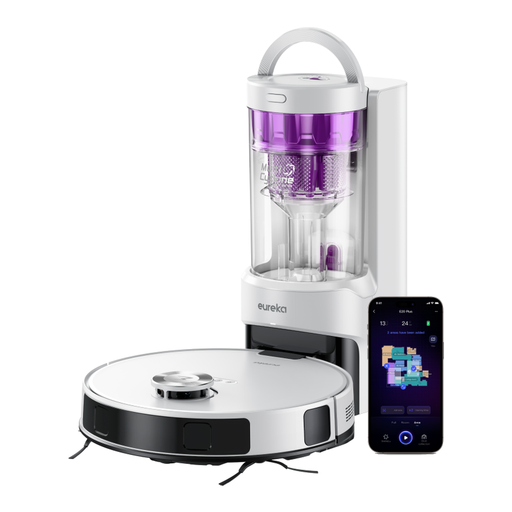
EUREKA E20 Plus robot vacuum
A good fit if you want everyday dirt picked up and value obstacle avoidance.
The product name lists 8000 Pa, DuoDetect AI 3D obstacle avoidance, an anti-hair brush, a dust container for 45 days and app control.
View at Joybuy
 No image available
EUREKA E20 Plus robot vacuum with self-emptying station
A good fit if you want to clean up recurring dry dirt and would prefer a station to relying on the robot’s dust container alone.
The product name lists 8000 Pa, a self-emptying station, anti-tangle function, 180 minutes’ run time, DuoDetect AI and a black finish.
View at Joybuy
 No image available
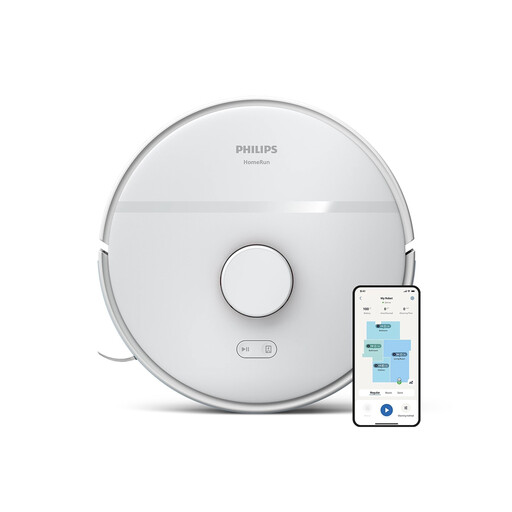
Philips HomeRun XU2000/25
A good fit if you want to vacuum your hallway and are also looking for a mopping function.
The product name lists a mopping function, 6000 Pa and smart navigation.
View at Joybuy
 No image available
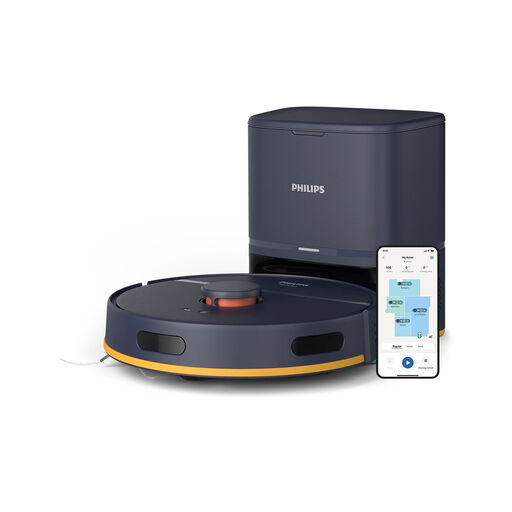
Philips HomeRun XU2100/15 with emptying station
A good fit if you want to combine vacuuming and mopping with automatic emptying.
The product name lists a mopping function, automatic emptying station, 6000 Pa and a compact design.
View at Joybuy
 No image available
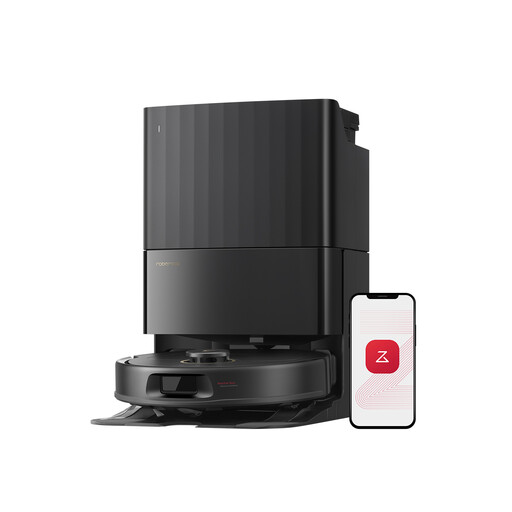
Roborock Qrevo S5V Black
A good fit if you want to combine vacuuming with mopping and are looking for features to help maintain the station.
The product name lists a station, 12000 Pa, FlexiArm mops, dual anti-tangle features, warm-air drying, obstacle avoidance and smart navigation.
View at Joybuy
Frequently asked questions
Should I clear the hallway after moving house before running the robot?
At the very least, clear a route and remove loose cables and small items. The Consumers’ Association describes the limitations of using robots in cluttered spaces and tests them against obstacles such as cables and loose rugs; a stated obstacle-avoidance feature doesn’t mean you can skip tidying up.
What maintenance does a robot with an emptying station still need?
Check and clean the brushes, wheels, filters and sensors, and replace the station bag when needed. Automatic emptying mainly means you don’t have to empty the robot’s dust container as often; the Consumers’ Association also notes that filters, brushes and sensors need maintenance.
Who can help if my robot vacuum doesn’t work properly during normal use?
For a consumer purchase in the Netherlands, the retailer is your point of contact if a product doesn’t meet the terms of the agreement. According to the Dutch government, the retailer must resolve the issue and can’t simply send you to the manufacturer; a manufacturer’s guarantee doesn’t replace these statutory rights.
Where can I take my old robot vacuum when I buy a new one?
When you buy a new appliance of a similar type, the shop must take back your old household appliance free of charge under the Dutch like-for-like take-back scheme. The Dutch government also explains the options available with online deliveries and through local authority collection points.
What should I consider when it comes to privacy on a robot vacuum with an app or camera?
Before buying, read the privacy notice and security information for the exact model. The Dutch Data Protection Authority advises you to check what data is processed and shared by connected devices; when using the robot, make sure you also secure your account and home network.


