
People with a busy hallway
If you want to clear loose dirt while packing, check whether a robot can reach the hallway floor and clean the type of flooring you have.


For loose crumbs and dust on an accessible hallway floor, choosing a robot vacuum with the right floor-cleaning capabilities matters more than having a mopping function or self-emptying station. Mopping is useful mainly when the floor is suitable for it; a self-emptying station can mean less manual emptying if you plan to keep using the robot after you move. Check the hallway yourself once the robot has finished, and bear any handover requirements in mind.
If you want to clear loose dirt while packing, check whether a robot can reach the hallway floor and clean the type of flooring you have.
Check in advance whether the robot can reach the hallway and whether the model you choose can clean that area specifically.
Extra mopping or self-emptying functions may also come in handy after you move, but they aren’t necessarily needed just for the handover.
Start by checking whether the robot can reach the hallway and what sort of dirt you want it to pick up. Then consider whether mopping or emptying the robot less often would also suit the way you’ll use it after moving.
| What to consider | What should you check? | Who is this important for? |
|---|---|---|
| Loose dust and crumbs | Check how it performs on your type of flooring, and whether the robot can reach along edges and under furniture. | If I mainly want to clear loose dirt from the hallway floor while packing, I want to know whether the robot can reach my floor. Around 36% of consumers who want to tackle loose dirt first say this is a priority. |
| Access and navigation | Check the route, thresholds and any obstacles at home; also see whether the exact model lets you select a specific room. | If the hallway is behind a narrow entrance or a threshold, I want to check that the robot can actually get there and clean just that area. Around 29% of consumers prioritise access and targeted cleaning. |
| Mopping | Check whether the floor can be wet-cleaned, and what preparation and care the model you choose requires. | If I also want to wet-clean the floor, it needs to be suitable for this, and I want to know what to do beforehand. Mopping is the top priority for around 21% of consumers. |
| Maintenance | Check what the station automates, how much space it needs and whether you’ll use these functions after moving. | If I plan to keep using the robot regularly, having to empty it or maintain the mop less often could influence my choice. Around 14% of consumers give reducing maintenance their highest priority. |
How well a robot picks up dirt can vary depending on the type of flooring and where the dirt is. The Consumentenbond assesses performance on hard floors, in crevices, on carpets and along walls and skirting boards separately.
Look for information about how the robot performs on the type of flooring in your hallway, then check for any dirt left behind once it has finished.
You may need to do some extra cleaning by hand along edges, in crevices or in places the robot can’t reach.
Usage requirements vary by model. For example, the Roomba Combo Essential cannot mop on its own; you need to remove carpets from the area before running a mopping cycle.
Follow the instructions for the exact model and check in advance that it’s suitable for your floor and layout.
A mopping cycle may require extra preparation, and components such as the mop pad may need looking after.
Automatic emptying or mop maintenance won’t take care of the final inspection or any agreements about the condition of the property.
Decide whether you’ll keep using the robot regularly after you move, and check where you can put the station.
A station takes up space, and you may also need specific parts for the model you choose.
The HomeRun 2000 Series includes models with vacuuming and mopping functions.
The L10s Ultra Gen 3 Kit is designed for people considering an advanced dock and mopping functions.
The Roomba Combo Essential combines vacuuming with a mopping function.
The L60 range includes several versions, with features such as map navigation or a self-emptying station.
These Joybuy products suit people looking for a robot to clean their hallway floor; several versions also offer mopping or an automatic maintenance station.
 No image available
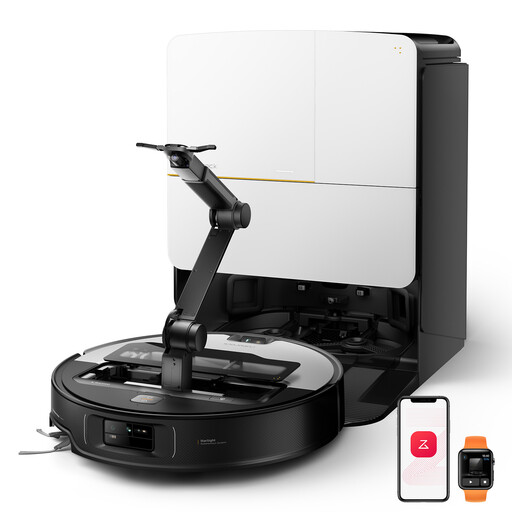
A good fit if you’re looking for mopping and automated maintenance as well as vacuuming; check that the features and station suit the way you’ll use it.
The product name lists 22,000 Pa suction power and a height of 7.98 cm. It also mentions AI assistance, OmniGrip Arm, FlexiArm Riser, AdaptiLift Chassis, and hot-water washing and drying of the mop pad.
 No image available
An option if you’re looking for a robot with a mopping function and a self-cleaning station; check what preparation and maintenance your floor requires.
The product name lists 16,200 Pa, anti-wrap technology, liquid detection and a liftable brush. It also mentions hot-water cleaning at 75 °C and self-cleaning.
 No image available
A good fit if you want to consider automatic emptying and navigation; bear in mind how much room the station needs.
The product name lists 8,000 Pa, a self-emptying station, an anti-tangle feature, 3D obstacle avoidance and a 180-minute runtime. The instructions say to leave at least 0.5 m of clear space on each side of the station and 1.5 m in front.
 No image available
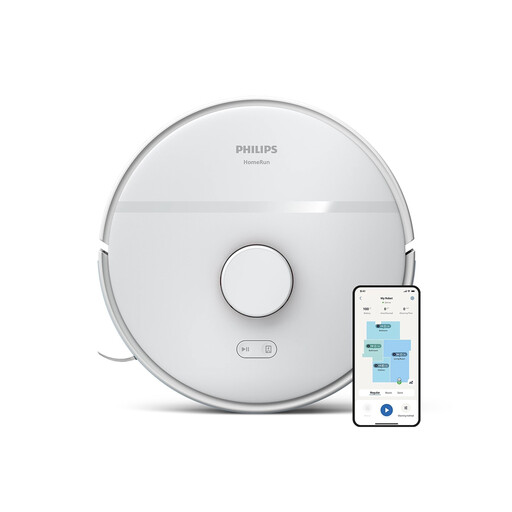
An option if you want to combine vacuuming with a basic mopping function; check that mopping is suitable for your floor.
The product name lists 6,000 Pa, a mopping function and smart navigation.
 No image available
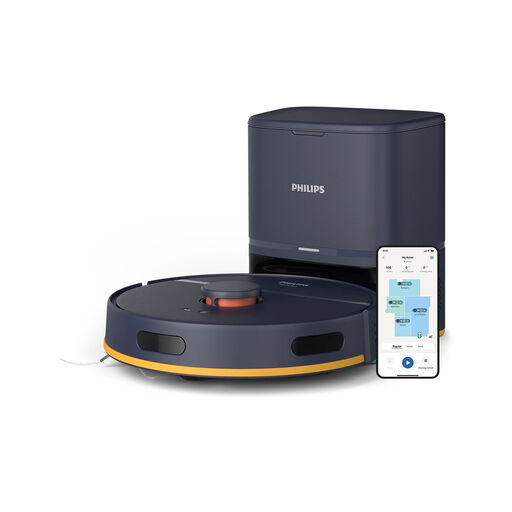
A good fit if you want to vacuum and mop and empty the robot by hand less often; consider whether you’ll keep using the station after you move.
The product name lists 6,000 Pa, a mopping function and an automatic emptying station. The instructions say to leave at least 0.5 m of clear space on each side of the station and 1.5 m in front.
No, don’t rely on it to do so. Check the hallway yourself after the robot has finished, and clean any edges or remaining dirt by hand if needed. The Dutch Government recommends recording the condition of the property in writing and leaving it in that condition.
Follow the instructions for the exact model. For the Roomba Combo Essential, iRobot says to remove carpets from the area to be mopped; iRobot also advises emptying the water tank and replacing the mop pad afterwards.
You don’t need to buy a commercial warranty to claim under your statutory rights. According to ACM ConsuWijzer, if a product breaks sooner than you could reasonably expect under normal use, the seller must put it right free of charge; a commercial warranty is separate from this.
Read the privacy notice and check the security of the connected device carefully. The Dutch Data Protection Authority points out that smart devices can collect data; check the manufacturer’s information to find out what data this particular model processes.