What should you look for when choosing?
Start by checking the route between the hallway and the room you want cleaned. Then decide whether vacuuming up dry dirt is enough, or whether an auto-empty station or mopping function would suit your needs.
| What to consider |
What should you check? |
Who is this important for? |
| Route from hallway to room |
Check room selection, no-go zones, the passageway and any thresholds for the exact model. |
If I want the robot to clean only a selected room after the hallway, the map and a clear route are important. Around 36% of consumers rank this targeted route as their top priority. |
| Dry dirt on the floor |
Compare test results for your type of flooring and check how well it cleans along skirting boards; the stated suction power alone won’t tell you how the model performs there. |
If you mainly want to keep on top of crumbs or grit on the hallway floor, you may want to prioritise dry dirt pick-up over extensive room automation. Around 29% of consumers put this at the top of their list. |
| Manual maintenance |
Check how much space the station needs, which dust bags fit, and how to maintain the brushes and filters. |
If I don’t want to empty the robot’s dustbin often, an auto-empty station could be a good fit, provided I have space for it and am happy with the ongoing maintenance. Around 21% of consumers rank emptying the dustbin less often as their top priority. |
| Mopping the hallway |
Check that your floor is suitable and how the exact model handles any rugs. |
If you want to wet-clean a suitable hard hallway floor as well as pick up dry dirt, you may want to consider a mopping function. Around 14% of consumers rank wet cleaning as their top priority. |
Robot vacuums at Joybuy
These Joybuy products are robot vacuums; the selection includes models with a mopping function and/or auto-emptying. Check whether each model’s controls and features suit your flooring and the routes around your home.
 No image available
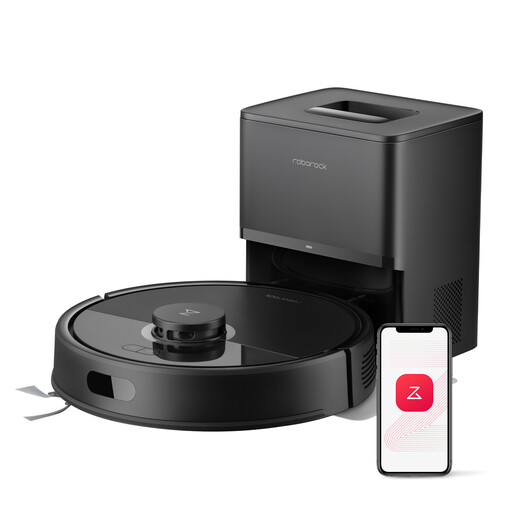
Roborock Q7 L5+ with mopping function
An option to compare if you’re looking for one model that can vacuum, mop and empty itself automatically.
The product name lists 8.000 Pa suction power and LiDAR navigation. The product description mentions app control, schedules and no-go zones.
Joybuy
 No image available
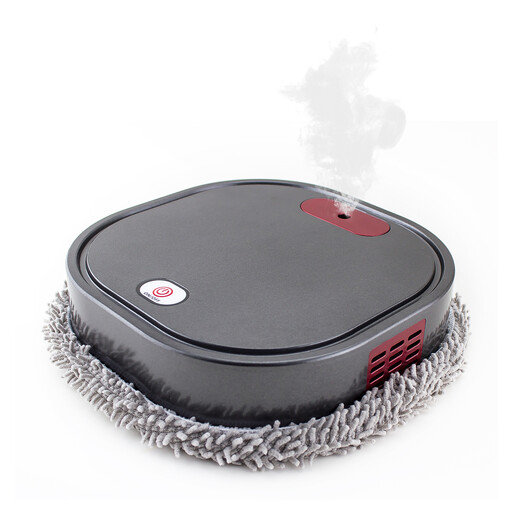
3-in-1 Mini robot vacuum, black
A compact model to compare if you’re looking for a robot for flat indoor floors and would also like a spray mop function.
The product name lists 20–40 dB and a cordless design. According to the product information, this model isn’t designed for deep-pile carpets.
Joybuy
 No image available
Eureka J15 Pro Ultra
A model to include in your comparison if you’re considering mopping and a self-cleaning station as well as vacuuming.
The product name lists 16.200 Pa and a self-cleaning function. The product information mentions automatic emptying at the base station and cleaning with hot water at 75 °C.
Joybuy
 No image available
Eureka E20 Plus with self-emptying station
An option to compare if you want a self-emptying station and are also considering obstacle avoidance.
The product name lists 8.000 Pa and an operating time of 180 minutes. The product information mentions LiDAR, obstacle avoidance and a bagless station with a 2-litre dust container.
Joybuy
 No image available
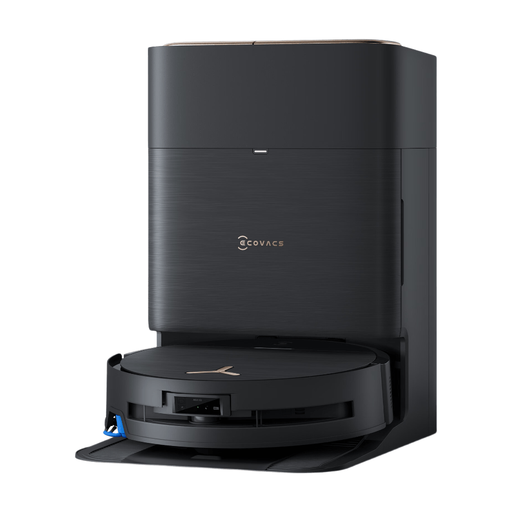
ECOVACS DEEBOT X9 PRO Omni
A model to compare if you’re considering mopping and more extensive station maintenance as well as vacuuming.
The product name lists 16.600 Pa, an OZMO Roller and an Omni station. The product information mentions multi-floor map management and automatic cleaning functions.
Joybuy
Frequently asked questions
Can I have the robot clean the hallway first, then just one other room?
You can with models that let you select individual rooms on a saved map. Check whether the exact model has this feature and whether the route between the rooms is clear.
Does an auto-empty station eliminate all maintenance?
No. An auto-empty station can mean you empty the robot’s dustbin less often, but it takes up space and, for versions that use dust bags, you’ll need to replace them. The brushes and filters may also need maintenance.
What rights do I have when buying online in the Netherlands?
When you buy online from a business, you generally have a 14-day cooling-off period; the Dutch Government lists some exceptions. You also have statutory rights if a product is faulty. Check who the seller is and which terms and conditions apply.
Is CE a quality mark for cleaning performance?
No. Robot vacuums sold on the EU market must meet the applicable product safety requirements and CE obligations; models with radio equipment must also comply with the relevant rules. Business.gov.nl explains that CE is not a quality mark and does not assess cleaning performance.
Which privacy settings should I check on a smart robot?
Review your account and app settings and check which privacy options are available. The Dutch Data Protection Authority advises people to check the settings on smart devices carefully; the data processed varies by model and app.


