
Those who want to schedule cleaning
You want to keep your floors clean during working hours and control the robot remotely. The Consumers’ Association describes schedules and route maps as features of robot vacuum cleaner apps.


Choose a robot vacuum cleaner that can clean at the times you want and suits the floors and obstacles in your home. Scheduling and a suitable route matter more than a high quoted suction power alone. An automatic emptying station means you need to empty the robot less often, but it doesn’t eliminate maintenance and takes up extra space. A mopping function adds maintenance and, like the robot itself, won’t reach every part of your home.
You want to keep your floors clean during working hours and control the robot remotely. The Consumers’ Association describes schedules and route maps as features of robot vacuum cleaner apps.
You may have cables, shoes, toys or thresholds in the way and want to avoid the robot getting stuck while you’re out. The Consumers’ Association identifies obstacles as something to consider when assessing robot vacuum cleaners.
You want to empty the robot’s dust container less often and have room for a larger station. Even with a station like this, parts such as brushes, filters and sensors still need maintenance, as the Consumers’ Association explains.
Start with the schedule and the route through your home. Then consider how often you want to avoid emptying it by hand, and whether mopping and app control suit your daily routine.
| What to consider | What should you check? | Who should pay particular attention? |
|---|---|---|
| Scheduling and control | Check whether the exact model supports schedules and your preferred room or no-go zones. | If I want my floors cleaned at set times while I’m at work, scheduling and remote control are my first priorities. Around 31% of consumers put scheduled cleaning top of their list. |
| Obstacles and route | Consider the thresholds, rugs and loose items in your home; also compare tests of navigation and returning to the charging station. | If there are cables or other items on my floor, I want to know whether the robot can manage the route without me having to step in. Around 25% of consumers prioritise avoiding getting stuck. |
| Emptying and maintenance station | Check how much space the station takes up and which bags and other consumables it needs. Brushes, filters and sensors still require maintenance. | If I don’t want to empty the small dust container often, the convenience is worth making room for a larger station and carrying out regular maintenance. Around 19% of consumers put reducing the need for manual emptying first. |
| Vacuuming and mopping | Check whether the mopping settings suit your hard floors and rugs, and which maintenance tasks the station takes care of. | If I also want my hard floors mopped, I look at how the robot handles rugs and at the maintenance needed for water tanks and mop pads. Around 13% of consumers are mainly looking for a combination of vacuuming and mopping. |
| Privacy and account | Read the privacy notice and check which account and security settings are available. Use multi-factor authentication if it’s offered. | If I control the robot through an app, I want to understand in advance what data I’m sharing and how I can secure my account. Around 12% of consumers make data protection their top purchase priority. |
Recognising objects doesn’t mean every robot can handle cables, loose items or thresholds without difficulty. If the robot gets stuck while you’re out, it may not complete its cleaning cycle.
Clear the route and compare how the exact model performs around obstacles and when returning to the charging station.
A station can reduce how often you need to empty the robot, but brushes, wheels, filters and sensors still need attention.
Check which dust bags and other consumables fit the model, and how much space the station takes up.
A larger station takes up space and may need replacement dust bags.
A robot won’t reach stairs, areas under furniture or every corner. Mopping also means considering which floors are suitable and maintaining the water tanks and mop pads.
Use the mopping function on suitable floors, and have another way to clean areas the robot can’t reach.
A connected robot may process data through its app. The Dutch Data Protection Authority therefore recommends paying attention to the privacy and security of smart devices too.
Read the privacy notice before buying, then check the account and privacy settings after installation. Use multi-factor authentication if it’s offered by the device or platform.
The HomeRun range includes the 7000 Series Aqua XU7100/01, which vacuums and mops.
According to eufy, the X10 Pro Omni combines app-based scenarios, obstacle recognition, liftable mop pads and a station that washes and dries them.
According to iRobot, the Roomba Combo j9+ combines vacuuming and mopping with a Clean Base for automatic dirt disposal and refilling.
Dreame describes the L10s Ultra Gen 2 as a vacuuming and mopping robot with a fully automatic base station.
According to ECOVACS, the DEEBOT X11 PRO OMNI is designed for vacuuming and mopping with an OMNI station.
These models are designed for scheduled cleaning with app control and, depending on the model, an automatic emptying station or a mopping function.
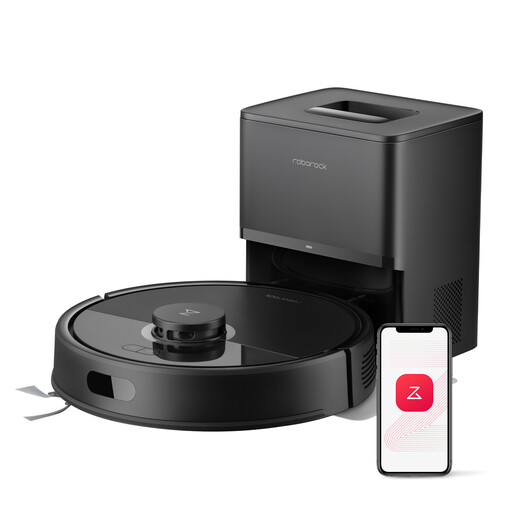 No image available
Suited to anyone who wants to schedule a cleaning cycle and empty the robot’s bin less often.
The product name lists 8.000 Pa, LiDAR navigation and automatic emptying.
 No image available
Suited to anyone who wants to schedule cleaning and is looking for a model with a self-emptying station.
The product name lists 8.000 Pa, DuoDetect AI, 3D obstacle avoidance and a quoted running time of 180 minutes.
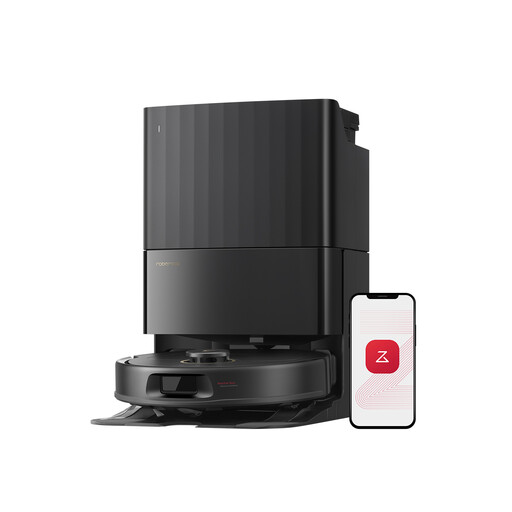 No image available
Suited to anyone who wants to schedule a cleaning cycle and have small items such as shoes and toys recognised.
The product name lists 12.000 Pa, a station, a mopping function, hot-air drying and obstacle avoidance.
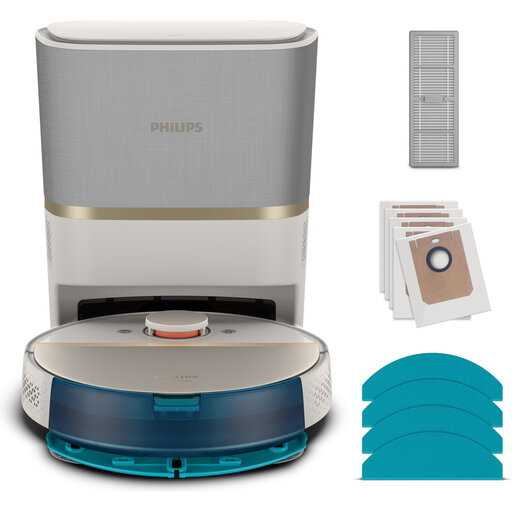 No image available
Suited to anyone who wants to combine app control and a cleaning schedule with automatic emptying.
The product name lists 5.000 Pa, LiDAR navigation and a quoted running time of 180 minutes.
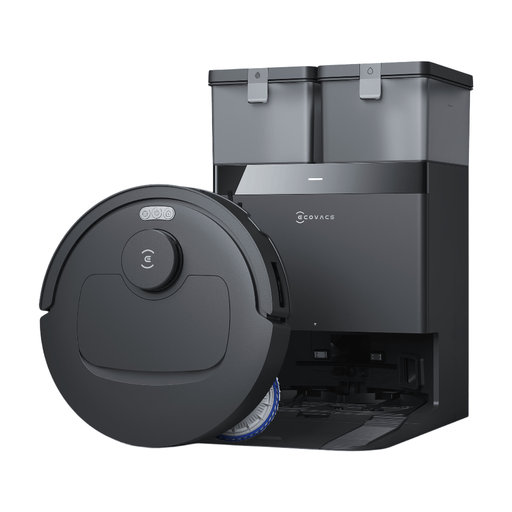 No image available
Suited to anyone who wants to combine vacuuming and mopping with app scheduling and station features.
The product name lists 20.000 Pa, an OMNI station and mop cleaning with water at 75 °C.
Many robot vacuum cleaners offer remote control and scheduling through an app, but features vary by model. Set the route and any no-go zones in advance, and make sure the floor is ready for cleaning while you’re away.
Yes. Pick up loose items and cables before the robot starts. The Consumers’ Association highlights objects on the floor and high thresholds as limitations, and includes obstacles when testing navigation.
The station’s dust bag will eventually need replacing. Also check the brushes, wheels, filters and sensors; the Consumers’ Association lists these as regular maintenance tasks for robot vacuum cleaners.
According to ACM ConsuWijzer, if a product breaks sooner than you could reasonably expect under normal use, the seller must offer an appropriate solution at no extra cost. For an online purchase, the cooling-off period usually ends 14 days after delivery; check which exceptions apply to your purchase.
Read the privacy notice and check which data and account settings are linked to the app. The Dutch Data Protection Authority also recommends paying attention to security. Use strong login details and enable multi-factor authentication if it’s available.