Who is a robot vacuum cleaner suitable for?

Anyone who wants to stay on top of everyday dust

If you want to keep accessible floors clean between regular cleans, compare models based on how well they pick up dust from your type of flooring. The Consumentenbond cites everyday dust and sand brought indoors as examples of dirt a robot can be useful for.

Anyone who wants rooms cleaned

If you want the robot to pass through doorways, navigate obstacles and return to its charging station, consider the route around your home and how models perform in navigation tests. The Consumentenbond notes that robots vary in how well they navigate.

Anyone who wants to empty it less often

If you’d rather empty the small dust container less often, consider a model with an auto-empty station. Remember to allow space for the station, and factor in dust bags and maintenance for the brushes, filters and sensors.

What should you consider when choosing one?

What to consider What to look for Who is it for?
Dust on your floors Compare test results for dust pick-up on your type of flooring; look at hard floors and carpets separately. The Consumentenbond tests dust pick-up on a range of surfaces. If I mainly want to keep everyday dust off my own floors, I want to know how the model performs on that surface. Around 36% of consumers prioritise everyday dust pick-up.
The route between rooms Check test information on navigation and returning to the charging station, and check your doorways and thresholds yourself. If the robot needs to reach a particular room, I’ll check the doorways, thresholds and route back to the station. Around 29% of consumers are most concerned about reaching every room.
How often you need to empty it Check whether an auto-empty station is included, how much space it takes up and whether compatible dust bags are available. If you’d rather not empty the small container often, weigh up an auto-empty station against the space it needs and the maintenance involved. Around 21% of consumers say reducing the need for manual emptying is their main priority.
Different types of flooring Check test results for each surface and, if you’re considering a mopping model, see how the version you’ve chosen handles rugs. If my home has both hard floors and rugs, I want to know how the model performs on each surface. Around 14% of consumers prioritise suitability for different types of flooring.

Things to look out for when buying

  • Assuming a robot can completely replace your conventional vacuum cleaner

    A robot can keep accessible floors clean, but it can’t replace cleaning stairs, crevices and awkward corners.

    Choose a robot for the floors it can reach, and keep another solution for the areas it can’t.

    You’ll still need to clean those areas separately.

  • Assuming auto-empty means maintenance-free

    An auto-empty station takes over some of the work of emptying the robot’s dust container, but the brushes, filters and sensors still need maintenance.

    Check in advance how much space you’ll need and whether dust bags are available for the exact model.

    An auto-empty station takes up space and may need replacement dust bags.

  • Relying on the navigation technology alone

    A navigation system doesn’t guarantee that a robot will get through every doorway, avoid obstacles or find its way back to the charging station. According to the Consumentenbond, the Philips XU2000/25 doesn’t always return to its station.

    Compare results for the specific model and check the doorways, thresholds and obstacles along its route at home.

Brands to consider

Philips

The HomeRun range includes versions without an auto-empty station as well as models with one; features vary by model.

  • According to the Consumentenbond, the Philips XU2000/25 has a 0.34-litre dust container and no auto-empty station. Philips lists auto-emptying as a feature of the XU5100/20.
  • The Consumentenbond reports that the XU2000/25 doesn’t always return to the charging station; this doesn’t necessarily say anything about other Philips models.

eufy

The X10 Pro Omni is worth considering if auto-emptying and mop pad maintenance are important to you.

  • According to eufy, the X10 Pro Omni’s station empties the robot and cleans the mop pads.
  • This is information from the manufacturer, not an independent comparison of cleaning performance. Not every eufy model has auto-emptying; the Consumentenbond notes that the G50 hybrid doesn’t empty its dust container automatically.

iRobot

The Roomba 105 Combo with AutoEmpty Dock is a specific version for anyone looking for vacuuming, optional mopping and auto-emptying.

  • iRobot lists ClearView LiDAR, room mapping and carpet detection for this model.
  • The time iRobot states the dust bag will last before it needs replacing depends on how the robot is used.

Roborock

A brand to include in your comparison if navigation and dust pick-up on different types of flooring are important to you.

  • The Consumentenbond compares robot vacuum cleaners on factors including dust pick-up and navigation.
  • General information about test criteria doesn’t tell you how a specific Roborock model performs.

Dreame

A brand to compare if you want to weigh up models with different levels of automation.

  • The Consumentenbond tests robot vacuum cleaners on factors including dust pick-up, navigation and ease of use.
  • General test information isn’t enough to draw conclusions about one Dreame model and apply them to the entire range.

Robot vacuum cleaners at Joybuy

These Joybuy products are designed for everyday floor care and feature robot vacuum cleaners with an auto-empty station. Also check that the route around your home and the maintenance required suit the model you choose.
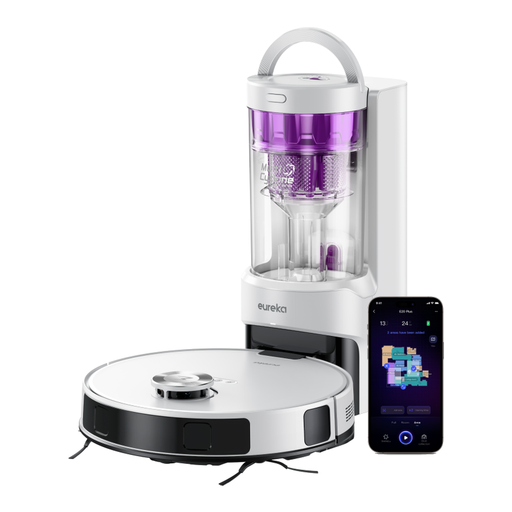
EUREKA E20 Plus robot vacuum cleaner

EUREKA E20 Plus

Ideal if you want to keep everyday dust under control on hard floors and carpets, and empty the robot’s dust container less often.

The product title lists 8000 Pa; the product description mentions LDS LiDAR navigation, route planning and a bagless auto-empty station.

A robot won’t replace a conventional vacuum cleaner for stairs, crevices and awkward corners.

View at Joybuy
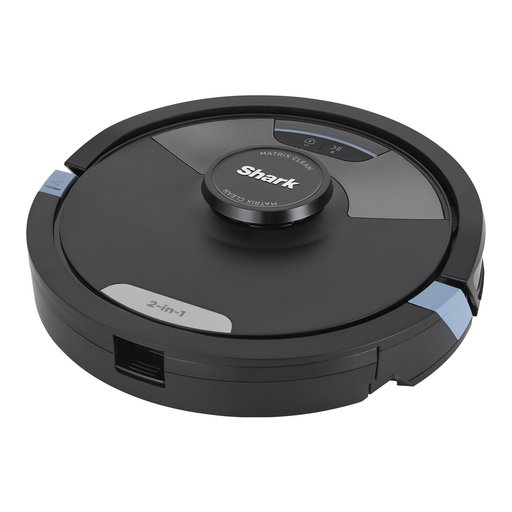
Shark Matrix Plus 2-in-1 robot vacuum and mop

Shark Matrix Plus 2-in-1

Worth considering if you’re looking for a robot that cleans carpets and hard floors by vacuuming and mopping, and needs emptying manually less often.

The product description mentions LiDAR mapping, cleaning schedules and a bagless self-emptying base station.

A robot keeps accessible floors clean, but won’t replace a conventional vacuum cleaner for stairs, crevices and awkward corners.

View at Joybuy
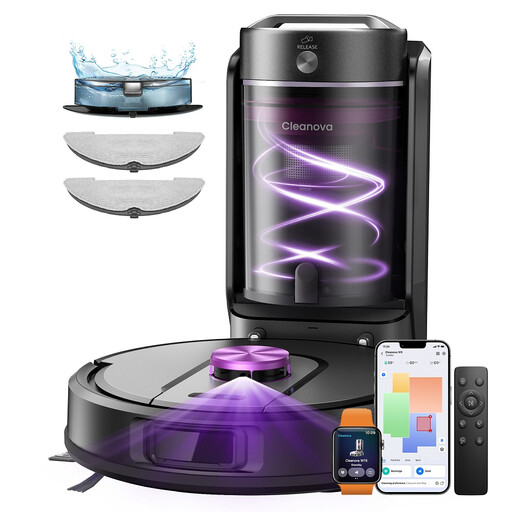
Vactidy W15 robot vacuum and mop

Vactidy W15

Ideal if you want to combine vacuuming and mopping for floor care, and empty the robot manually less often.

The product title lists 10000 Pa, LiDAR navigation, five maps and a bagless auto-empty station.

The instructions advise against using it on floors with standing water or liquid spills. A robot won’t replace a conventional vacuum cleaner for stairs, crevices and awkward corners.

View at Joybuy
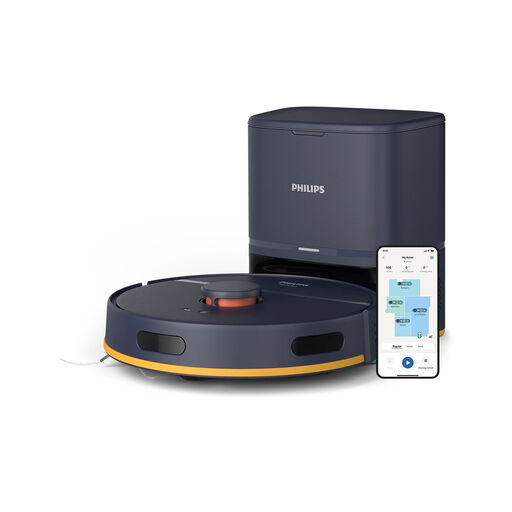
Philips HomeRun XU2100/15 robot vacuum cleaner with mopping function

Philips HomeRun XU2100/15

An option for everyday floor care with a robot vacuum cleaner and mopping function, with auto-emptying as one of its features.

The product title lists 6000 Pa and an auto-empty station with a 3,0 L dust bag. The product description mentions LDS radar navigation.

The instructions include replacing the dust bag and cleaning the mop pad as part of maintenance. A robot won’t replace a conventional vacuum cleaner for stairs, crevices and awkward corners.

View at Joybuy
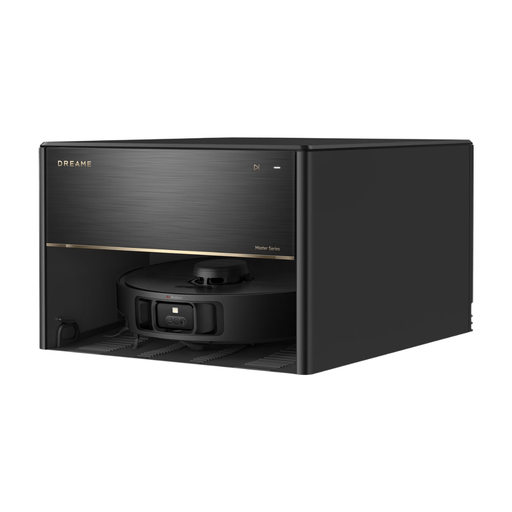
Dreame X40 Master robot vacuum cleaner

Dreame X40 Master

Ideal if you want to combine everyday floor care with an auto-empty station and app control.

The product title lists 12000 Pa and an 8-in-1 base station; the product description mentions laser navigation and automatically resuming after charging.

The product description states that Wi-Fi is needed for optimum use. A robot won’t replace a conventional vacuum cleaner for stairs, crevices and awkward corners.

View at Joybuy

Frequently asked questions

Can a robot vacuum cleaner clean several rooms on its own?

It depends on the route and the model you choose. Check doorways, thresholds and loose objects, and look at independent test information to see whether the model cleans each room and returns to its charging station. The navigation technology alone doesn’t guarantee it will do so in your home.

What do I still need to clean after installation?

Empty the dust container or replace the auto-empty station’s dust bag when needed, and maintain the brushes, wheels, filters and sensors according to the instructions for your model. An auto-empty station doesn’t make the robot maintenance-free.

What warranty and returns period apply to online purchases in the Netherlands?

Online purchases generally come with a 14-day cooling-off period from the day after delivery, subject to legal exceptions. If a product is faulty, you’re also entitled to an appropriate solution from the seller. ACM ConsuWijzer explains that the statutory guarantee isn’t automatically limited to two years.

What product safety rules apply to robot vacuum cleaners?

Electrical appliances placed on the market in the Netherlands must meet the applicable European safety requirements. Ondernemersplein, the Dutch government’s business information portal, describes CE marking and the EU Declaration of Conformity as some of the requirements. A statement on a product page alone doesn’t prove that an individual version meets every requirement.
