
Vandaag of morgen in huis

Kwaliteit gegarandeerd

Welkomstaanbiedingen ontgrendelen: GRATIS bezorging | Tot 80% korting | Gratis 30 dagen JoyPlus-proefperiode
Download de app
A robot vacuum cleaner can keep on top of dust, crumbs and pet hair every day, but not every model suits every home. A low price tells you little about its navigation, maintenance or performance on carpets. Likewise, a high suction-power figure on the box doesn’t automatically mean the robot will handle cables, thresholds or wet floors well.
So, look out for these three common pitfalls:
A robot vacuum cleaner with LiDAR navigation uses a laser to map your home. This helps it follow a more systematic route than a model that moves around more randomly. Check whether the app supports multiple maps, rooms, virtual walls and no-go zones. This is useful in multi-storey homes or in rooms where you don’t want the robot to mop.
LiDAR doesn’t guarantee that every obstacle will be detected. According to the product information for some models, dark surfaces, floor-level mirrors and small objects can be harder to detect. So, clear cables and small toys from the floor before the first cleaning run.
A powerful robot vacuum cleaner needs more than a high Pa rating. Also look for:
For example, the product information for the Eureka E20 Plus lists 10,000 Pa, an anti-tangle brush and an automatic 10 mm mop lift. Other models may have a lower stated suction-power rating but offer app features, mapping or automated maintenance that better suit your home.
A robot vacuum cleaner with an auto-empty dock means you won’t have to empty the dust container every day. Check the difference between a dock that only empties the dust and an all-in-one station. Some stations empty dust, wash the mop, dry it with warm air and refill the water. This saves you a few steps, but the station takes up more space and needs cleaning too.
Also check:
So, a self-cleaning robot vacuum cleaner isn’t completely maintenance-free. Mop pads, sensors, filters and brushes still need to be cleaned according to the manual.
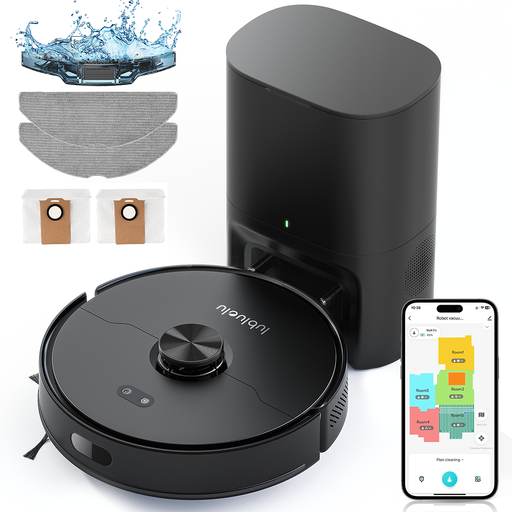
Why it suits this type of buyer: An accessible combination of vacuuming, mopping, laser navigation and app control for everyday use.
The product information lists several suction modes, up to five saved maps and adjustable no-go zones. That means you don’t have to rely on the Pa rating alone.
4,000 Pa according to the product specifications, laser navigation, app control and a stated noise level of 55 dB.
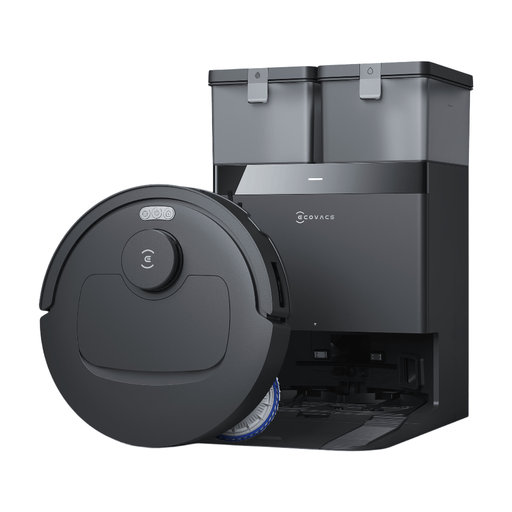
Why it suits this type of buyer: A good fit if you want the station to take care of more of the chores, in a home with hard floors, carpets and pets.
The OMNI station is listed as automatically emptying dust, washing the mop with 75 °C water, drying it with 45 °C warm air and refilling the water. Make sure you have enough space around the station.
20,000 Pa according to the product listing, TrueMapping 2.0, several carpet modes and an app for control and status updates.
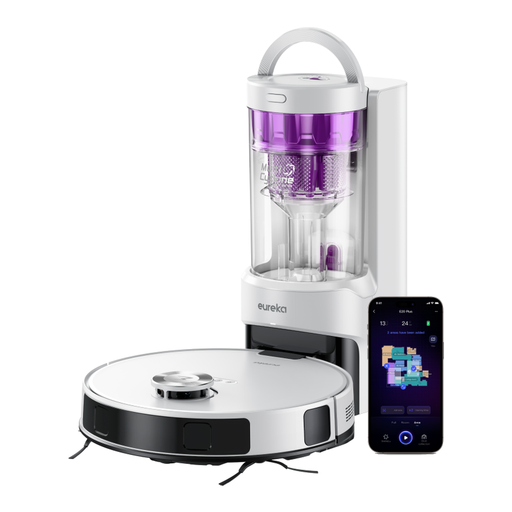
Why it suits this type of buyer: An option for homes with pet hair, hard floors and carpets, where you’d like to empty the dust container less often.
The listed anti-tangle brush and automatic mop lift are designed to tackle common problems caused by hair and carpets. The stated results come from Eureka’s product communications.
2-litre dust container according to the description, LDS LiDAR, app and voice control, and a stated runtime of up to 180 minutes.
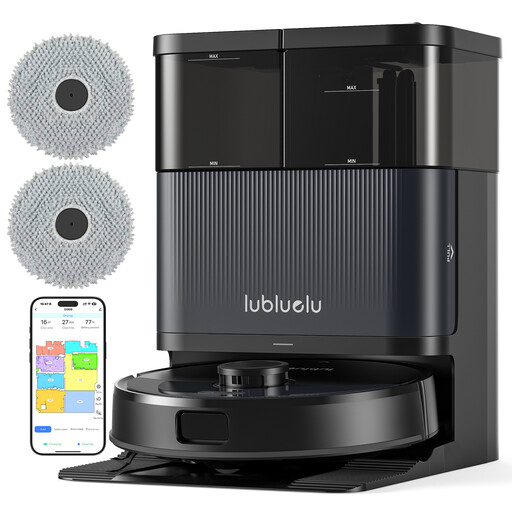
Why it suits this type of buyer: A practical choice for families who want to combine vacuuming and mopping, and value app control.
According to the product description, the robot detects carpets and automatically lifts the mop. After use, you’ll still need to remove the mop and leave it to air-dry.
Up to 10,000 Pa according to the product listing, LiDAR mapping, app scheduling and a stated noise level of 55 dB.
We’ve put together a full, up-to-date list of products that meet these strict selection criteria and current European safety regulations.
An automatic vacuum cleaner works best when you prepare the area properly:
If you have a pet, short daily cleaning runs may be more practical than a few long cleaning sessions. Remember to check the main brush and side brush regularly for hair.
It depends on the brush, suction setting and mopping function. If you have carpets, look for a model with carpet detection, automatic suction boost and a mop lift. A robot mop isn’t suitable for every carpet, so check the manufacturer’s instructions.
Its lifespan depends on how often you use it, how well you maintain it, the battery and the availability of replacement parts. Clean the filters and sensors regularly, remove hair from the brushes and prevent the robot from vacuuming liquids. Before you buy, check whether brushes, filters, mop pads and battery servicing are available.
As well as the purchase price, you’ll need to factor in electricity, filters, brushes, mop pads and, where applicable, dust bags for the auto-empty dock. A bagless dock can help reduce the ongoing cost of replacement bags, while a dock with a dust bag may mean less direct contact with dirt. So, compare the maintenance costs over the expected period of use.
