Start with your floors and the route through your home: a robot can only pick up dust where it can reach. The Dutch Consumers' Association points out that stairs, gaps, furniture and deep-pile carpet can pose limitations. An automatic emptying station means less manual emptying, while mopping is mainly an additional feature for hard floors and doesn’t eliminate the need for maintenance.
Who is this for?
Coming home to hard floors
After being away, you mainly want to see less everyday dust on accessible floors, and you’re looking for a robot that can clean on a schedule. The Dutch Consumers' Association advises taking your floor type and the robot’s route into account.
Living with a tricky floor layout
You have furniture, rugs or thresholds and want to check in advance which areas the robot can reach and where mopping is suitable. The Dutch Consumers' Association highlights limitations including stairs, furniture and deep-pile carpet.
For anyone who wants to empty the bin less often
You want to empty the robot’s dustbin less often, so you’re comparing an automatic emptying station with a simpler charging station, including the maintenance required for the station and its components.
What should you look for when buying?
If you want to come home to less everyday dust, important factors to weigh up include the robot’s reach, its primary purpose and how much maintenance it needs.
| What to consider |
What to look for when buying |
Who will find this important? |
| Picking up everyday dust |
Check information about dust pick-up on your type of floor and confirm whether the exact model can be scheduled to clean. |
If I mainly want loose dust picked up from my floors while I’m out, I want to know whether the robot suits my floor type. Around 36% of consumers say picking up everyday dust is their top priority. |
| Reach and navigation |
Compare the robot’s height with the clearance beneath your furniture, and check thresholds, obstacles and the route to the station. |
If my furniture, thresholds or rugs determine the route, I want to check in advance which areas the robot can reach. Around 29% of consumers prioritise reach and navigation. |
| Automatic emptying |
Check whether the version you’re considering comes with an automatic emptying station, how much space it takes up and which parts need replacing. |
If I don’t want to empty the robot’s dustbin as soon as I get home, I compare the station and the maintenance it requires. Around 21% of consumers say emptying the bin less often is their top priority. |
| Additional mopping |
Check how the exact version handles rugs and whether its mopping function is suitable for your hard floors. |
If I want to mop hard floors as well as vacuum, I want to know how to keep rugs dry. Around 14% of consumers say additional mopping is their top priority. |
Common pitfalls
-
Assuming the robot can reach every part of your home
Stairs, high thresholds, gaps, furniture and deep-pile carpet can limit where the robot can pick up dust. Areas it can’t reach will still need to be cleaned by hand.
Check the intended route, then compare the clearance beneath your furniture and the height of your thresholds with the specifications for the exact model.
Bear in mind that you’ll need to vacuum manually in areas the robot can’t reach.
-
Confusing automatic emptying with maintenance-free use
An emptying station empties the robot’s dustbin, but the brushes, wheels and filters, as well as the station’s dust collection system, may still need attention.
Before buying, check which parts come with the version you’ve chosen and which replacement parts are compatible.
Depending on the version, replacing dust bags or other parts may also be part of routine maintenance.
-
Thinking a mopping function replaces a thorough clean
The Dutch Consumers' Association distinguishes between refreshing a floor and removing genuine stains. For the Roomba Combo j5, iRobot recommends selecting No Mop Zones or rooms without rugs if you want to keep rugs dry.
Choose mopping as an extra for suitable hard floors, and check how the exact model handles rugs.
Mopping requires additional maintenance and can’t always replace cleaning by hand.
Brands to consider
These brands are worth considering when comparing specific versions, stations and maintenance requirements; the ranges mentioned here are not a judgement on the brand as a whole.
Philips
The HomeRun 5000 Series includes the XU5100/20, a robot vacuum and mop with an automatic emptying station.
- Philips lists dual mops and a station with a 3.0-litre S-bag for the XU5100/20.
- Philips’ claim of up to 70 days of use without emptying is a manufacturer’s claim, not a guarantee for every household; the dust bag is still a consumable.
eufy
The L60 range includes several versions, including a model with a mopping function and the L60 SES with a self-emptying station.
- According to eufy, the L60 SES has a self-emptying station and laser navigation.
- Check the model variant: the standard L60, L60 Hybrid and L60 SES are separate versions, and their features aren’t interchangeable.
iRobot
The Roomba Combo j5 is worth comparing if you’re considering both vacuuming and mopping and have rugs at home.
- According to iRobot, you switch to mopping by fitting the Combo bin.
- iRobot recommends selecting No Mop Zones or rooms without rugs to keep rugs dry; this doesn’t guarantee that every rug will be avoided.
ECOVACS
According to ECOVACS, the DEEBOT N20 PLUS has a PureCyclone station; parts for the N20 Series are also listed separately.
- For the N20 Series, ECOVACS lists a replacement kit that includes an anti-tangle brush, side brushes and filters.
- A station doesn’t eliminate the need for regular brush and filter maintenance.
Joybuy products
This selection focuses on Philips HomeRun robots with an automatic emptying station, including versions with a mopping function.
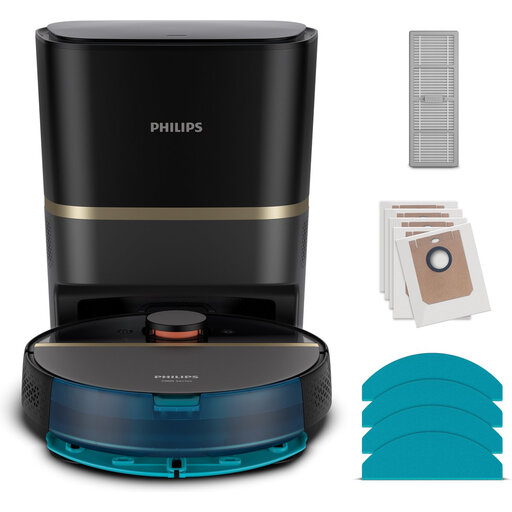 No image available
Philips XU7100/01 HomeRun 7000 Series robot vacuum cleaner
Suitable if you want to schedule cleaning and empty the robot’s dustbin less often. You’ll need the app for full functionality, and user data is shared when you create an account.
Specified suction power: 5000 Pa.
Specified run time: 180 minutes.
Automatic emptying station and LiDAR navigation.
View at Joybuy
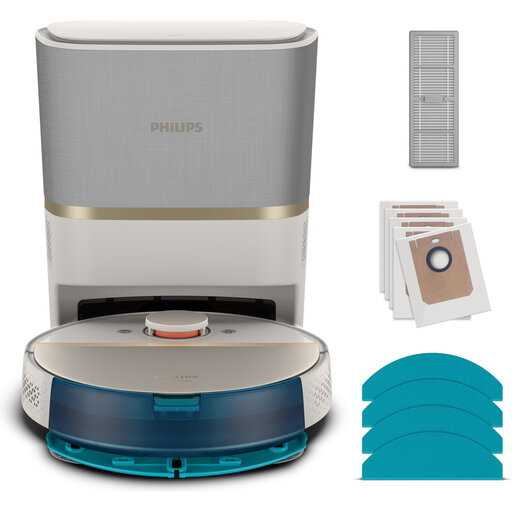 No image available
Philips XU7100/02 HomeRun 7000 Series robot vacuum cleaner
Suitable if you want to schedule cleaning and empty the robot’s dustbin less often. You’ll need the app for full functionality, and user data is shared when you create an account.
Specified suction power: 5000 Pa.
Specified run time: 180 minutes.
Automatic emptying station and LiDAR navigation.
The product description lists a maximum threshold height of 0,20 cm; check whether this suits the thresholds in your home.
View at Joybuy
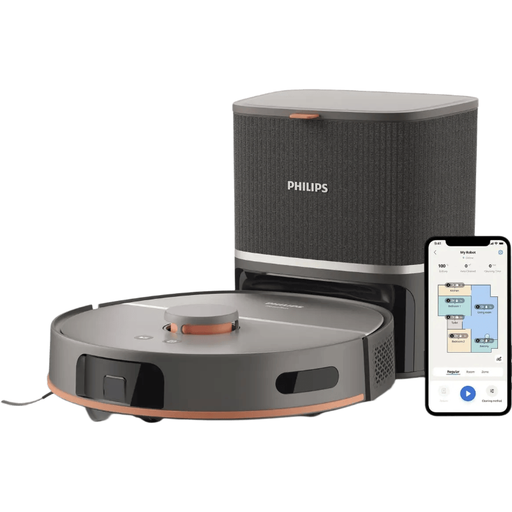 No image available
Philips XU5100/10 HomeRun 5000 Series robot vacuum cleaner
Suitable if you want a mopping function as well as vacuuming and want to schedule cleaning through the app. Bear in mind that the mop pads and other parts need maintenance.
Specified suction power: 10000 Pa.
Automatic emptying station, dual rotating mops and app control.
The product information warns against use near stairs, high drop-offs and unprotected edges.
View at Joybuy
Frequently asked questions
Can I schedule a clean before I get home after the weekend?
Check whether the exact model lets you schedule a clean or control the robot remotely. Clear its route beforehand: a scheduled start doesn’t mean it can get over high thresholds or avoid loose objects.
Does a robot with an automatic emptying station still need maintenance?
Yes. Check the station’s dust bag or collection bin, and clean the brushes and wheels if dirt builds up. Which parts need replacing depends on the exact model and station.
How can I protect my data when using a robot vacuum with an app?
The Dutch Data Protection Authority recommends checking the privacy policy and security before you buy. After installation, review the privacy settings, change the default login details where possible and keep the device up to date. This is privacy and security guidance, not a licensing requirement.
Who can help if a robot vacuum bought in the Netherlands turns out to be faulty?
According to the Netherlands Authority for Consumers and Markets, the seller is responsible for the statutory guarantee and must offer an appropriate solution if a product is faulty. A manufacturer's guarantee doesn’t replace your statutory rights; in the Netherlands, the statutory guarantee doesn’t have a fixed general term of two years.


