What should you look for when choosing?
Start by checking how well the robot can reach around your home and how it performs on dry dirt. Then consider whether wet floor care or less frequent emptying makes extra features and the maintenance they involve worthwhile for you.
| What to consider |
What should you check? |
Who should give this more weight? |
| Coverage and dry cleaning performance |
Compare navigation and test results on your floor types; measure doorways and thresholds, and check the clearance under your furniture. |
If I want crumbs and sand picked up every day, the robot needs to reach all my rooms and floors too. Around 36% of consumers prioritise coverage and dry cleaning performance. |
| Emptying and station maintenance |
Check whether the model automatically empties its dust container and what maintenance is still needed for the station, dust collection materials and filters. |
If you want to use the robot often without having to empty its small dust container each time, focus on what the station actually takes care of. Around 29% of consumers prioritise emptying it less often by hand. |
| Mopping function |
Check the type of mopping system and any mopping tests for the same model. Also check how it handles carpets and what maintenance the mopping components need. |
If I want to keep hard floors clean with a wet wipe as well as pick up dry dirt, I want to know what the mopping function adds and what extra work it involves. Around 21% of consumers prioritise wet cleaning for hard floors. |
| App and privacy |
Check which features work without the app, read the privacy notice and review the available account and privacy settings. |
If you want to use schedules or other app features but still want control over your account and home data, take this into account. Around 14% of consumers prioritise control over app and privacy settings. |
Robot vacuums at Joybuy
This selection includes robot vacuums for dry floor care, models with a mopping function and versions with an auto-empty station. Check whether the features and limitations listed for each model suit your floors and home.
 No image available
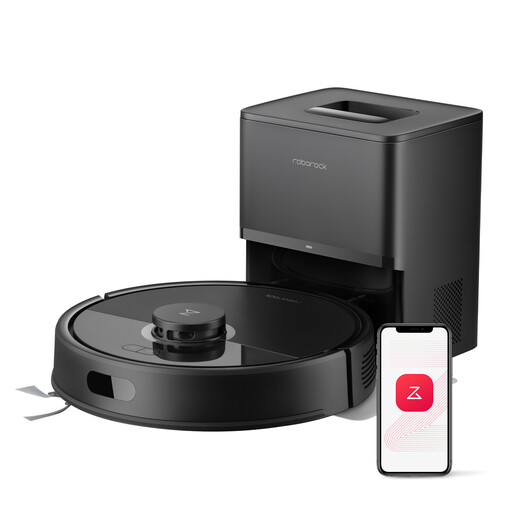
Roborock Q7 L5+ robot vacuum with mopping function
This model combines vacuuming and mopping with automatic emptying, for anyone who also wants wet floor care and less frequent manual emptying.
8.000 Pa suction power; LiDAR navigation; automatic emptying; mopping function; dual anti-tangle system.
Not designed for thick, long-pile carpets. Check whether the hard floors in your home are within the stated usage conditions.
View at Joybuy
 No image available
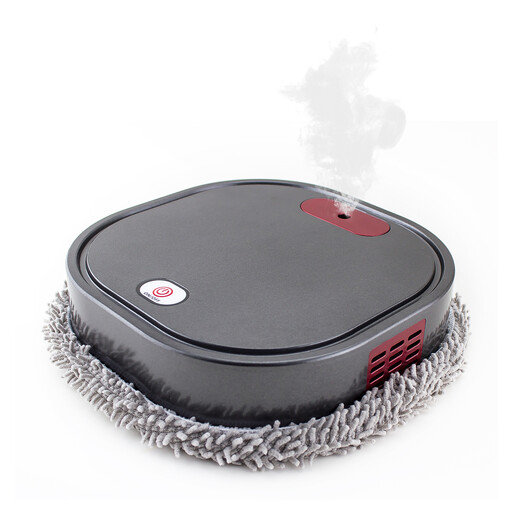
3-in-1 Mini robot vacuum with mopping function
The product title lists vacuuming and spray mopping for indoor floors. Check whether this combination suits your everyday floor-cleaning needs.
Compact model; cordless; mopping function; 20–40 dB according to the product title.
Not designed for thick, long-pile carpets.
View at Joybuy
 No image available
Eureka J15 Pro Ultra robot vacuum with mopping function
A model with vacuuming and mopping functions to consider if you want wet floor care as well as dry dirt picked up.
16.200 Pa according to the product title; anti-wrap technology; mopping function; 75°C hot water cleaning; self-cleaning.
View at Joybuy
 No image available
Eureka E20 Plus robot vacuum with self-emptying station
The self-emptying station may suit anyone who wants to empty the robot less often by hand; the product title also lists a mopping function.
8.000 Pa according to the product title; self-emptying station; anti-tangle function; 3D obstacle avoidance; 180 minutes of use.
View at Joybuy
 No image available
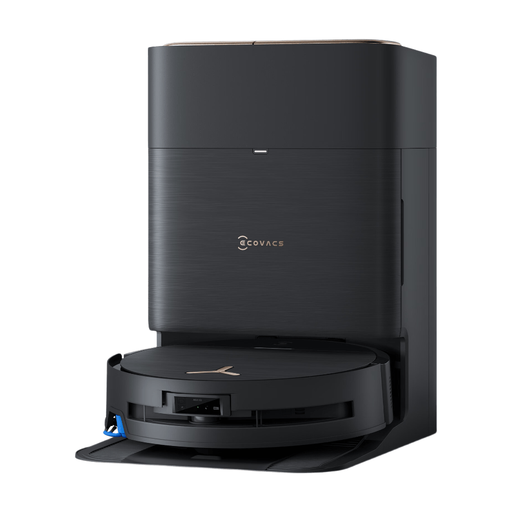
ECOVACS DEEBOT X9 PRO Omni robot vacuum with mopping function
This model combines a mopping function with an Omni station. Check the station features listed if you want to spend less time maintaining the mop pads by hand.
16.600 Pa according to the product title; OZMO Roller; ZeroTangle 3.0; TruEdge 2.0; Omni station; mop pads washed with warm water and dried.
View at Joybuy
Frequently asked questions
What should I measure at home before choosing a robot vacuum?
Measure thresholds and the clearance under furniture, and check where cables, loose rugs and stair edges are. Compare your home with the dimensions and verified obstacle and stair handling of the exact model you’re considering; a general claim about its navigation system isn’t enough.
What maintenance is still needed with an auto-empty station or mopping function?
An auto-empty station can empty the robot’s dust container automatically, but the station, brushes and filters still need attention. For a mopping model, also check the instructions for the water tank and mopping components for that specific version.
What should I check about an app, camera or other sensors?
The Autoriteit Persoonsgegevens advises checking the privacy notice, including what personal data is used, why it’s used and whether it’s sent outside the EU. Review the available privacy settings, change the default login details and use multi-factor authentication if offered. Check the specific model’s documentation for information about image storage or data sharing.
How does the warranty work for a robot vacuum in the Netherlands?
According to the Rijksoverheid, the statutory guarantee entitles you to a product that works as it should, and there is no fixed statutory guarantee period. If a product is faulty, contact the seller. Compare a paid extended warranty with your existing rights and check exactly what extra cover it provides.


