Who is a robot vacuum useful for?

Anyone who wants to get a room ready quickly

If you mainly want to clean the room you’ll be using before guests arrive, targeted controls and predictable navigation are important considerations. The Consumers’ Association (Consumentenbond) recommends considering everyday floor dirt and how a robot cleans different surfaces when choosing a model.

Busy households

If you want to keep on top of dust and crumbs every day and empty the robot’s dust container less often, an auto-empty station may be worth considering. Remember to factor in the space it needs and the maintenance required for brushes, filters and sensors, as recommended by the Consumers’ Association.

Homes with different floor types and obstacles

If you have rugs, thresholds, items left on the floor or lots of furniture legs, check where the robot can reach and how it performs on your own floors. The Consumers’ Association includes dust pick-up on different surfaces in its robot vacuum tests.

What should you look for when choosing?

Without an auto-empty station

A good fit if: you’re happy to empty the dust container yourself and mainly want to keep accessible floors free of dust and crumbs.

The trade-off: you may need to empty the container part-way through a bigger clean.

With an auto-empty station

A good fit if: you clean regularly and would rather empty the robot’s dust container less often.

The trade-off: you’ll need space for the station and should allow for replacement dust bags.

With a mopping function

A good fit if: you’d like a light mop of hard floors as well as vacuuming.

The trade-off: a mopping function won’t remove stubborn stains by itself. Check how the specific model handles rugs.

What to consider What should you check? Who is this important for?
Cleaning the right room in time Check whether you can select a room or zone, and whether the robot can find its way there and back to the charging station. If you only want to clean the room you’ve been using just before guests arrive, a targeted, predictable cleaning run is important. Around 31% of consumers considering this purchase make it their top priority.
Emptying by hand less often Check whether an auto-empty station is included, how much space it needs and which dust bags it takes. If you have dust cleaned up every day, you may not want to keep emptying the robot’s dust container. Around 25% of consumers considering this purchase give minimal manual emptying top priority.
Reach and dust pick-up on your floors Where possible, compare independent results for hard floors and carpet. Check thresholds and how the robot handles items left on the floor, too. If your living room has rugs or obstacles, you’ll want to know which areas the robot can handle. Around 25% of consumers considering this purchase prioritise mixed flooring and obstacles.
Space and maintenance Measure the space for the robot and station, and check which bags, filters and brushes are compatible with the model. If you want a compact set-up and to plan regular maintenance, take the space needed and consumables into account. Around 19% of consumers considering this purchase make this their main consideration.

Common buying mistakes

  • Choosing based only on the quoted suction-power figure

    A specification on paper doesn’t tell you on its own how well a robot picks up dust from your floor or navigates around obstacles.

    Where possible, look at independent test results for your type of flooring, and consider navigation and reach, too.

  • Assuming an auto-empty station means no maintenance

    Even with automatic emptying, brushes, wheels, filters and sensors still need attention. The station takes up space and uses replacement dust bags.

    Before buying, check where the station will go and which maintenance items are needed for that model.

    Allow for the cost of replacement dust bags and the extra space the station needs.

  • Expecting the robot to reach everywhere

    Stairs, tight spaces, high thresholds and some edges may be beyond its practical reach.

    Check the route to the room you want cleaned, and have a manual alternative ready for areas the robot can’t reach.

  • Letting a vacuum-and-mop model run over rugs without checking first

    Carpet handling varies between models. iRobot says that when mopping with a Roomba Combo j5/j5+, you should set no-mop zones or select rooms without rugs for the cleaning job.

    Check the instructions for the exact model and set up the zones before using the mopping function.

Brands to compare

Philips

The HomeRun XU2000/25 is designed for vacuuming and mopping, while the XU2100/15 also has an auto-empty station.

  • Philips lists a 3,0-litre S-bag for the XU2100/15, along with compatible replacement items.
  • An auto-empty station means less manual emptying, but doesn’t by itself tell you how well the robot picks up dust or what maintenance your home will need.

Roborock

The Q7 M5 series includes models with and without a self-emptying docking station. When comparing them, check the full model name and whether it has a plus sign.

  • Roborock lists LiDAR navigation and a dual anti-tangle design for the Q7 M5.
  • A quoted suction-power figure is a manufacturer’s specification, not an independent comparison with other brands.

iRobot

According to iRobot, the Roomba Combo j5/j5+ is designed to clean by room or zone and has a swappable mop bin; the j5+ comes with an auto-empty station.

  • iRobot highlights obstacle recognition and room- or zone-based controls.
  • If you’re mopping in a home with rugs, you’ll need to set no-mop zones or select rooms without rugs.

Ecovacs

The DEEBOT range includes models such as the T50 and T90, with different features for mopping, edge reach and station options.

  • Ecovacs’ product information describes features for each individual model.
  • Don’t assume that every DEEBOT has the same reach or maintenance features.

Robot vacuums at Joybuy

These products are suited to everyday vacuuming and mopping, with differences in controls, stations and stated features for floors and obstacles.
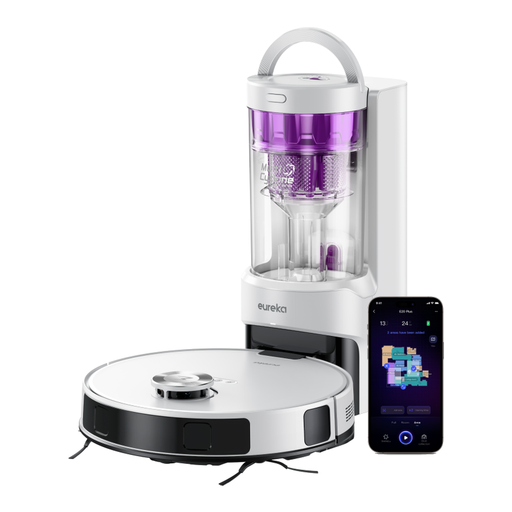
EUREKA E20 Plus robot vacuum

EUREKA E20 Plus robot vacuum

The listed app controls, scheduling and no-go zones may be useful if you want to plan cleaning in advance or block off certain areas.

The product information lists 3D obstacle avoidance and a 10 mm mop lift. Vacuuming on hard floors and carpet is also mentioned.

Joybuy

EUREKA J15 Pro Ultra robot vacuum

EUREKA J15 Pro Ultra robot vacuum

According to the product information, this model combines vacuuming and mopping. Check that its stated features suit your floors and cleaning routine.

The product name lists a quoted suction power of 16.200 Pa. The product information also mentions anti-wrap technology, liquid detection, a brush lift and a self-cleaning base station.

Joybuy
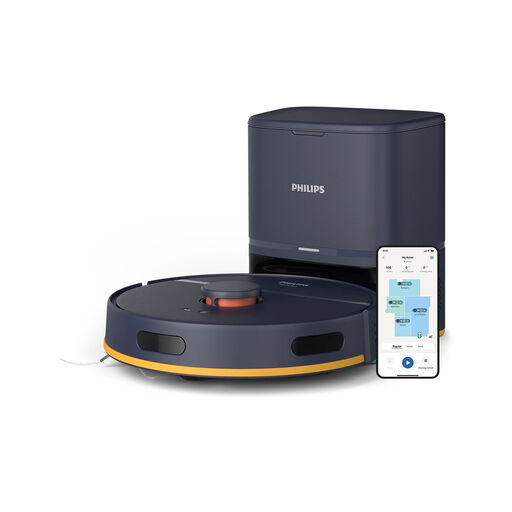
Philips HomeRun 2000 Series robot vacuum and mop XU2100/15

Philips HomeRun 2000 Series XU2100/15 robot vacuum and mop

The auto-empty station may suit you if you want to empty the robot’s dust container less often. Remember to allow space for the station and replacement bags.

Philips lists a 3,0-litre S-bag for the XU2100/15. The product information also lists a quoted suction power of 6000 Pa, LDS radar navigation and controls via the HomeRun app.

Joybuy
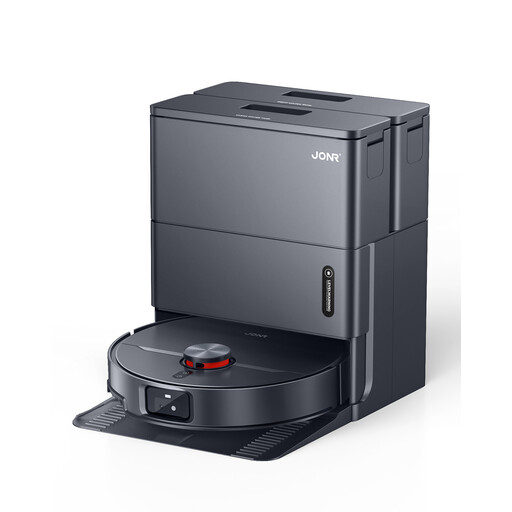
JONR X1 Max robot vacuum

JONR X1 Max robot vacuum

The listed schedules and controls via the app or on the device may suit you if you want to plan a cleaning run in advance.

The product name lists 20 kPa. The product information mentions AI obstacle avoidance and extendable arms for edges and corners.

Joybuy
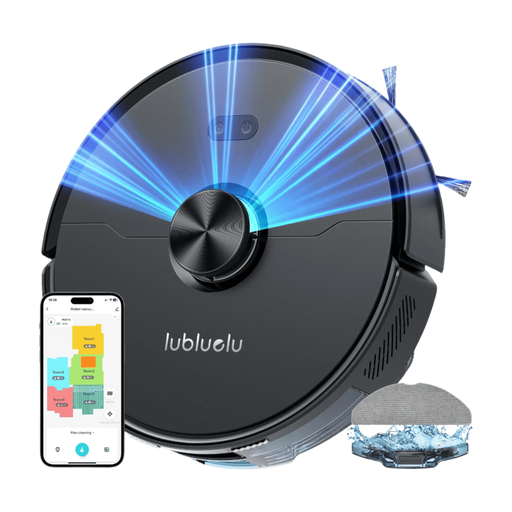
Lubluelu L15 Ultra robot vacuum and mop

Lubluelu L15 Ultra robot vacuum and mop

The listed room settings and no-go zones may be useful if you want to schedule cleaning and define where the robot can go.

The product information lists laser navigation, app controls, a 0,35-litre dust container and a station with a 3-litre dust container. The product name gives a quoted suction power of 4000 Pa.

Joybuy

Frequently asked questions

Can I start the robot just before my guests arrive?

Don’t assume it will take the same amount of time to clean every home. Choose a model that lets you start cleaning the room or zone you need, clear loose items from the floor and check in advance that the robot can reliably find the room and its station.

Do I need to do any maintenance after every cleaning run?

It depends on how you use it and which model you have. Check the dust container or the auto-empty station’s bag, and maintain the brushes, wheels, filters and sensors. Dirt on these parts can affect how well the robot works.

What should I look for in a robot vacuum connected to an app or camera?

The Dutch Data Protection Authority (Autoriteit Persoonsgegevens) recommends checking the privacy notice, data security and provider before buying. This is general privacy guidance, not a finding that a specific model is unsafe.

Is a CE mark an independent assessment of cleaning performance?

No. According to the European Commission, when applicable EU rules require it, a CE mark is the manufacturer’s declaration of conformity, not an independent assessment of performance. Check the product information for the specific model.

Do my rights end when the manufacturer’s guarantee expires?

No. According to ACM ConsuWijzer, your statutory rights exist alongside the manufacturer’s or retailer’s guarantee. If a product doesn’t meet reasonable expectations under normal use, what you’re entitled to depends on the product and the circumstances. The retailer is your point of contact.
