What should you look for when choosing?
Ring light by the camera
Best for: filming a single repair area from above, with the mount keeping the camera steady over your hands.
Bear in mind: light close to the lens can reduce shadows, but may also make the texture of the stitches less visible.
Angled or additional lighting
Best for: bringing out stitches and fabric texture when they look flat in footage lit from the front.
Bear in mind: more directional light can highlight details, but may also create shadows from your hands and require extra space.
Choose based on what needs to be clear in your lesson: fabric colour, small stitches, a steady image or a practical set-up around your work table.
| What to consider |
What to look for |
Who should prioritise this? |
| Fabric and yarn colour |
Compare the stated colour temperature and CRI for the exact model. Record a test using your own fabric and a white card; Nikon describes using a white card to check white balance in mixed lighting. |
If I want to show differences in fabric and yarn colour, I need to assess what my camera captures under the planned artificial lighting. Around 33% of consumers put colour first. |
| Visibility of stitches |
Check whether the light can be tilted, then compare a position by the camera with an angled position on the same repair. |
When small stitches and fabric texture are the focus, I need to see whether the details stand out enough without my hands casting too much shadow over the work. Around 27% of consumers prioritise stitch detail. |
| Flicker and banding |
Record a short test with all the planned lights switched on. Sony Support explains that LEDs and other artificial lights can cause flicker or banding when filming. |
If I teach under artificial lighting, I don’t want distracting bands in the footage. Around 20% of consumers put flicker-free footage first. |
| Mounting and workspace |
Check what’s included in the set, how the camera is mounted and where the stand legs and cable will go. |
At a permanent work table, I need to position the light and camera without getting in the way of my hands or the item I’m repairing. Around 20% of consumers prioritise mounting and workspace. |
Products at Joybuy
This selection includes ring lights for phone set-ups and additional directional lighting to use beside the camera. Check that each model’s mounting and power supply suit your work table and recording set-up.
 No image available
Ring light with stand, 10-inch and remote control
The product description mentions a phone holder and stand for a phone set-up at your work table.
The title lists three colour settings and ten brightness levels. Check that the included mount allows you to achieve your preferred filming angle.
View at Joybuy
 No image available
ULANZI 4-inch ring light for smartphone
The description says it attaches directly to a smartphone, making it an option if you film with your phone.
The product title lists colour temperatures of 3000–7000 K and five brightness levels. Check that the phone mount suits your device and filming angle.
View at Joybuy
 No image available
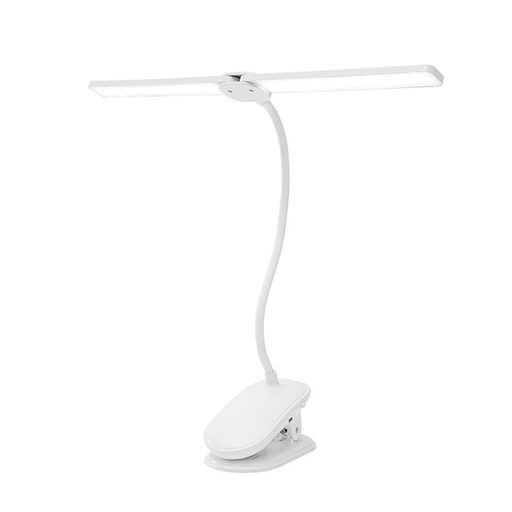
Dimmable LED clip-on lamp with two heads
An alternative for lighting your handwork from the side: the product description says the two lamp heads can be adjusted independently.
The description says the heads rotate 360° and the lamp is dimmable. The clip is designed for surfaces up to 5 cm thick, so check that it will fit your table edge.
View at Joybuy
 No image available
ULANZI VL49 RGB camera light
This compact camera light is worth considering as an additional light source; the title mentions a magnetic back.
The product title lists 2500–9500 K and a 2000 mAh battery. Use a standard 5V adapter; the product information warns against fast chargers with a higher voltage and use in damp conditions. Don’t point the LED directly at your eyes.
View at Joybuy
 No image available
ULANZI VL119 10W RGB light wand
This light wand is an option for additional lighting that you can position separately from the camera.
The product description lists RGB, 2500–9000 K, CRI 95 and a 1/4-inch mounting point. The stated operating time is up to 60 minutes at maximum brightness. Don’t look directly at the LEDs or expose the product to water or moisture.
View at Joybuy
Frequently asked questions
How can I check that fabric colours look accurate in my recording?
Record a test with your fabric and a white card under the lighting you plan to use for your lesson. Nikon explains how measuring with a white card can help you assess white balance in mixed lighting. A lamp’s CRI rating alone doesn’t assess the final video.
What should I do if I see dark bands or flickering?
Start by recording a test video with all the lights on. Sony Support explains that LEDs and other artificial lights can cause flicker or banding when filming; anti-flicker or shutter settings may help, depending on the camera and situation. A claim about one light doesn’t replace this check.
Can I position the ring light directly above my sewing?
Only if the holder and stand included with the specific set can hold it securely in that position while leaving your hands free. Rollei describes the LUMIS Comfort Bi-Color as having a tilting ring and a stand. The Godox LR150 manual mentions a smartphone holder, but that alone doesn’t confirm it will suit your table set-up.
Which accessories and rights should I consider after buying?
Before buying, check whether the set includes a stand, holder and suitable power supply. According to the Dutch government, you have a 14-day cooling-off period in many cases when buying at a distance. Your statutory right to a product of satisfactory quality doesn’t automatically end when a commercial guarantee period expires.
What should I look for in electrical product safety in the Netherlands?
Check the product information, power supply and marking for the specific model. The Dutch government’s Ondernemersplein website explains that a manufacturer uses the CE marking to declare that a product meets the applicable EU requirements. The marking isn’t an independent assessment of light quality.


