What should you consider when choosing?
If you’re considering a ring light set-up for a knitting video, important factors include the stitch definition you want, camera angle, colour reproduction and how practical the set-up is.
Ring light with tripod and phone holder
Suitable for: filming from above with a phone, if you want to position the camera and light together around a limited workspace. Check that the phone can sit directly above your knitting without getting in the way of your hands.
Consideration: even frontal lighting can reduce shadows, but it may also flatten stitch texture, as SmallRig explains.
Larger ring light with separate camera mount
Suitable for: a filming set-up with more space around the light and camera. Check the mounts and available table space in advance.
Consideration: a larger set needs more room to set up and store. The stated tripod height alone doesn’t tell you whether your camera can be held steadily above your work.
Angled panel or diffused light
Suitable for: when stitch texture matters or a ring light illuminates the dark background too much. Point the light at your work and assess the shadows in a test recording.
Consideration: more directional light needs careful positioning and may require extra space or a separate camera mount. Canon Europe explains that angled light can create deeper shadows.
| What to consider |
What should you check? |
Who should pay particular attention? |
| Stitch visibility |
Compare frontal and slightly angled light; assess the stitches, hands and background together. |
If I want to show stitches and hand movements clearly, I compare both lighting positions in a test recording. Around 36% of consumers give visible stitches top priority. |
| Steady top-down view |
Check the phone mount, tilt angle and position of the tripod legs around your work surface. |
When filming with a phone, I want to position the camera steadily above my knitting without the light or tripod legs getting in the way of my hands; around 29% of consumers prioritise a practical top-down view. |
| Yarn colour and video image |
Assess the yarn colour in the finished recording and check for flicker at your chosen dimming level. |
If I want my yarn colour to remain recognisable against a dark background, I assess it in the video itself. Around 21% of consumers give colour reproduction top priority. |
| Complete set-up |
Check the parts list, power supply and space needed for the exact version. |
If you want a quick, straightforward set-up, check what’s included and how much space the set takes up; around 14% of consumers give a simple set-up top priority. |
Products at Joybuy
These products are ring light options for filming with a phone; check how your camera will be mounted above your knitting for each version.
 No image available
Ring light with tripod, 10 inch
An option if you’re looking for a ring light with a tripod; check whether you can mount your phone in the desired position above your knitting.
The product name lists a 63-inch tripod, remote control, three colour settings and ten brightness settings.
View at Joybuy
 No image available
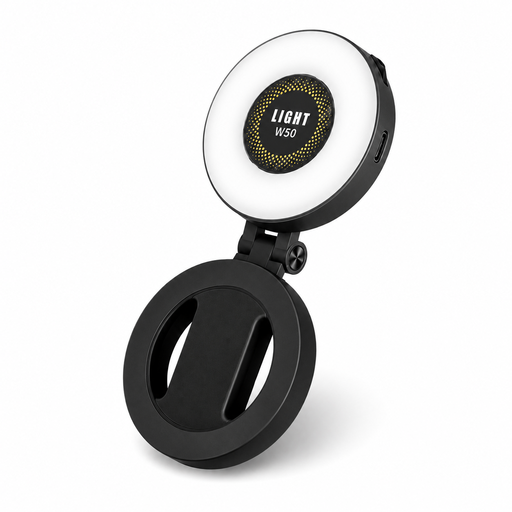
VoxorAI M28 magnetic selfie light
This light may suit your set-up if a magnetic phone mount works for you; check in advance that it leaves your hands free.
The product name lists a 360° LED strip, a mirror and compatibility with iPhone and Android.
View at Joybuy
 No image available
ULANZI phone ring light, 4 inch
A compact option for filming with a phone; check that the light reaches your knitting well enough from the planned distance.
The product name lists three colour temperatures from 3.000 K to 7.000 K and five brightness settings.
View at Joybuy
Frequently asked questions
Does the camera need to sit in the middle of the ring light?
No, it doesn’t. What matters more is that the camera can see the stitches clearly and the light creates the shadows you want. Compare a recording with the light aligned with the camera with one where the light is positioned at a slight angle, and make sure the camera is stable in both set-ups.
How can you stop a dark background from looking grey?
Start by pointing the light at your hands and knitting, then check the background through the camera. Adjust the light’s position and brightness and make a test recording; the result will also depend on your background, recording distance and camera settings.
What can you do if the recording flickers?
Make a test recording with your chosen LED dimming level and camera settings. Sony Support explains that LED lighting can cause banding or flicker in video. Check your camera’s anti-flicker or shutter options and, if necessary, try a different light or dimming setting.
Which accessories should you check when buying online?
Check whether the exact set includes the tripod, phone holder and required power supply. The parts list may vary between versions, so make sure your camera can be positioned where you want it using the chosen mount.
Is a CE mark enough to assess electrical safety?
No. According to Your Europe, the CE mark isn’t a certificate issued by a central EU body; it’s the manufacturer’s declaration that the product complies with the applicable rules. Business.gov.nl explains that electrical and electronic equipment sold on the Dutch market must comply with the applicable European rules. Check the information for the exact light and power supply, and follow the instructions for use.


