
Maker who films their hands from above
A stable camera angle and light directed at your work surface matter more than simply lighting your face. Ulanzi describes a desk-mounted setup as an option for repeatable overhead shots.


If you mainly film your hands from above, start by choosing a stable camera angle and lighting that you can direct onto your work surface. A ring light designed for filming faces may not be suitable for this. Then compare a desk clamp with a tabletop base, how adjustable the light is, and whether a phone holder and power supply are included. Also check the product safety information and whether CE marking is required for the specific product and any power supply.
A stable camera angle and light directed at your work surface matter more than simply lighting your face. Ulanzi describes a desk-mounted setup as an option for repeatable overhead shots.
You’ll want to keep your workspace clear, so consider whether a suitable desk clamp or a tabletop base would work better with your desk. Measure the edge and check how much space the base takes up.
You’ll want to adjust the brightness and white light before filming materials. Adjustable light settings don’t independently measure colour accuracy, so check the image with a test recording.
Before filming a craft tutorial at a small desk, decide what matters most to you: a clear view of your work surface, free space, adjustable lighting or a compact setup.
| What to consider | What should you check? | Who should prioritise this? |
|---|---|---|
| Work surface in shot | Check that the phone holder and light can achieve the angle you need. Make a test recording of your hands, materials and any shadows. | If you want to film from above and keep all your materials in shot, the camera angle matters most. Around 36% of consumers in this choice context prioritise this need. |
| Space and mounting | Measure the desk thickness and the clearance around the edge, then compare them with the clamp range of the exact model. A tabletop base takes up space on your desk. | If you want to keep your workspace clear on a small desk, first check that the clamp fits your desk. Around 29% of consumers in this choice context put this need first. |
| Adjusting the light | Check the available white-light settings and brightness controls. Test material colours in the environment where you plan to film. | If you want to explain differences between materials, you’ll need to adjust the light to suit the room and your project. Around 21% of consumers in this choice context prioritise adjustable lighting. |
| Storage and portability | Check the mounting method, included parts and stated battery life at the light setting you need. | If you want to put the light away after short filming sessions or use it somewhere else, a compact setup may be more appealing. Around 14% of consumers in this choice context choose this as their main priority. |
An overhead shot needs a stable camera angle and light that you can direct at your hands and materials.
Decide in advance where your camera, hands and materials will go. Then test the framing and shadows before filming for longer.
If the holder can’t achieve the angle you need, you may need a different phone arm or mount.
Clamp ranges vary by model, and a thick or hard-to-reach desk edge may prevent you from mounting it.
Measure the desk thickness and check that the clamp can be secured firmly where you plan to use it.
If the clamp doesn’t fit, you may need a different stand or mount.
Battery life can depend on the light setting you choose, so a compact light won’t necessarily suit every filming session.
Compare the stated battery life at the brightness you need with the length of your recordings.
Longer filming sessions may mean stopping to recharge or using a different light source.
RGB settings add colour effects, but they don’t prove that materials will retain their true colours in your recording.
For a tutorial about colours, start with a white-light setting and assess the result with a test recording.
The N31 with desk clamp and BASICS R10 with tabletop base that we looked at show two ways to set up a smartphone for filming at a desk.
The K10 that we looked at combines a desk clamp with white-light and RGB settings.
The Mini that we looked at is a small ring light that attaches to a phone for a portable setup.
The LM19 that we looked at is a compact magnetic phone light and an alternative to a larger ring light on your desk.
This selection includes a ring light with tripod and compact phone lights for smartphone filming. Compare the mounting options and light settings with the camera angle you need.
 Image unavailable
The phone holder and adjustable tripod height give you options for positioning the camera. Check that you can achieve the angle you need.
The product information lists a tripod height of 44 to 156 cm, three colour temperatures and ten brightness levels.
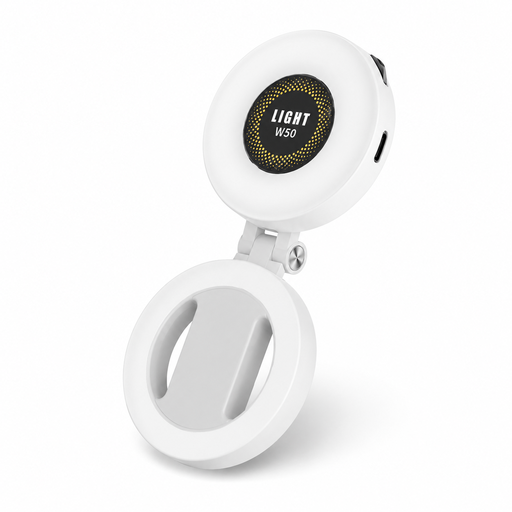 Image unavailable
The magnetic phone attachment makes this an option for a portable smartphone setup. Check that it’s compatible with your phone.
The product information lists ring-shaped LEDs, 360° rotatable lighting, three colour temperatures, adjustable brightness and a metal ring adapter for phones without MagSafe.
 Image unavailable
According to the product information, this compact light clips directly onto a smartphone. Check that the attachment suits your device and camera angle.
The product name lists three colour temperatures from 3000 K to 7000 K and five brightness levels.
Position your phone securely above the work surface and check that your hands and materials remain fully in shot. Then direct the light and make a short test recording to assess the framing and shadows. A clamp setup needs a suitable desk edge.
Check which power supply and accessories are included with the exact product, and follow the stated usage restrictions. The Netherlands Food and Consumer Product Safety Authority distinguishes between the voltage limits covered by the Low Voltage Directive and other applicable product safety rules. A USB connection on its own doesn’t determine which rules apply.
No. According to the Government of the Netherlands, there is no fixed statutory guarantee period in the Netherlands. You’re entitled to a product that works as it should; what you can expect depends, among other things, on the product. If there’s a problem, contact the seller.
According to the Government of the Netherlands, a 14-day cooling-off period applies to many distance purchases. Check the terms that apply to your purchase and who you’re buying from; there are exceptions.
No. CE marking relates to applicable product legislation; it doesn’t tell you whether the light is suitable for your filming. The Netherlands Food and Consumer Product Safety Authority explains when CE marking is required for electrical products. Check the rules for the specific product and any power supply separately. Also test the lighting on your work surface.