
Teachers with limited table space
If you want to film your paper and hands from above, a setup that keeps the writing area clear is ideal. NEEWER describes a desk clamp for the N31, while Ulanzi covers space and mounting options for overhead setups.


Start by making sure you have a clear writing area and a top-down camera angle. Then choose a light mount that won’t get in the way of the edge of the table or your hand movements. A ring light with a desk clamp can free up table space, while placing a light beside the camera gives you a different lighting angle if shadows or reflections obscure your pen strokes. Take a test shot using your own paper: product specifications can’t predict how the light will fall on it.
If you want to film your paper and hands from above, a setup that keeps the writing area clear is ideal. NEEWER describes a desk clamp for the N31, while Ulanzi covers space and mounting options for overhead setups.
If you want to show the nib and ink clearly, take a test shot to check whether hand shadows or reflections obscure the lines. Ulanzi also recommends checking for unwanted reflections when taking product shots.
If you want a stable top-down view, consider the phone holder, the reach of the support arm and the space available for your writing hand together. NEEWER and Ulanzi describe mounting and positioning options for setups like these.
A good fit if: the edge of your table is suitable and you want to position the camera above the writing area without putting a lamp base on the table.
Keep in mind: measure the table edge and check that the clamp and arm leave the paper and your full range of hand movement unobstructed. NEEWER lists a maximum clamp opening of 5.5 cm for the N31.
A good fit if: you can’t clamp the light to the table edge and there’s room for a base beside the paper.
Keep in mind: the base takes up workspace; also check that the phone holder can reach the angle you want above the paper. NEEWER lists an adjustable table stand and phone holder for the R10.
A good fit if: the ring light casts an unwanted shadow or reflection from the camera position.
Keep in mind: you’ll need space on your small table for both the light and the camera. Elgato describes the Key Light Air MK.2 as an LED panel with a desk clamp, not a ring light.
| What to consider | What should you check? | Who is this important for? |
|---|---|---|
| Clear workspace | Measure the space needed for the paper and hand movements; compare a base with a clamp attached to the table edge. | If I don’t want to lose writing space to a lamp base, I make a clear workspace my top priority. Around 29% of consumers say workspace is their main concern when buying. |
| Clear view of pen strokes | Take a test shot and check for shadows and reflections; try a different lighting angle if needed. | If the nib and ink need to stay clearly visible, I assess the image using my own paper. Around 29% of consumers prioritise a clear view of their strokes. |
| Phone and camera angle | Check that the phone fits in the holder, the entire writing area is in shot and the support stays stable. | If I’m filming a lesson from above with a phone, I want the holder and support to suit my device and writing area. This is the main concern for around 24% of consumers. |
| Lighting settings | Check which brightness and colour settings the exact model offers, and keep your chosen settings consistent while filming. | If the ambient light varies between recordings, I focus on adjustable lighting settings. Around 18% of consumers name this as their main concern when buying. |
When you’re doing calligraphy, a shadow from your hand or a reflection can obscure your pen strokes. Lighting that works well for a face doesn’t necessarily give you a clear view of paper and ink.
Record a short clip using your actual writing movements. Move or dim the light if a shadow or reflection falls across the lines.
If the chosen light position doesn’t work, you may need a different mount or a separate directional light.
The maximum opening alone doesn’t tell you whether the shape of your table edge, the available space and the stability while writing will be suitable.
Measure the edge, then check the arm’s reach and whether the setup stays still during a writing test.
If the table edge isn’t suitable, you may need a different support.
The Godox LR150 manual lists a light, adapter and phone holder, but doesn’t list a table or overhead support as included.
Check what’s in the box and plan where both the light and camera will go before choosing a setup.
A separate support can take up extra space and will also need to be stored.
The models listed include both a ring light with a desk clamp and models with a table base.
The LR150 is a larger ring light for video and other types of recording.
Information about this brand is relevant to separate desk and overhead mounts, which allow the camera and light to be positioned independently.
The Key Light Air MK.2 is an LED panel with a desk clamp for anyone who wants to position the light and camera separately.
This selection includes a ring light with a tripod and phone holder, as well as clip-on and desk lamps for lighting beside a separate camera.
 No image available
An option if you want a ring light and phone holder in one setup; check that the tripod fits on your small table and leaves the writing area clear.
The product name lists a 63-inch tripod, a remote control, 3 colours and 10 brightness levels.
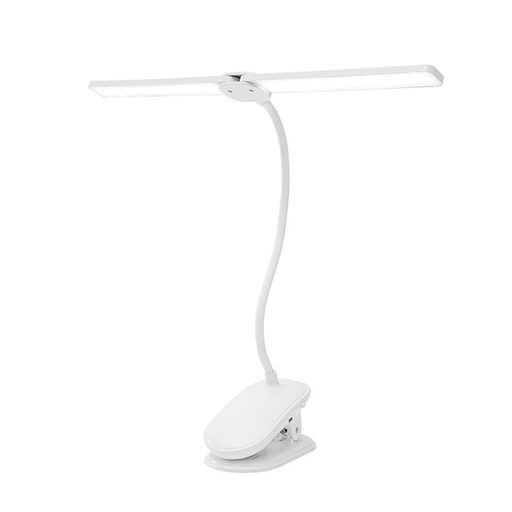 No image available
According to the product name, the two lamp heads can be directed independently, making this a good fit for a setup with the light beside the camera.
The product name lists 3 colour modes, 360° rotating lamp heads, flexible goosenecks and a rechargeable design.
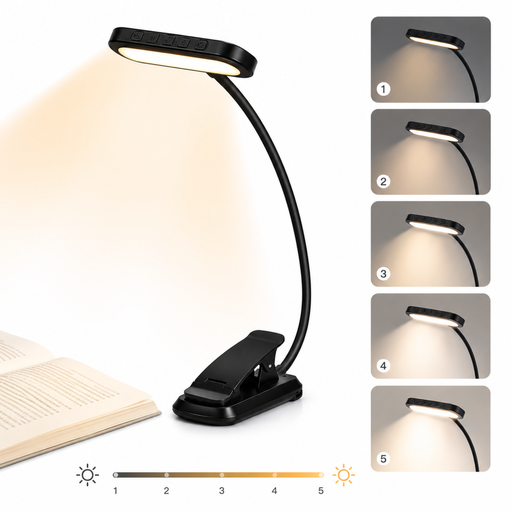 No image available
A clip-on model for directing light at the writing area separately from the camera; check whether it can be attached to the edge of your table.
The product name lists 3 light colours, 5 brightness levels, a 1000 mAh battery and a clip that rotates through 315°.
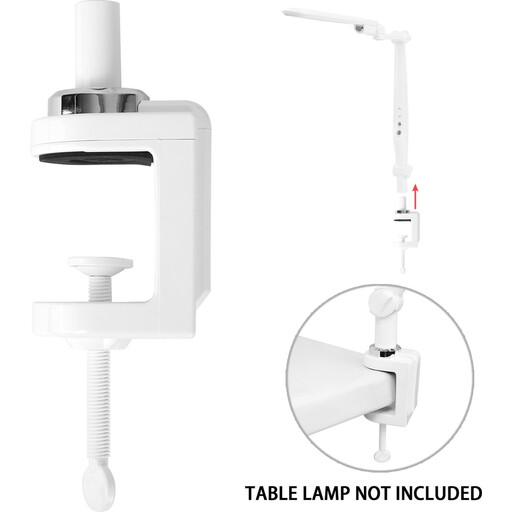 No image available
A clip-on desk lamp for positioning the light separately from the camera; check the attachment and assess how the light falls with a test shot.
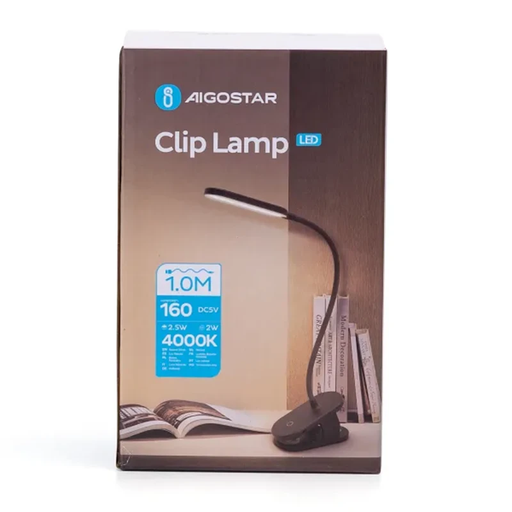 No image available
A clip-on lamp for directing light at your desk beside a separate camera. Take a test shot to see whether the fixed light colour works with your paper and surroundings.
The product name lists 3 brightness settings, 4000 K, 2.5 W and 160 lm. The light colour is fixed; adjustable colour temperature isn’t listed.
No, it doesn’t. A central holder can combine the light and camera, but you can also position them separately if the angle or reflections aren’t right. Check that your full writing movement stays in shot.
First, make sure the paper, nib and full range of hand movement are in shot. Then film a short writing sample and move or dim the light if a shadow or reflection falls across the strokes. Keep cables away from the workspace.
Before buying, compare the thickness and shape of the table edge with the clamp, and measure the space available for a base if needed. For online consumer purchases, ACM ConsuWijzer says you will generally have a statutory 14-day cooling-off period after delivery; check which exceptions and returns terms apply.
For a consumer purchase in the Netherlands, the seller is responsible for the statutory guarantee if the product doesn’t meet what you could reasonably expect from it. Any additional manufacturer’s warranty doesn’t replace that responsibility.
No. The European Commission describes CE marking as the manufacturer’s declaration that the product meets the applicable legal requirements. The mark doesn’t prove that the lamp is suitable for filming calligraphy.