
Vandaag of morgen in huis

Kwaliteit gegarandeerd

Welkomstaanbiedingen ontgrendelen: GRATIS bezorging | Tot 80% korting | Gratis 30 dagen JoyPlus-proefperiode
Download de app
An RGB PC case fan can cool your PC more effectively and give it a distinctive look. Even so, rushing a purchase isn’t always wise. Product names often highlight RGB lighting and maximum speed, while the real, practical differences lie in mounting, connectors and airflow.
As a Joybuy Product Recommendation Officer, I start with verifiable specifications. That way you avoid buying a 120 mm case fan for a 140 mm mounting point, connecting a radiator fan without the right controller, or picking up a case fan 3‑pack when you only have one slot available.
More lighting doesn’t automatically mean better cooling. An RGB cooling setup can look great, but also check the airflow, static pressure and speed control. For a radiator, static pressure matters more than just a high CFM figure, because the fan has to push air through a dense fin stack.
A PWM case fan usually uses a 4‑pin connector for motor speed. RGB lighting may also require a 5V ARGB header, a brand‑specific controller, or a proprietary system such as Corsair iCUE LINK.
With a Corsair iCUE LINK case fan, you need to check whether your PC already has a compatible iCUE LINK hub. The LX120‑R 3‑pack notes that an iCUE LINK hub is sold separately. Daisy‑chaining reduces cabling, but it doesn’t eliminate the need for a hub.
A quoted maximum of 2400 RPM is mainly relevant when you need extra cooling for short periods. Day to day, a quiet PC fan often runs lower. So look at the full speed range, the maximum noise rating, and whether you can set a fan curve in the BIOS, software or a controller.
A 120 mm fan typically measures about 120 × 120 × 25 mm. A 140 mm case fan is usually around 140 × 140 × 25 mm. Check the manual or mounting specs of your PC case, radiator or heatsink. A larger model won’t automatically fit a smaller mounting point.
A 140 mm model can move plenty of air at a lower speed, but ultimately your available space decides. Also consider the position of cables, radiators and dust filters.
Airflow is often expressed in CFM and indicates how much air a fan can move at most. A higher value can be useful for open case panels or front intake.
Static pressure, expressed in mmH2O, tells you more about use cases with resistance, such as a radiator, dust filter or compact front panel. If you’re using the fan as a case fan for radiator cooling, compare both values instead of only the CFM figure.
With PWM control, the computer can fine‑tune the speed more precisely. That means a PC cooling fan doesn’t need to run at full tilt all the time. The stated dB values are product specifications; actual noise also depends on the case, mounting, resonance and the set speed.
For lighting, check:
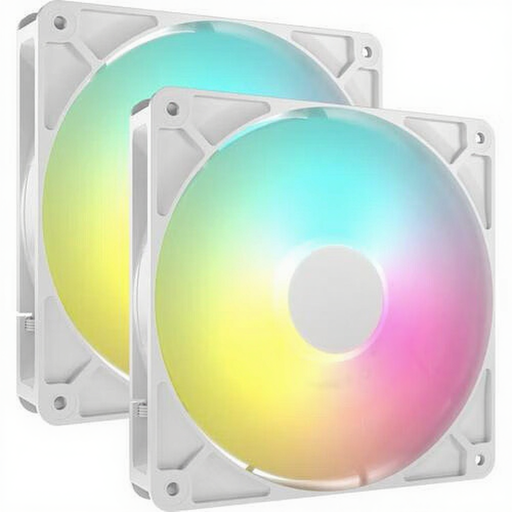
Why this suits the profile: This set includes two 140 mm fans for a new build or a multi‑position upgrade. The fans support PWM and each has eight individually addressable ARGB LEDs.
The box contains two units, so you’re less likely to buy a single fan for a system with multiple 140 mm mounting points. Do check your motherboard’s ARGB header beforehand.
140 mm size, 330–1700 RPM, PWM control, up to 95.5 CFM and up to 36 dB according to the product description.
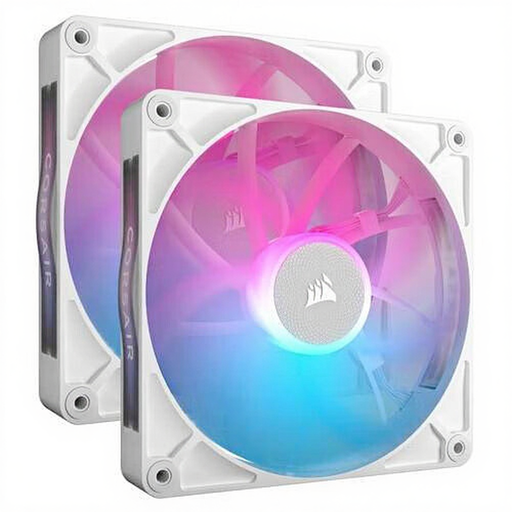
Why this suits the profile: According to the product description, this Corsair RGB fan uses a magnetic bearing design and is intended for buyers building a cohesive iCUE LINK system.
The 300–1700 RPM range enables control rather than running only at full speed. Before buying, check that you have the required controller and cables.
Two 140 mm fans, PWM support, up to 94.7 CFM and a stated noise range of 10–36 dB.

Why this suits the profile: This case fan 3‑pack targets gamers and PC builders who want to populate multiple 120 mm positions or a radiator, and consolidate cabling via iCUE LINK.
The product specs list both airflow and static pressure, letting you evaluate it for radiator cooling too. The hub isn’t included and must be sourced separately.
120 mm size, 400–2400 RPM, up to 70 CFM, 3.8 mmH2O static pressure, PWM and 18 RGB LEDs per fan.
Shut the computer down, unplug the mains and wait before fitting a fan. Look for the arrows on the frame: they indicate the airflow direction. A common layout is intake at the front or bottom and exhaust at the rear or top.
Connect the 4‑pin PWM cable to a suitable fan header. For RGB, follow your motherboard or controller manual. Route cables neatly away from the blades and tighten screws evenly to reduce vibration.
Clean the blades regularly with compressed air or a soft brush. Do not use water inside the case. A sudden rattling noise, strong vibration or irregular start‑up can be a reason to check the mounting, cabling and bearings.
We’ve compiled a complete, up‑to‑date list of products that fully meet these strict selection criteria and current European safety regulations.
That depends on the available mounting points. A 140 mm model can move a lot of air at a lower speed, but it only fits if your case or radiator is designed for it. Always check the screw hole spacing.
Check this per model. For the Corsair iCUE LINK LX120‑R, an iCUE LINK hub is listed as sold separately. Without a compatible hub or connector, you may not be able to use the lighting and linking as intended.
Consumption is usually modest compared with the processor or graphics card. The exact wattage varies by model and speed. PWM lowers average consumption when the fan curve holds the fan at a lower RPM. For a precise value, see the product specifications and check that your motherboard has enough fan headers.
