
Vandaag of morgen in huis

Kwaliteit gegarandeerd

Welkomstaanbiedingen ontgrendelen: GRATIS bezorging | Tot 80% korting | Gratis 30 dagen JoyPlus-proefperiode
Download de app
An RGB gaming mouse pad can be the centerpiece of your gaming setup, but the search is not without its pitfalls. Many models promise a spectacular light show but deliver frustration in practice. Before you invest in a new lighted mouse pad, it's helpful to know what to look for to avoid buyer's remorse.
Many gamers fall into the same traps:
A good mouse pad with lighting combines aesthetics with functionality. Below, we break down the key specifications that make all the difference.
Focus on these three core points to find a model that is both visually impressive and functional.
Not all RGB is created equal. Cheaper models often have a single light strip along the edge, powered from one point. This leads to the dreaded uneven brightness.
Look for models with multiple, individually addressable lighting zones. This ensures a consistent and vibrant glow across the entire pad. A Razer Chroma mouse pad is a prime example of this; the technology allows you to sync complex effects and colors with your games and other peripherals via software. This takes personalization to the next level.
The choice between a hard or soft surface depends on your playstyle.
An RGB mouse pad should, first and foremost, be a good gaming mouse pad. The surface must be optimized for modern optical or laser sensors.
The power supply is a practical yet crucial detail. A gaming mouse pad with USB connectivity is standard, but pay attention to the details:
We've matched some popular choices with different user types.
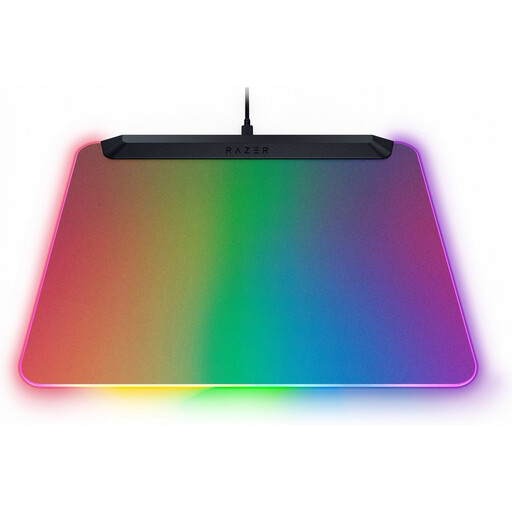
Why This Fits Their Persona: For the gamer who wants to transform their setup with vibrant, fully customizable lighting that syncs with the entire Razer ecosystem. Aesthetics and performance go hand in hand here.
According to Razer, this is the world's first fully back-lit LED mouse pad. With 15 individually customizable lighting zones, it avoids the pitfall of uneven lighting. The hard, micro-textured surface ensures that tracking performance isn't sacrificed for the light show.
Fully illuminated surface with Razer Chroma RGB. Built-in USB 2.0 port for your wireless mouse receiver and a detachable USB-C cable.
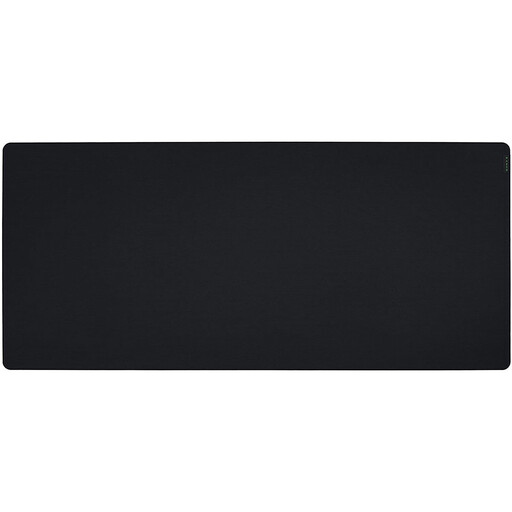
Why This Fits Their Persona: For players who use a low DPI setting and need a gigantic surface for wide arm sweeps. Here, maximum space and control are more important than lighting.
This model sidesteps all RGB-related pitfalls by focusing entirely on the essentials: a massive and reliable tracking surface. No cables, no lighting issues, just pure performance.
The 3XL size (1200mm x 550mm) covers your entire desk. The micro-textured cloth surface is optimized for all mouse sensors, and the non-slip rubber base keeps everything in place.
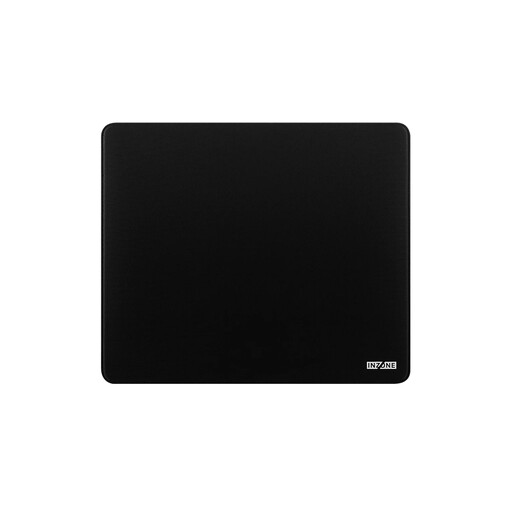
Why This Fits Their Persona: For the player seeking a high-quality gaming surface without the distraction of lighting. Focus on speed, stopping precision, and comfort in a sleek, low-profile design.
This model focuses purely on surface performance and comfort. No complexity from RGB lighting means no risk of the associated drawbacks like poor illumination or cable management.
According to Sony, the surface is designed for a fast glide with high stopping power. The thick 6mm padding provides long-lasting comfort for wrists and arms.
Not all mouse pads have a cloth surface. Many models use a rubber base for grip. We have compiled a list of products that meet strict selection criteria.
For a hard gaming mouse pad, use a slightly damp microfiber cloth to wipe the surface. Make sure the USB connector does not get wet. For soft cloth pads, use the same method but dab gently instead of rubbing. Never use harsh cleaning agents and never submerge the pad in water.
Yes, the surface makes a difference. A hard surface offers less friction, resulting in faster mouse movements. This is popular with players who need quick reflexes. A soft surface provides more control and precision, which is preferred for tactical shooters where accurate aiming is crucial. The choice is personal and depends on your playstyle and the games you play.
No, a mouse pad with lighting consumes very little power. The LEDs are energy-efficient, and power is supplied via a standard USB port, which delivers limited power (usually around 2.5W). You don't have to worry about a noticeable increase in your energy bill.
