
Vandaag of morgen in huis

Kwaliteit gegarandeerd

Welkomstaanbiedingen ontgrendelen: GRATIS bezorging | Tot 80% korting | Gratis 30 dagen JoyPlus-proefperiode
Download de app
A new set of RGB case fans can transform your PC. Better cooling, quieter operation, and of course, a personal visual style. But the market is flooded with marketing claims and technical specifications that confuse more than they help. Many PC builders fall into the same traps, leading to a disappointing purchase.
As a Joybuy Product Recommendation Officer, I'll filter out the noise for you. In this guide, we'll discuss the three most common mistakes when choosing an RGB case fan and how to avoid them. This way, you'll invest in computer cooling that truly works for your setup.
Before you make a purchase, it's crucial to know what to look for. Many specifications look impressive on paper but mean little in practice if they don't match your purpose.
Manufacturers love to advertise high CFM (Cubic Feet per Minute) values, which is the amount of air a fan can move in an open space. This is useful for a PC ventilator that pulls air through an unobstructed part of your case.
The pitfall? This value says nothing about how the fan performs when there's an obstacle, like a dust filter, a full hard drive cage, or, more importantly, a radiator. For this, you need static pressure, measured in mmH2O. A fan with high static pressure can forcefully push air through resistance. Therefore, a radiator fan benefits from high static pressure, not just high airflow.
Every brand claims to sell a stille case fan, often with an impressively low decibel (dB) number. This number is usually measured at the lowest rotation speed (RPM), when the fan is barely cooling.
The reality is that you want to know the cooling performance under load. A fan that's quiet at 500 RPM might sound like a jet taking off at 1500 RPM. Therefore, pay attention to the noise level at maximum RPM and look for a PWM ventilator. PWM (Pulse Width Modulation) allows your motherboard to dynamically adjust the speed based on temperature, providing a much better balance between cooling and silence.
An ARGB ventilator (Addressable RGB) offers beautiful, customisable lighting effects. The downside is often a tangle of cables. Each fan typically requires two cables: one for power (PWM) and one for the RGB lighting. With a set of three fans, you're quickly looking at six cables that you need to manage neatly.
Some systems, like Corsair iCUE LINK, tackle this problem by allowing fans to connect to each other with a single cable, which significantly simplifies installation and cable management.
To make the right choice, focus on these objective specifications.
Size: 120mm vs. 140mm
Connection and Control: PWM vs. DC
RGB Type: RGB vs. ARGB
Here are some popular choices, tailored to different types of users and their needs.

Why This Fits Their Persona: This user seeks a complete and efficient solution without the hassle. A case fan 3-pack immediately provides sufficient cooling for a standard ATX case, with a good balance of price, performance, and aesthetics.
The iCUE LINK system solves the cable clutter. You connect the fans to each other, meaning you only need to run one cable to the controller. This makes the installation much cleaner and simpler.
Good all-around performance: With a maximum speed of 2400 RPM and a static pressure of 3.8 mmH2O, this set is suitable for both case and radiator cooling. PWM support ensures dynamic control.
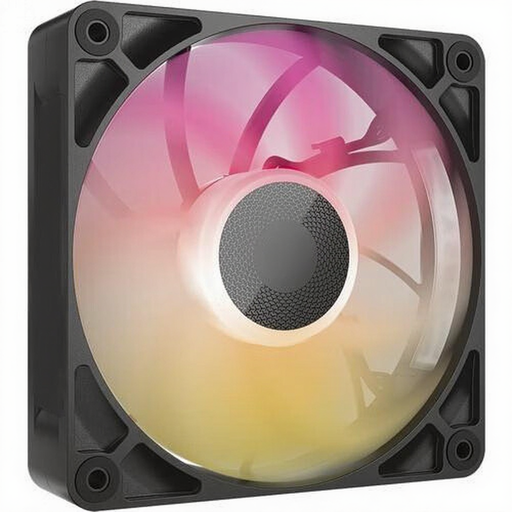
Why This Fits Their Persona: This gamer or overclocker wants maximum cooling performance, especially on an AIO radiator. Aesthetics are a nice bonus but should not compromise performance. Low temperatures under heavy load are the main goal.
This model focuses on what matters for a radiator fan: static pressure. With a value of 4.16 mmH2O, it's designed to efficiently push air through the dense fins of a radiator, where a standard airflow fan would fail.
30mm thickness: The fan is 5mm thicker than the standard 25mm, allowing for larger fan blades and an improved motor. This contributes to its high performance. Low noise output: Despite its power, it's remarkably quiet at 10 dB on low speed.
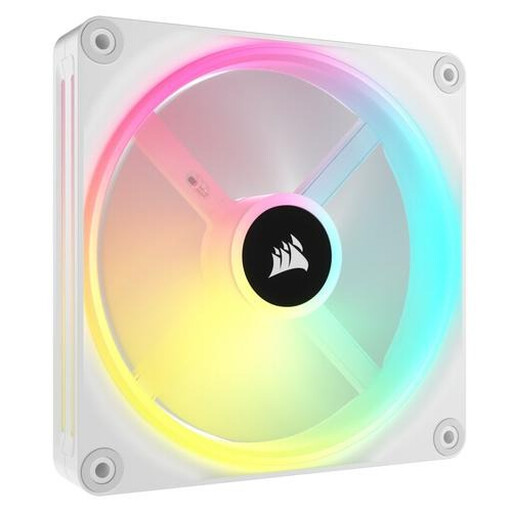
Why This Fits Their Persona: For this builder, the PC is a showpiece. A clean, white build with vibrant and smooth RGB effects is the priority. A witte PC fan like this is the perfect foundation for a clean and modern design.
This fan combines aesthetics with functionality. It's not just beautiful; its 140mm size also ensures quiet operation. The iCUE LINK system minimises cables, which is essential for a clean look.
34 individually addressable LEDs: This provides exceptionally smooth and vibrant lighting effects. Quiet operation: As a 140mm fan, it delivers good airflow at low RPMs, with a noise level starting from 10 dB.
We have compiled a complete, up-to-date list of products that fully meet these strict selection criteria and local regulations.
1. What is the difference between RGB and ARGB? Standard RGB (4-pin, 12V) makes all LEDs on the fan display the same colour simultaneously. You can change the colour, but the entire fan will be one solid colour. ARGB (Addressable RGB, 3-pin, 5V) has individually controllable LEDs. This enables complex effects, such as a rainbow moving across the fan blades.
2. How many case fans do I need for my PC? A good rule of thumb for a standard gaming PC is at least two to three fans: one or two at the front for cool air intake and one at the back for hot air exhaust. For more powerful systems with high-end components, you can add extra fans at the top (exhaust) or bottom (intake) for better airflow.
3. Can I mix different brands of RGB fans? Technically, you can, but it is strongly discouraged. Each brand (like Corsair, NZXT, Lian Li) uses its own software and often proprietary connectors. Mixing brands leads to multiple software packages that can conflict with each other and makes synchronising lighting effects impossible. For a seamless experience, it's wise to stick to one ecosystem.
