Who is this for?

Player with limited sockets

You don’t want to use an extra power adapter while playing, and you’re weighing up wireless control against a wired controller connected via USB. 8BitDo and MAYFLASH offer different connection options depending on the model.

Retro gamer with a fixed platform

You play on a PC, console or retro mini console and need to check that the exact controller and connection mode work with your system. Manufacturers such as 8BitDo, MAYFLASH and HORI list support by model.

Player looking for arcade-style controls

You want to decide whether a joystick and action buttons suit your playing space, or whether a compact gamepad with a D-pad would be a better fit. For example, 8BitDo describes the SN30 Pro as a different type of controller from the Arcade Stick.

What should you look for?

Consideration What should you check? Which consumers?
Connections Check whether your chosen mode needs a USB receiver and how to charge the battery. I don’t want a controller cable permanently in the way while I play, and I have few spare sockets. Around 31% of consumers see connections as their main concern.
System compatibility Check the full model against your console, PC or mini console, game and preferred connection mode. If I play on one fixed system, I want to be sure that my specific controller and connection mode will work. Around 25% of consumers put compatibility first.
Control layout Check the layout of the joystick, action buttons and D-pad on the exact version. I’d rather choose deliberately between an arcade joystick with buttons and a gamepad’s D-pad than rely on the product category alone. Around 19% of consumers base their choice mainly on the controls.
Space Measure the space for the controller and your hands, as well as the cable outlet if you choose a wired model. My controller needs to fit on a small playing surface without the controls or cable getting in the way. Around 13% of consumers put available space first.
Additional requirements Check which accessories are included and whether your system needs a separate converter. I want to know in advance which parts and steps are needed, including what to do if I have a problem with the controller later. Around 12% of consumers focus first on additional requirements and aftercare.

Common pitfalls

  • Wireless doesn’t mean you’ll never need a connection

    The 2.4GHz mode on the 8BitDo Arcade Stick uses a receiver, while the controller’s battery will need charging later. So wireless play may still require a spare USB port for the receiver, as well as time to charge the controller.

    Check which connection modes your system supports, whether you need the receiver and how to charge the controller.

    Allow for a USB port for the receiver and plan for charging breaks.

  • Don’t rely on broad compatibility claims

    Support can vary by model, platform and connection mode. For the F500 Elite, MAYFLASH describes a PS5 setup that uses a compatible MagicBoots-S5 converter and suitable firmware.

    Check the exact model, firmware, system and game. Also check whether the version you’re buying includes any required converter.

    A converter may be an additional component you need, so check before choosing a specific connection.

  • Don’t measure a compact stick by its casing alone

    Even a compact arcade stick takes up space, and you’ll need room to use the joystick and buttons. A wired version also needs space for its cable connection.

    Measure your playing area and allow room for your hands and the cable. The dimensions of the exact version are what matter.

Brands to consider

8BitDo

The brand offers both arcade sticks and gamepads, with controls and connection options varying by model.

  • According to 8BitDo, the Arcade Stick has Bluetooth, 2.4GHz and USB-C connections for the specified Switch and Windows configurations.
  • 8BitDo excludes PS4, PS5 and Xbox from support for the Arcade Stick. The SN30 Pro is a separate gamepad with a different control layout.

MAYFLASH

MAYFLASH offers wired and wireless arcade sticks with different platform and connection options.

  • MAYFLASH lists retro mini consoles as compatible with the F101 and F700; according to the manufacturer, the F700 has different modes for different platforms.
  • The PS5 setup MAYFLASH describes for the F500 Elite may require a compatible MagicBoots-S5 converter and suitable firmware. This doesn’t automatically apply to every stick from the brand.

HORI

The Fighting Stick Mini is a wired arcade stick for the PlayStation and Windows systems listed by HORI for this model.

  • HORI lists a joystick, eight action buttons and a compact casing measuring around 8 × 6 inches for this model.
  • This version doesn’t offer wireless play. The stated dimensions don’t indicate how much room your hands will need.

NACON

According to NACON, the PlayStation version of the Daija is a wired option for PS5, PS4 and PC.

  • For this version, NACON lists interchangeable stick tops, configurable buttons and an included 3 m cable.
  • The cable and size may not suit every small playing area. Check which platform version you’re buying, as the Daija name alone doesn’t make this clear.

Gamepad options on Joybuy

The Joybuy products below are gamepad options with wireless connectivity for anyone looking for a compact controller rather than an arcade stick with a joystick. Always check that the exact version is compatible with your system and game.

GameSir Cyclone 2 Multiplatform Controller, Black-Bundle Edition

GameSir Cyclone 2 Multiplatform Controller, Black-Bundle Edition

A gamepad option for anyone looking for a wireless controller with a D-pad.

The product title lists TMR sticks, a 1000 Hz polling rate, Hall and Micro triggers, RGB lighting and a charging dock.

The title lists PC, Switch, iOS and Android. Check that your chosen game and connection mode work with your device.

View on Joybuy

BEITONG PanGu Modular Wireless Gaming Controller

BEITONG PanGu Modular Wireless Gaming Controller

A gamepad option for anyone who values wireless control and interchangeable parts.

The product title lists tool-free interchangeable joysticks, buttons and D-pads, plus compatibility with PC, Nintendo Switch, Switch 2, Steam and Android.

Check which configuration and connection mode work with your device and game.

View on Joybuy

BEITONG KP70 Elite Wireless Gaming Controller

BEITONG KP70 Elite Wireless Gaming Controller

A wireless gamepad option to consider if you’re looking for a controller without a permanently trailing cable.

The product title lists haptic triggers, joysticks with adjustable resistance and six programmable buttons.

The product information lists PC, Nintendo Switch, Switch 2, Steam and Android as compatible platforms. Check support for your specific game.

View on Joybuy
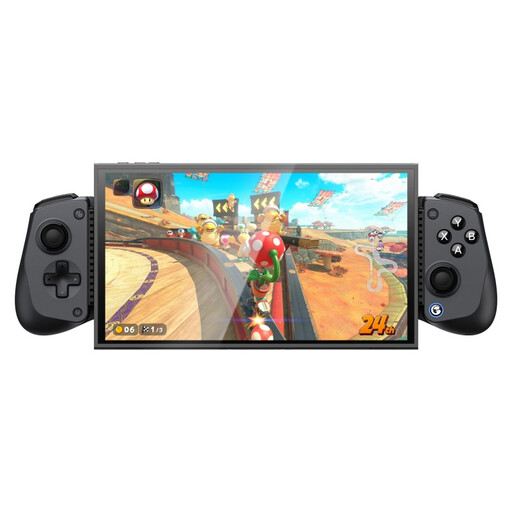
GameSir X5s Bluetooth Gaming Controller

GameSir X5s Bluetooth Gaming Controller

A gamepad option for anyone looking for a Bluetooth controller with a D-pad. The product title also mentions use with a phone.

The product title lists compatibility with Switch 2, Android, iOS and PC, as well as a Hall effect joystick and dual HD rumble motors.

When used with a phone, the product information specifies a compatible device length of 105–213 mm.

View on Joybuy
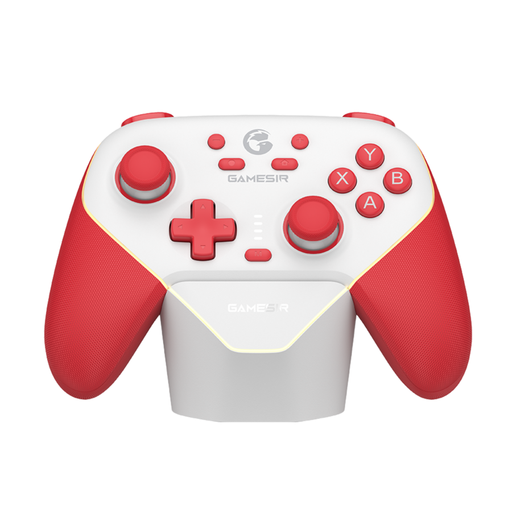
GameSir Super Nova Switch Tri-Mode Connectivity Game Controller, Red and White

GameSir Super Nova Switch Tri-Mode Controller, Red & White

A gamepad option worth considering if you’re looking for a controller with several connection modes.

The product title lists Switch and tri-mode connectivity. Check which of the available modes your device and game support.

View on Joybuy

Frequently asked questions

Do you need any connection at all for wireless play?

Not always: the 2.4GHz mode on the 8BitDo Arcade Stick uses the included receiver in a USB port, while Bluetooth doesn’t need that receiver. The battery will still need charging later. Check which modes your system supports.

How do I connect a wired stick and keep it working?

Use the connection mode specified for your system and a suitable USB port. If you update the firmware, follow the instructions for your exact hardware version. MAYFLASH warns that a newer F101 circuit board isn’t compatible with certain older firmware versions.

Do I need a converter to use the MAYFLASH F500 Elite with PS5?

For the PS5 setup MAYFLASH describes for the F500 Elite, you may need a compatible MagicBoots-S5 converter, and the manufacturer specifies an update to suitable firmware. Before buying, check that your chosen game is supported and whether the converter is included with the version you’re considering.

What can I do in the Netherlands if a controller breaks too soon during normal use?

According to ACM ConsuWijzer, you have a statutory guarantee in addition to any manufacturer’s warranty. If the product doesn’t meet what you could reasonably expect, the seller must resolve the problem free of charge under the applicable conditions, for example by repairing or replacing it. There isn’t one fixed statutory guarantee period for every product.

Can a wireless controller be sold in the Netherlands without a CE marking?

According to the Dutch Authority for Digital Infrastructure (RDI), radio equipment sold in Europe must meet the applicable European requirements and carry a CE marking. The additional RED 3.3 cybersecurity requirements have applied since 1 August 2025 to certain radio equipment, not automatically to every Bluetooth controller. Whether they apply depends on the product’s characteristics; a statement on a sales page alone doesn’t prove that a specific item complies.
