
Student looking for compact solo play
Want to play a chosen arcade game in your room or on the go, without a permanent setup? Look at the screen, headphone socket and which games are included.


First, decide which games you want to play, then choose whether you’ll mainly play solo on a handheld or with others on a TV or monitor. A compact handheld comes with built-in games, while a TV console with cartridges or a built-in collection is better suited to playing on a shared screen. Just check the games list and what’s included in the box. Nintendo Switch is a separate option for specific Arcade Archives games, not a general arcade library.
Want to play a chosen arcade game in your room or on the go, without a permanent setup? Look at the screen, headphone socket and which games are included.
You have access to a TV or monitor and want to know whether your chosen games support local multiplayer and how many controllers are included.
You’re looking for specific arcade titles or want to build a physical collection. Compare the available version and compatible cartridge format for each title.
Start with the titles you want to play, then choose between solo play on a handheld, playing together on an external screen, or a system that uses interchangeable cartridges.
| What to consider | What to look for | Who is this important for? |
|---|---|---|
| Compact solo play | Check the screen size, headphone socket, built-in titles and stated battery life. HyperMegaTech lists a 2.8-inch screen and around four hours of battery life for the Super Pocket Taito Edition. Evercade lists a 4.3-inch screen for the EXP-R and states that this handheld has no TV output. | If I have limited space and mainly want to play solo, having my own screen is useful. Around 31% of the group prioritise compact solo play. |
| Playing together on a TV or monitor | Check for an HDMI connection, local multiplayer for each title and the number of controllers included. Evercade lists one controller with the VS-R; My Arcade lists two joysticks with the Atari Gamestation Pro. | If I want to play with a housemate, I want to know whether the game I’m after has multiplayer and whether there are enough controllers. Around 25% of the group prioritise playing together on a screen. |
| The right games and versions | Make a list of the titles you want and check the platform, version and available cartridge or download format for each game. Evercade cartridges are designed for compatible Evercade systems; Atari states that the Atari 2600+ is designed for Atari 2600 and 7800 cartridges. | If I’m looking for one specific classic, I want to know in advance whether that exact title and version are available. Around 25% of the group prioritise getting the right games. |
| Costs after purchase | Factor in any games, cartridges, controllers, cables and subscriptions you may still need. Nintendo Classics is linked to Nintendo Switch Online, so check which collection and membership option applies to your choice. | If I want to plan my spending, I need to know what’s included and what I might need later. Around 19% of the group prioritise costs after purchase. |
A claim of hundreds or thousands of games doesn’t, by itself, tell you whether your favourite title or the arcade version is included.
Before buying, check the games list and the versions of the titles that matter most to you.
You may need to buy a game you want or a cartridge separately.
Evercade says the VS-R has four USB ports, but only one controller is included.
Compare what’s in the box for the exact model with the number of players and the connections on your screen.
Depending on what you already have, you may need an extra controller and possibly an HDMI cable and power adapter for the VS-R.
Nintendo Netherlands confirms that the Switch Lite can’t be connected to a TV.
Before buying, decide whether you want to play on your own or a shared monitor. For TV play, choose a system designed for it.
The Dutch government says you may only make a backup copy of games, and downloading from an illegal source is prohibited. So a game being old doesn’t automatically make it legal to download.
Choose a game that’s clearly offered for download, or check the rights and source of the specific download.
Evercade offers both systems for a TV or monitor and handhelds that use Evercade cartridges.
The Super Pocket Taito Edition is designed for handheld solo play, with built-in Taito titles and a slot for Evercade cartridges.
The Atari Gamestation Pro is designed for playing on an HDMI screen, with built-in Atari and bonus titles.
The Atari 2600+ is designed for playing Atari 2600 and 7800 cartridges on a modern screen.
Nintendo Switch offers a way to play individual Arcade Archives games and other Switch games; Nintendo Classics is a separate catalogue available through Switch Online.
These retro consoles connect to a TV or monitor and come with built-in games and controllers, as stated in the product titles. Before choosing, check the full games list, the versions you want and what’s included in the box.
 No image available
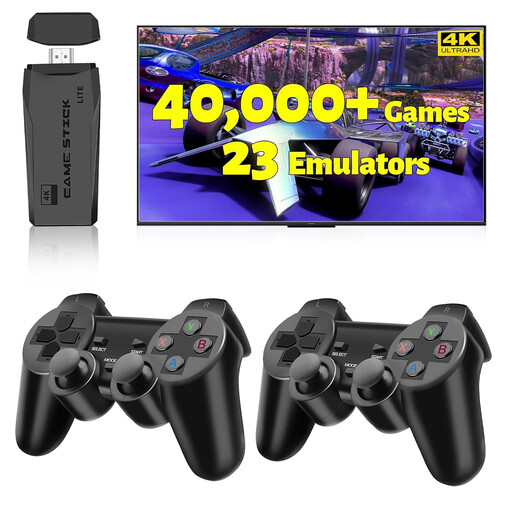
Ideal if you want to play classic games on a TV, PC or projector; the product title lists two wireless controllers.
The product title lists HDMI output, 23 emulators and 20,000+ games. Check which games are actually included.
 No image available
Ideal if you want to play retro games on a TV and are looking for two controllers. Check whether the games you want support multiplayer.
The product title lists 20,000+ games, support for 23 emulators and two wireless controllers.
 No image available
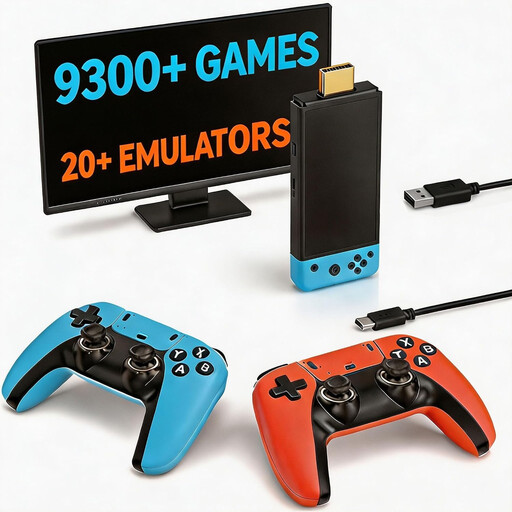
Ideal if you want to play classic games on a TV and need controllers for two players.
The product title lists more than 9,300 classic games, HDMI output and two controllers. Check whether your favourite arcade versions are on the games list.
 No image available
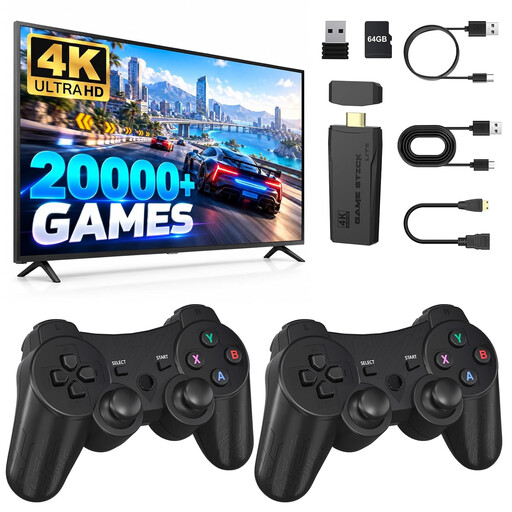
Ideal if you’re looking for a compact gaming stick for your TV and want to play with two controllers.
The product title lists 4K HDMI and two wireless controllers. Check the games list and multiplayer support for each title.
 No image available
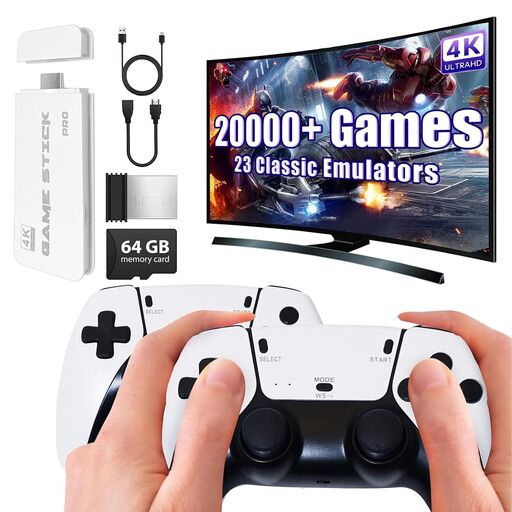
Ideal if you’re looking for a TV gaming stick with two gamepads for playing classic games.
The product title lists 20,000+ pre-installed games, support for 23 emulators and two 2.4 GHz wireless gamepads.
Yes, with a handheld that has the games you want. The Super Pocket Taito Edition has built-in titles; Evercade states that the EXP-R has no TV output. If you’re choosing a cartridge handheld, check which cartridge comes with the model you’ve chosen.
No, Nintendo Netherlands says the Switch Lite can’t be connected to a TV. If playing on a monitor is important to you, choose a system designed for it and check that the game you want is available for that system.
Insert a compatible Evercade cartridge and select the game. Evercade recommends exiting a game via the menu first, and not removing the cartridge while a game is running or an update is in progress.
Factor in games, cartridges, extra controllers and any cables you need separately; a membership for a game collection is a separate service. According to ACM ConsuWijzer, if a product doesn’t perform as you could reasonably expect under normal use, the seller is responsible under the statutory guarantee. The statutory cooling-off period for an online purchase is a separate right: usually 14 days after delivery, with some exceptions.
No, a game being old doesn’t automatically make it legal to download. The Dutch government says you may only make a backup copy of games, and downloading from an illegal source is prohibited. Check the source and rights for the specific game.