Choose a remote shutter release to suit the camera you’re using to take the photo: its connection or supported wireless controls determine whether it will work. For a fixed tripod setup, a compatible cable release is a practical choice. If you’ll be standing out of reach or want to programme your shots, check for wireless support or a compatible interval timer. A remote release is no substitute for a stable setup or careful lighting.
Who can benefit from a remote shutter release?
Photographers with a fixed tabletop setup
You want to leave your camera on a tripod and take photos without touching it, while adjusting the composition and lighting of the vintage camera. Canon Netherlands recommends using a tripod to keep framing consistent.
Photographers standing out of reach
You want to operate the shutter without running a cable across the background or through your setup. First check whether your camera supports wireless control; Nikon Netherlands and Canon Netherlands describe options that vary by model.
Photographers taking repeated product shots
You’re taking several similar photos and may find an interval timer or existing computer control more useful than a standalone shutter button. JJC describes timer functions for different camera connections; Canon Netherlands mentions computer control for compatible EOS cameras.
What should you look for when choosing one?
First, check your camera model and connection. Then decide whether cable length, control from out of reach or programmed sequences matter for your setup.
| What to consider |
What to look for |
Who is this important for? |
| Compatibility |
Check the full camera model and the connection or wireless support specified by the manufacturer. |
I want to avoid buying a release that won’t work with my camera. Around 36% of consumers put compatibility at the top of their list when buying. |
| Taking photos without touching the camera |
Check how it’s operated and, if it’s a cable release, whether the cable is long enough to reach from where you’ll be standing to the camera. |
With a fixed tripod setup, I want to take photos without touching the camera or disturbing the framing. Around 29% of consumers prioritise a stable shutter release. |
| Remote control |
Check that your exact camera model works with the remote or app you’ve chosen. |
If I’m behind the setup or standing out of reach, I want to operate the shutter without running a cable through the setup. Around 21% of consumers prioritise remote control. |
| Programmed sequences |
Check whether your camera already offers timer or computer control, and whether an interval timer has the right connection. |
For similar product photos, I want to set delays or intervals rather than press the shutter manually each time. Around 14% of consumers prioritise planning their shots. |
Avoiding common buying mistakes
-
Choosing a remote shutter release based on camera brand alone
Canon, for example, has E3 and N3 connections. Nikon lists the ML-L7 as compatible with specific cameras. So the brand name alone won’t tell you whether a release will work with your camera.
Compare your camera’s full model name with the release’s stated compatibility and connection.
-
Expecting a remote release to solve every problem with dark-background product photography
A tripod can help keep your framing consistent, and taking a photo without touching the camera helps prevent it from moving when you press the shutter. Composition and lighting are still separate parts of taking the photo.
First assess your tripod, framing and lighting, then choose how you want to control the camera.
-
Choosing an interval timer for occasional shots
A timer is most useful when you need settings for repeated shots. Canon also mentions computer control for compatible EOS cameras.
Check whether you need programmed sequences and which timer functions your camera already supports.
Brands to compare
Canon
Canon offers wired E3 and N3 options, as well as Camera Connect control for compatible cameras.
- Canon Netherlands specifies a 60 cm cable for the RS-60E3 and an 80 cm cable for the RS-80N3.
- E3 and N3 are different connections. Check the connection and compatibility of your exact camera model.
Nikon
Nikon lists the wired MC-DC2 and wireless ML-L7 among its options for certain cameras.
- Nikon Netherlands describes both products as remote-control options.
- Compatibility depends on the camera model, so check that your camera is supported by the product you choose.
Sony
The RM-VPR1 is a wired option for Sony cameras with the specified connection.
- Sony Netherlands specifies an 800 mm cable, a photo button and a shutter lock.
- Check that the connection and required functions are compatible with your exact camera model.
JJC
The TM series includes interval timers with different connection options.
- JJC says the series offers timer functions; the TM-C and TM-K are designed for different cable types.
- The series name doesn’t mean that every version works with every camera. Check the connection.
Caruba
Caruba is listed among the options for Type-2 cable releases for cameras with a compatible connection.
- A Type-2 model is a wired option worth comparing if the connection matches.
- Check compatibility with your exact camera model before choosing a cable release.
Joybuy products for wireless control
This selection includes wireless controls for smartphone cameras and specific Osmo cameras. Check that your camera supports the type listed; these products won’t automatically work with other cameras that have a wired connection.
 No image available
KINSI selfie stick with tripod, 170 cm
For anyone who wants to control a smartphone camera remotely and keep their phone in a fixed position.
The product name lists a Bluetooth remote, a phone holder for smartphones from 4.7 to 6.0 inches and a 360° rotating holder.
View at Joybuy
 No image available
KINSI smartphone tripod with Bluetooth remote control
For anyone who wants to place a smartphone camera on a stable surface and operate the shutter remotely.
The product name lists a foldable tripod for tabletop and outdoor use, with adjustable height.
View at Joybuy
 No image available
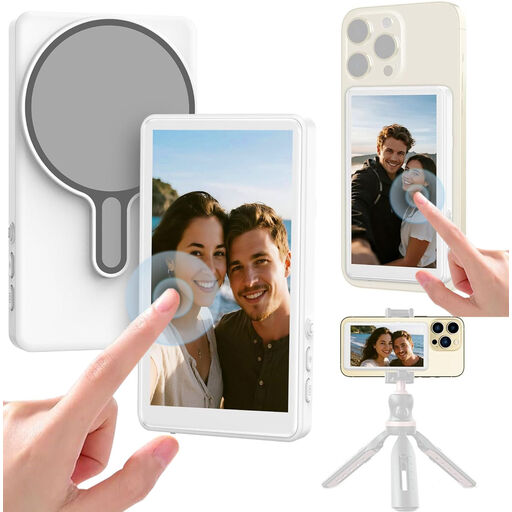
Selfie stick with Bluetooth shutter release and 1080P monitor
For anyone who wants to control a smartphone camera wirelessly from a selfie stick setup.
The product name lists Bluetooth control and a 1080P monitor for mobile vlogging.
View at Joybuy
 No image available
Osmo Action GPS Bluetooth remote control
For anyone who wants to control one of the specific Osmo cameras listed from a distance.
The product name lists compatibility with Osmo Action 4, Osmo Action 5 Pro, Osmo 360 and Osmo Action 6. Check that your model is included.
View at Joybuy
Frequently asked questions
Does the remote shutter release need to work with the vintage camera in the photo?
No, not if the vintage camera is just the subject. Check the connection or wireless support of the camera you’re using to take the photo.
How do you use a remote release for product photos against a dark background?
Set up your camera securely, decide on the framing and lighting, then use a compatible remote release or supported app to take the photo without moving the camera. A tripod helps keep the framing consistent across product shots.
Do you need a separate remote release if your camera already connects to a computer?
Not necessarily. Canon Netherlands lists remote shooting and a live view with EOS Utility for compatible EOS cameras; check which functions and connections your camera model supports.
Who should you contact if a product is faulty, and can you change your mind after buying online in the Netherlands?
If there’s a problem with a product bought by a consumer, the seller must provide a solution. The Dutch government states that online purchases often come with a 14-day cooling-off period, although there are exceptions. Check who the seller is and which terms and conditions apply to your purchase.


