
Maker using a fixed camera setup
You’re photographing several knitted figures from the same angle and want to take the shot without touching the tripod or camera. Canon UK explains how a tripod can help keep the framing and background consistent.


Choose a remote shutter release based on the exact camera or phone model and the controls it supports. If you’re using a fixed tripod setup, a suitable cable may be all you need. If you’ll be arranging the knitted figures as you go, compare a compatible wireless release with the camera app you can already use. A remote shutter release lets you take a photo without touching the camera, but it won’t replace a stable setup, accurate focus or good lighting.
You’re photographing several knitted figures from the same angle and want to take the shot without touching the tripod or camera. Canon UK explains how a tripod can help keep the framing and background consistent.
You’re changing poses or details while the camera stays in place, so you may want to consider a supported app or wireless control. The controls available depend on the camera and the combination you choose.
You’re using a smartphone in a tabletop setup and looking for a suitable phone holder with remote control. A phone accessory won’t necessarily work as a remote shutter release for a separate camera.
| What to consider | What should you check? | Who is this most important for? |
|---|---|---|
| Compatibility | Check the full camera model and official compatibility information. If you’re choosing a cable, check the connector type too. | If I want to be sure the release works with my camera, I check the model and connector first. An estimated 36% of consumers give compatibility top priority. |
| Taking shots while arranging the figures | Check whether the camera supports the release or app, and which features are available. | When I’m still adjusting poses and details, I want to be able to take a shot from the setup. An estimated 29% of consumers put this flexibility first. |
| Repeating the same composition | Check the tripod’s stability and, if you’re using a cable, the connector and cable length. | For a series taken from the same position, I want to keep the framing consistent without touching the camera. An estimated 21% of consumers consider a fixed setup most important. |
| Control with a smartphone | Check your phone’s width and weight, and whether the remote button works with your phone. | If I’m taking portfolio photos with a phone, I look for a holder and button that suit that device. An estimated 14% of consumers prioritise this type of phone setup. |
Manufacturers often limit remote controls to certain camera models or connectors. If the combination isn’t right, the remote may not operate the camera.
Before buying, check the full camera model against the compatibility information. For a wired release, check the connector type too.
An incompatible accessory could mean extra work returning it.
According to the manufacturer, the Ulanzi JJ02 is a phone holder with a Bluetooth button. Its stated phone specifications don’t confirm compatibility with a separate mirrorless camera.
First decide whether you’ll be taking photos with a smartphone or a separate camera, then choose an accessory for that device.
You may still need a suitable camera accessory for a separate camera.
A tripod and remote control help you keep a fixed setup and avoid touching the camera when taking a shot, but they won’t set the framing, focus or lighting for you.
Take a test shot and check the framing, focus and exposure before photographing a whole series.
If the settings aren’t right, you may need extra time to reshoot the series.
Owners of compatible Canon cameras can choose from wired and wireless options. Camera Connect can also offer app control with supported cameras.
The ML-L7 is available for supported Nikon cameras. SnapBridge can also offer smartphone or tablet control with compatible equipment.
The RMT-P1BT is a wireless option for owners of supported Sony cameras. Imaging Edge Mobile is another possible app-based option.
According to Ulanzi, the JJ02 is designed for smartphone use and combines a phone holder with a tabletop tripod and a detachable remote button.
This selection includes smartphone holders and tripods with remote controls, as well as a Bluetooth remote control for the listed Osmo models.
 No image available
A smartphone setup with remote control for anyone taking photos on their phone from a fixed position.
The title lists a length of 170 cm, a 360° rotating phone holder and support for smartphones measuring 4.7 to 6.0 inches.
 No image available
A phone tripod for anyone who wants to use their smartphone in a tabletop setup and take photos remotely.
The title lists a foldable design for tabletop and outdoor use, plus an adjustable-height tripod.
 No image available
A wireless camera shutter release for anyone who wants to control one of the specifically listed Osmo models remotely.
The title lists compatibility with Osmo Action 4, Osmo Action 5 Pro, Osmo 360 and Osmo Action 6. Check that your exact model is included.
 No image available
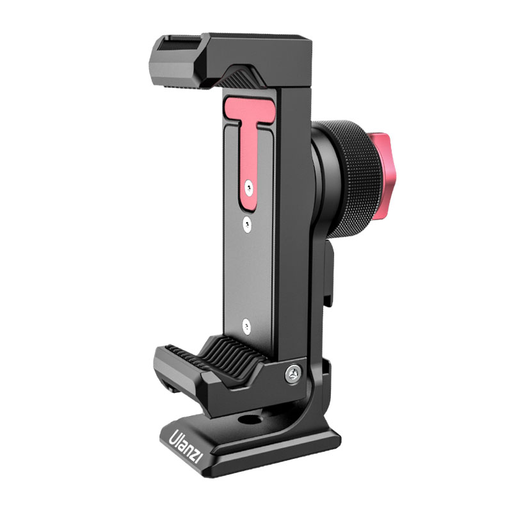
A smartphone holder for anyone who wants to mount their phone on a tripod and control the shot remotely.
The title lists a 1/4-inch connector and 360° rotation.
 No image available
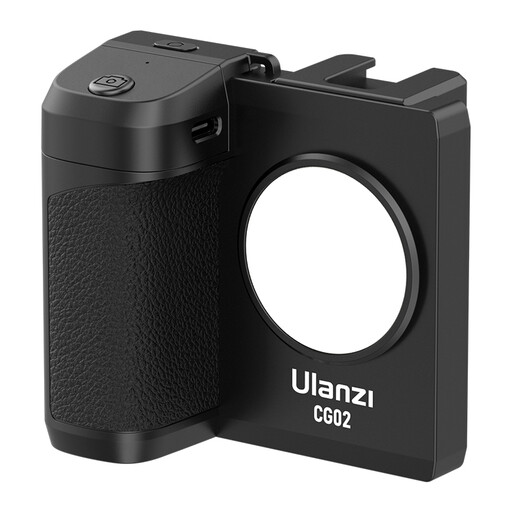
A smartphone holder with remote control for anyone who wants to operate their phone from the setup.
The title lists dimmable light with three settings and compatibility with iPhone and Android phones.
Not necessarily. First, check whether your camera and phone together offer the remote control you need. Canon, Nikon and Sony describe app-based options for supported equipment, but features and compatibility vary between combinations.
Set up the camera securely and decide on your framing, focus and lighting first. Canon describes a tripod as a way to help keep your composition consistent. Remote control lets you take a shot without touching the camera, but it won’t set the other shooting settings for you.
For a cable, check the connector and the distance to the tripod. The Canon RS-80N3, for example, has an N3 connector and an 80 cm cable. For wireless control, check that your model is supported and check the battery of the specific product. The Dutch government advises against putting used batteries in general waste.
According to ACM ConsuWijzer, online consumer purchases generally come with a cooling-off period of up to 14 days after delivery, although there are exceptions. Your statutory guarantee is separate from any manufacturer’s guarantee. What you can claim if a product is faulty depends on the circumstances and the law.
No. The Dutch government says that used batteries must not go in the bin. Shops and supermarkets that sell batteries are examples of places where you can return them.