
Artist filming with a phone
You want to start recording without touching your phone or pastel setup. Whether it works with your camera app is key; MOJOGEAR says video recording can be started if the camera app is set up correctly.


If you’re filming with a phone, choose between a separate Bluetooth button and a phone holder with a remote control. Check that the button starts video recording in your camera app. If you’re filming with a camera, choose a remote control that’s compatible with your exact camera model and supports the video function you need. A remote control lets you start recording without touching your device, but it won’t make your setup stable or correctly positioned.
You want to start recording without touching your phone or pastel setup. Whether it works with your camera app is key; MOJOGEAR says video recording can be started if the camera app is set up correctly.
You need a suitable phone holder as well as remote control. The clamp size and phone position matter; Ulanzi specifies that the JJ02 has a clamp width of 60–85 mm and a load capacity of 500 g.
You need a remote control that’s compatible with your exact camera model and can control its video function. Canon, Nikon and Sony describe model-specific features for their remote controls.
Choose this if: your phone is already securely positioned above or beside your drawing, and you mainly want to start recording without touching it.
Bear in mind: MOJOGEAR says the MG-02 can start video recording if the camera app is set up correctly. Test it with your own phone and app.
Choose this if: you don’t already have a phone holder and want a setup that includes both a holder and a remote control.
Bear in mind: Ulanzi specifies that the JJ02 has a clamp width of 60–85 mm and a load capacity of 500 g; its specifications don’t clearly confirm that it can start video recording with every camera app.
Choose this if: you’re filming with a camera whose exact model is compatible with the remote control and supports its video function.
Bear in mind: The Canon BR-E1, Nikon ML-L7 and Sony RMT-P1BT aren’t universal accessories; check the manufacturer’s model information.
Choose this if: you have a Canon EOS R10 and want to try recording with your smartphone or tablet first.
Bear in mind: Canon says you can capture photos and videos with Camera Connect on the EOS R10. This doesn’t mean other cameras or apps offer the same feature.
| Concern | What to check before buying | Who is this important to? |
|---|---|---|
| Starting video recording with your camera app | Check that it supports video recording, then make a short test recording with your own phone and app. | I want to start recording without touching my phone or drawing, and I want to know whether my app will respond. Around 36% of consumers with this recording need give starting video recording top priority. |
| Stable positioning on a small table | Check that the holder fits your phone and that you can set it up on the table without obstructing your drawing. | When table space is limited, I want to position my phone securely without cluttering the drawing area. Around 29% of consumers with this recording need prioritise their setup. |
| Compatibility with your camera model | Check the full model name against the manufacturer’s information, and make sure the remote control supports video recording. | I’m filming with a camera and want to know in advance whether the remote control works with my exact model and its video function. Around 21% of consumers with this recording need give model compatibility top priority. |
| Buying only what you need | Try any available app controls first, then decide whether you still need a button or phone holder. | I want to start with what I already have and only add what’s missing from my setup. Around 14% of consumers with this recording need give this top priority. |
It may depend on your camera app’s settings. The Ulanzi JJ02 product specifications don’t clearly confirm that it can start video recording with every app.
Check that it supports video recording and test it with your phone and app before filming your whole drawing.
You could lose valuable drawing time if you only discover while filming that the button doesn’t perform the function you need.
Manufacturers list compatible camera models, so a remote control from the same brand won’t necessarily work with every camera from that brand.
Before buying, check the full camera model and video function against the manufacturer’s information.
If the remote control isn’t compatible with your camera, you may need to choose a different accessory.
A separate button won’t hold your phone in place. If you choose a holder with a remote control, the clamp size and load capacity may determine whether it suits your phone.
Decide where you’ll position your camera first, then check that any holder will fit your phone and case.
If you don’t already have a suitable holder, you may need to buy one as well as a separate button.
A separate Bluetooth remote control for smartphone recording; the MG-02 Mini is an option if your phone is already securely positioned.
The JJ02 combines a phone holder with a detachable remote control for anyone who still needs a setup.
The BR-E1 is a camera remote control; Camera Connect is another possible way to control the EOS R10 remotely.
The ML-L7 is designed for specific Nikon cameras and has a dedicated video button.
The RMT-P1BT offers Bluetooth control for compatible Sony cameras.
This selection includes smartphone holders and Bluetooth remote controls for recording with a phone, as well as a remote control for the listed Osmo cameras. Before buying, check that the video function works with your camera and app, and that the setup will fit on your small table.
 No image available
Suitable if you want to control your smartphone remotely and need an extendable setup; test whether the button starts video recording in your camera app.
The product name specifies a length of 170 cm, a 360° rotating phone holder and compatibility with phones from 4,7 to 6,0 inches.
 No image available
Suitable if you want to position your phone on a table and control it remotely; check that it supports the video function you need with your device and app.
The product name specifies tabletop use, an adjustable-height design and a folding tripod.
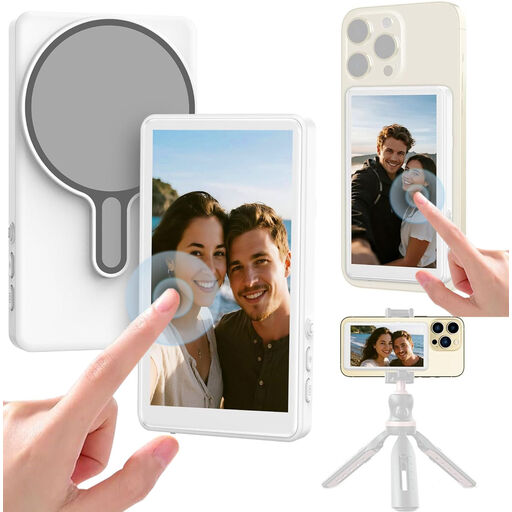 No image available
Suitable if you want a phone setup with an extra framing display; check that the shutter release controls the recording function you need in your camera app.
The product name specifies a 1080P monitor and wireless recording.
 No image available
Suitable only if you use one of the listed Osmo cameras; check the full model name before buying.
The listed compatible models include Osmo Action 4, Osmo Action 5 Pro, Osmo 360 and Osmo Action 6. The product description says you can start and stop video recording remotely.
 No image available
Suitable if you’re looking for a phone holder with a detachable remote control; test whether the remote starts video recording in your camera app.
Ulanzi specifies a clamp width of 60–85 mm and a load capacity of 500 g. Check that your phone and case fit inside the clamp.
Make a short test recording with your own phone and the camera app you plan to use. MOJOGEAR says the camera app needs to be set up correctly; Bluetooth alone doesn’t confirm that the video function you need will work.
Only if you don’t already have a suitable, stable way to position your phone. A separate button won’t hold your phone; the Ulanzi JJ02 combines a holder with a detachable remote control. Check the JJ02’s clamp size and load capacity.
Yes. Canon says you can capture photos and videos with the EOS R10 using Camera Connect on a smartphone or tablet. This option is for this camera model; check whether app control suits your setup.
Compare the full model number with the manufacturer’s compatibility information, and check separately that the remote control supports video recording. Don’t rely on the brand being the same or on a Bluetooth mention alone.
According to ACM ConsuWijzer, online purchases generally come with a cooling-off period of up to 14 days after delivery, although exceptions apply. ACM ConsuWijzer also explains that if a product breaks too soon during normal use, you can hold the seller responsible under the statutory guarantee.