What should you look for when buying?
First, check whether you can start and stop recording remotely in video mode on your device. Then choose between a separate button, an existing app or a model-specific control.
| What to consider |
What to check before buying |
Who is this important for? |
| Starting video and compatibility |
Check the full camera model and whether remote start/stop is supported in video mode. |
I want to be sure recording will start without touching the camera. For consumers who prioritise video control on their own camera, this is the main buying concern; they account for around 36%. |
| Keeping the framing fixed |
Work out where you’ll stand while drawing and whether a cable will restrict your movement. |
I don’t want to shift my carefully arranged composition when I start recording. Consumers who mainly want to keep their framing fixed account for around 29%. |
| Phone and camera app |
Test the button with the same phone, camera app and video mode you plan to use for recording. |
I film with my phone and want to start recording without touching the screen. For consumers whose main concern is whether the button works with their own app, this is the top priority; they account for around 21%. |
| Do you need an extra control? |
First check whether your existing camera or app already offers the remote control you need. |
I don’t want to buy a separate button if my current device can already be controlled remotely in a useful way. Consumers who mainly want to avoid extra hardware account for around 14%. |
Joybuy product options
This selection includes options for remote video recording and a fixed phone set-up. Before buying, check that the control can start video on your exact device and in the app you use.
 No image available
Fossibot FC360 action camera
An option if you’re looking for an action camera with a Bluetooth remote control; check that the controls suit the way you plan to film your pencil portrait.
The product name lists 8K video at 10 fps, 6 GB of built-in RAM, IP68 water resistance and a Bluetooth remote control.
View at Joybuy
 No image available
KINSI selfie stick with tripod, 170 cm
Suitable for a phone set-up where you want both a holder and a Bluetooth remote control; test the control in your own camera app.
The product name lists a length of 170 cm, a 360° rotating phone holder and compatibility with smartphones from 4.7 to 6.0 inches.
The product name lists a stainless steel finish.
View at Joybuy
 No image available
KINSI smartphone tripod with Bluetooth remote control
An option for propping your phone on a flat surface; before recording, check that the remote control works with your chosen video mode.
The product name lists a foldable tripod with adjustable height.
View at Joybuy
 No image available
Osmo Action GPS Bluetooth Remote Controller
The product information describes remote control of video recording; this controller is designed for the listed Osmo models.
The product name lists compatibility with Osmo Action 4, Osmo Action 5 Pro, Osmo 360 and Osmo Action 6.
View at Joybuy
 No image available
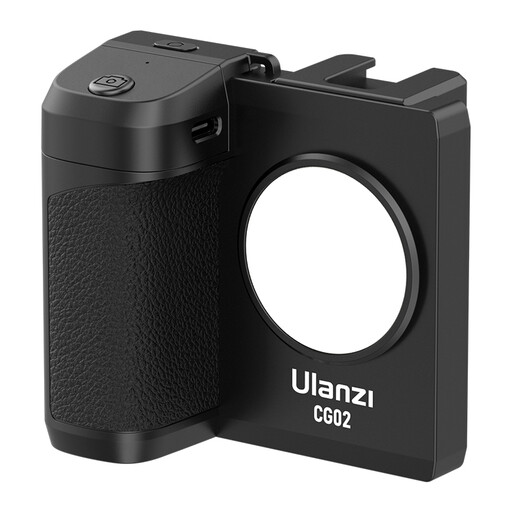
Ulanzi CG02 smartphone holder with remote control
An option if you want a light and remote control alongside your phone holder; check that the control works with your phone and camera app.
The product name lists three brightness settings and compatibility with iPhone and Android phones.
View at Joybuy
Frequently asked questions
Can a standard cable release start my drawing video?
Not based on its photo function alone. Nikon describes the MC-DC2 as a shutter release for certain DSLR cameras; check separately whether the cable supports video recording on your exact camera model.
How do I use a phone remote control for video?
Pair the remote via Bluetooth and set your camera app to the video mode you want. MOJOGEAR says the MG-13 starts recording when the app settings are correct; check that it works with a short test recording.
What can I do if a Sony Bluetooth remote control doesn’t respond after pairing?
Check that Bluetooth and the Bluetooth remote control setting in the camera menu are switched on. Sony says you may need to pair the remote again after using it with another camera; also check that your camera model supports the control.
Will a remote control automatically make white paper look white on screen?
No, a remote control doesn’t adjust exposure or white balance. According to Canon Netherlands, metering can make a very bright scene appear darker; keep the lighting as consistent as possible and check a test image.
What are my rights when buying online in the Netherlands?
For eligible online distance purchases from a business, you generally have a 14-day cooling-off period, according to the Dutch government. Products must also meet what you could reasonably expect; in the Netherlands, there is no fixed statutory warranty period. If a product is faulty, contact the seller.


