What should you look for when choosing?
First check compatibility, then decide whether you’ll stay by the tripod, need room to move around or want to try a camera app first.
Wired remote
Best for: a fixed tripod setup, as long as the remote’s connection matches your camera.
Bear in mind: the cable limits how far away you can stand.
Wireless remote
Best for: standing by the print or lighting, provided your camera model supports the accessory you choose.
Bear in mind: the wireless connection and any pairing need to work with your camera.
Camera app
Best for: using your existing equipment first, if your camera and phone support remote control via the app.
Bear in mind: available features vary by camera and app.
| What to consider |
What to look for when buying |
Who is it important for? |
| Compatibility |
Look up the full camera model in the compatibility information and, for a cable, check the connection type. For example, Canon distinguishes between E3 and N3 connections. |
If I choose a separate remote, I want to be sure it works with my exact camera model. Around 33% of consumers give compatibility top priority. |
| Taking pictures without touching the camera |
Check that the remote operates the shutter without you having to touch the camera body, and that the cable is long enough. Canon lists an effective range of 80 cm for the RS-80E3. |
With a fixed tripod setup, I don’t want to disturb my framing by pressing the camera button. Around 33% of consumers prioritise keeping their framing fixed without touching the camera. |
| Room to move around |
Check the camera model, connection method and stated range of the specific remote. Canon lists Bluetooth and a range of 5 metres for the BR-E1. |
If I want to stand by the print while taking pictures so I can assess the setup, being able to shoot from there matters. Around 20% of consumers prioritise having room to move around. |
| Camera app |
Check whether your camera model supports the feature you need in its companion app, and test it before choosing a separate remote. |
I want to find out first whether I can take pictures remotely with my existing camera and phone. Around 14% of consumers prioritise avoiding an extra accessory. |
Joybuy products
The products below list wireless control for mobile vlogging and selfie setups, or for specific Osmo cameras. Check that the device and intended use are suitable for photographing your framed prints.
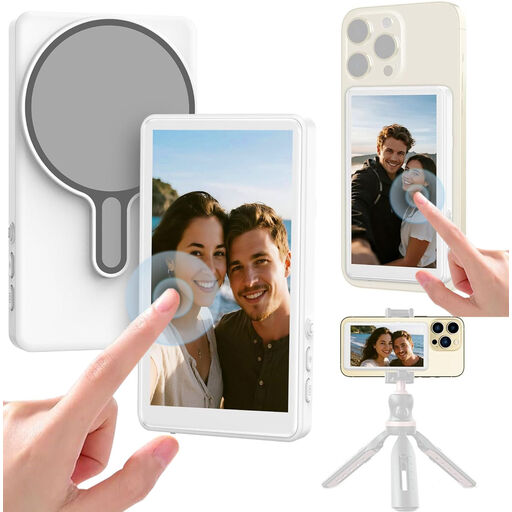 No image available
Selfie stick with 1080P monitor and Bluetooth remote for mobile vlogging
The title is aimed at mobile vlogging and selfie setups; check that the controls are suitable for the device you use to photograph prints.
The product name lists a 1080P monitor and a Bluetooth remote.
Joybuy
 No image available
GPS Bluetooth remote for Osmo cameras
This remote lists specific Osmo models; check that your camera model is included in the stated compatibility information.
The product title lists Bluetooth and compatibility with Osmo Action 4, Osmo Action 5 Pro, Osmo 360 and Osmo Action 6.
Joybuy
Frequently asked questions
Can a remote help with reflections in the glass of a picture frame?
No. Taking pictures remotely helps you avoid touching the camera, but it won’t deal with reflections. Canon Netherlands describes remote control as a way to avoid touching the camera; Nikon explains that a polarising filter can reduce unwanted reflections, without claiming it will remove all reflections in every setup.
Do you need to connect or pair the remote before you start?
It depends on the type of control you choose. For a cable, check that the connection fits; for Bluetooth or app control, check that your exact camera model supports the feature. Test the connection and take a test shot before photographing your final setup.
What if the remote breaks sooner than expected during normal use?
For a consumer purchase in the Netherlands, statutory consumer rights apply if the product doesn’t meet what you could reasonably expect. ACM ConsuWijzer explains that, if you make a valid claim under your statutory rights, the seller is responsible for providing an appropriate solution; a manufacturer’s guarantee doesn’t replace those rights.
Can you return a remote bought online if it doesn’t work with your camera?
According to ACM ConsuWijzer, online consumer purchases generally come with a statutory cooling-off period of up to 14 days after delivery, subject to legal exceptions. Check compatibility before buying and review the terms that apply to your purchase.


