
Stereo and bass listener
You listen closely to whole albums at home, have space for two speakers and want to assess the bass without automatically choosing a large speaker.


For reggae albums in a small living room, a compact pair of active stereo speakers is a good fit if you can position two speakers and want to listen without a separate amplifier. A Wi-Fi speaker may suit you better if simple controls are your priority, while a passive pair needs a compatible amplifier. The Consumers’ Association notes that larger speaker cabinets generally support more bass, but available space and positioning matter in a small room too. If you’re listening to vinyl, also check whether the turntable, speaker or a separate device provides the phono preamp.
You listen closely to whole albums at home, have space for two speakers and want to assess the bass without automatically choosing a large speaker.
You want to connect your turntable and check whether the turntable, speaker or amplifier provides the required phono preamp.
You mainly play albums from a phone or streaming service and want to decide whether Bluetooth, Wi-Fi and app controls suit the way you listen.
| What to consider | What to look for when buying | Who should pay particular attention? |
|---|---|---|
| Bass and stereo sound | Check whether you’re buying a pair or a single speaker, how much space both speakers will take up and whether you can position them in your room. | If I want to follow an album’s bass line and individual stereo channels, I want to be able to position two speakers rather than judge by cabinet size alone. Around 36% of consumers put bass and stereo sound at the top of their list when buying. |
| Connecting your music source | Check the output on your turntable or other source, the exact input on the speaker and where any phono preamp is provided. | With my turntable, I want to know in advance whether the phono preamp is built into the turntable or speaker, or comes as a separate device. Around 29% of consumers prioritise connecting their music source. |
| Wireless playback | Decide whether you mainly want to use Bluetooth from a phone, or Wi-Fi and app controls at home. Also check whether you want a single speaker or a stereo pair. | If I usually play albums from my phone or over my home network, I want controls that suit the way I listen. Around 21% of consumers put easy wireless playback at the top of their list. |
| Space and cables | Measure where you plan to put the speakers and the cable route, and check whether your chosen setup needs an amplifier, adapter or phono preamp. | When space is limited in my living room, I want to know how much room the speakers and any extra equipment will take up. Around 14% of consumers prioritise available space and the overall setup. |
A turntable that outputs only a phono signal needs a phono preamp to connect to a standard line input. The connection must therefore match your turntable’s output.
Check your turntable’s PHONO/LINE setting and the exact input on the speaker or amplifier you’re considering.
You may need a separate phono preamp and a suitable cable.
A Sonos Era 100 is a single speaker; Sonos says you need two Era 100 speakers to create a stereo pair. These are therefore different setups.
Compare the number of speakers and any additional components you’ll need, and think about where you can put them.
You’ll need a second compatible speaker to create two separate speaker positions.
For the KEF LSX II LT, KEF specifies a particular cable to connect the speakers and advises against using other cables. So even with a streaming setup, plan your cable route.
Map out where the speakers will go and check that the cable supplied reaches the positions you have in mind.
If the cable supplied isn’t long enough, you may need a suitable longer inter-speaker cable.
A passive ELAC Debut 3.0 DB53 won’t complete your audio setup on its own; you’ll also need a suitable amplifier.
Check that the amplifier is compatible and compare the complete setup you’ll need with an active pair.
Allow for a compatible amplifier and any cables or source equipment you may need.
The active Edifier R1280DB is a bookshelf speaker set for anyone looking for a stereo pair with several common inputs and no separate amplifier.
The compact active Ruark MR1 Mk3 is worth considering if you want to connect a compatible MM turntable to a phono input.
The KEF LSX II LT is a compact streaming stereo system for anyone looking for two speakers and digital connections.
The Era 100 is suited to home streaming with app controls; two can be paired for stereo sound.
The passive ELAC Debut 3.0 DB53 is a compact bookshelf speaker for anyone who already has a suitable amplifier or wants to choose the amplifier and speakers separately.
The products shown range from portable Bluetooth speakers to soundbars and a Wi-Fi and Bluetooth speaker. For your reggae albums, check the connections for each model and whether you’re buying a single speaker or a stereo pair.
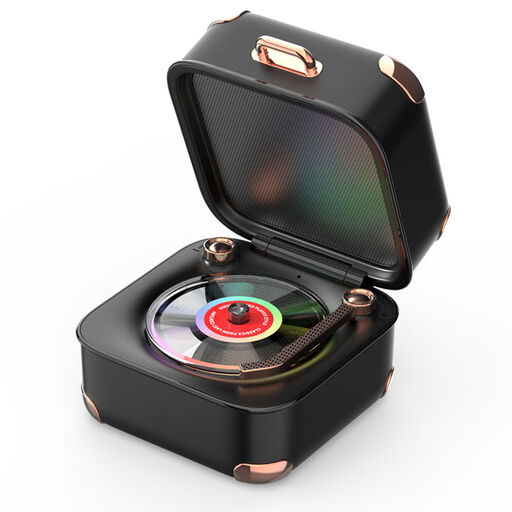 No image available
This portable design may suit you if you’re looking for a speaker that’s easy to move around too; check that its features work with the way you play your albums.
Bluetooth; rotating record design and RGB lighting.
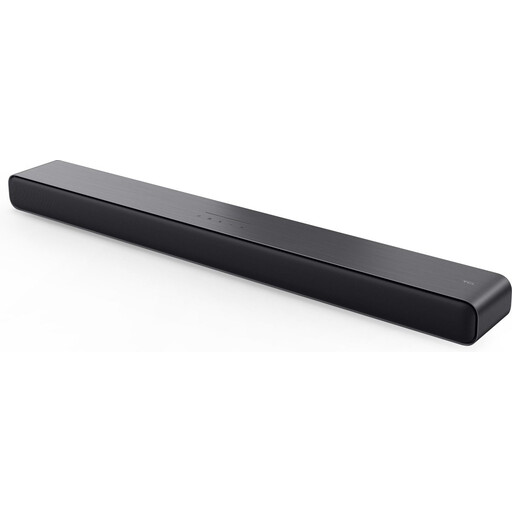 No image available
This soundbar may suit a living room setup where you also want to play music; check that its design and connections work with your source and available space.
2.0-channel system; Dolby Atmos; wireless.
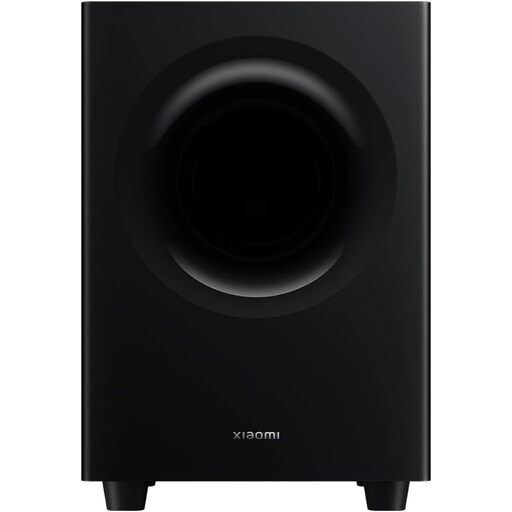 No image available
This is a soundbar with a 2.1-channel system; check that its form and connection suit your listening space and music source.
2.1-channel system.
 No image available
This portable Bluetooth speaker may suit you if you’re looking for something easy to move around; check whether a single speaker suits your preference for stereo sound or a separate pair.
Bluetooth; IPX7; portable.
 No image available
This wireless speaker may suit you if you want to play music at home using different inputs; check that the connections and controls listed work with your sources.
60 W; Wi-Fi and Bluetooth; AirPlay 2; USB and AUX inputs.
It depends on your turntable’s output and the speakers’ input. For a standard line input, your turntable needs to have an enabled phono preamp, or the signal must pass through an external phono preamp. Another option is a compatible MM phono input, such as the one Ruark specifies for the MR1 Mk3.
Yes. For a wired line input, Sonos specifies a separate Line-In Adapter and a suitable audio cable. If you’re connecting a turntable, also check whether you need a phono preamp. Sonos also says the line input won’t work when the Era 100 is used as a surround speaker in a Sonos home cinema system.
Try different positions in your own room and follow the instructions for your chosen model. For the Debut 3.0 series, ELAC recommends adjusting the position and direction by ear, and avoiding abrasive or harsh cleaning products.
If you buy as a consumer in the Netherlands, the Dutch Government says the seller must provide a solution if a product is faulty. For online purchases from a business, you’ll usually have a 14-day cooling-off period; check the terms and any exceptions that apply to your purchase.
No. CE marking only applies to products covered by specific harmonised EU rules. The European Union does not make a declaration of conformity for a particular speaker model; check which rules and conformity information apply to the model you’re considering.