What should you look for when choosing?
A polarising filter can reduce glare on certain non-metallic surfaces, but it can also change a reflection you want to keep. Nikon describes this effect on surfaces including water and glass.
| What to consider |
What should you check? |
Who should prioritise this? |
| Contrast and reflections |
Check how you can assess exposure and whether the exact model can save images in RAW. Only try a suitable polarising filter if you want to reduce reflections. |
If I want to capture both the bright reflection and the shadow areas deliberately, I’ll prioritise contrast. Around 36% of consumers put this first. |
| Angle of view from where you’re standing |
Decide on the framing you want from your actual shooting position. For a compact camera, check its wide-angle setting; for a mirrorless camera, check the lens and mount included with your chosen kit. |
If I want to frame the whole courtyard from one spot, or focus on a smaller area, the right angle of view is crucial. Around 29% of consumers prioritise framing. |
| Texture and focus point |
Decide whether you want to focus on the paving, the surface of a puddle or the reflection. Check the result on the spot rather than relying on resolution alone. |
If the cobble pattern is what matters most, I’ll want to adjust the framing and focus accordingly. Around 21% of consumers prioritise cobble detail. |
| Use in wet weather |
Check the protection conditions for the exact camera and, for a mirrorless camera, the lens you’ve chosen too. Don’t assume you’ll be shooting in wet conditions just because the ground is reflective. |
If I’ll actually be shooting in the rain or near splashing water, I’ll want to know what protection the whole setup offers. Around 14% of consumers prioritise weather protection. |
Cameras at Joybuy
Joybuy cameras for a range of shooting styles. Check each model to see whether its features suit the framing you want, how you plan to capture light and shadow, and the way you like to take photos.
 No image available
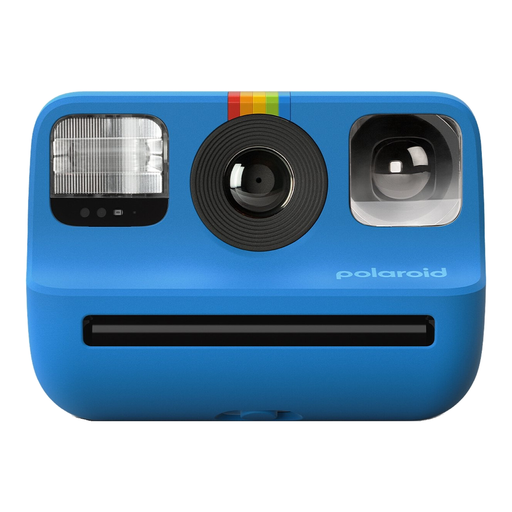
Polaroid Go Gen 2 - Blue
This instant camera is for anyone who wants a physical print straight after taking a photo. The available information lists a light sensor and adjustable exposure.
Requires Polaroid Go film. The stated print size is 66,6 × 53,9 mm. The film darkslides have sharp edges, and the film chemicals are corrosive if they come into contact with skin. Keep film and small parts out of reach of young children.
View at Joybuy
 No image available
DJI Osmo Pocket 3
The product information lists both still photos and video. Check that this model suits the way you want to photograph the courtyard.
The description lists a 1-inch CMOS sensor, a weight of 179 g and autofocus for still photos.
View at Joybuy
 No image available
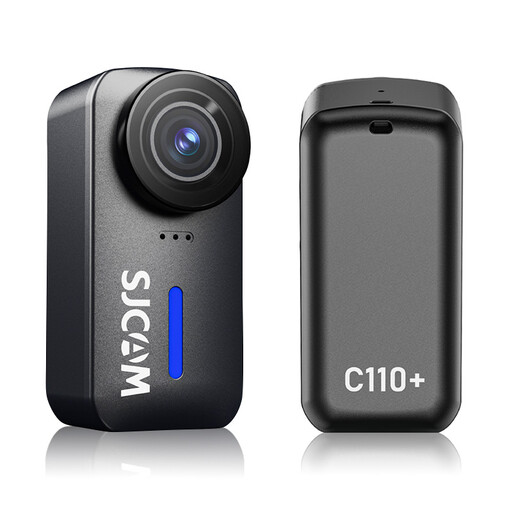
SJCAM C110+ 4K Action Camera
The product description lists still photos and adjustable exposure—features worth comparing if you want to adjust the exposure of a reflective scene yourself.
The lens is listed with a 170° angle of view. The product information lists photos up to 20 MP, adjustable ISO and exposure compensation, and a weight of 82 g.
View at Joybuy
 No image available
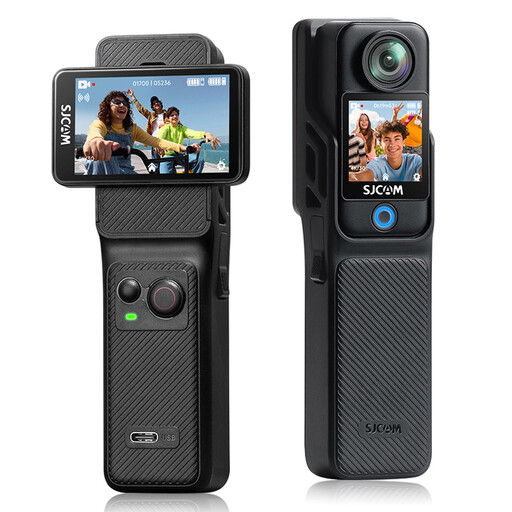
SJCAM C400 4K Action Camera
The product information lists still photos. Check the framing and focus you need before choosing this camera for a paved courtyard.
The lens is listed with a 154° angle of view. The description lists photos up to 16 MP and 6-axis electronic image stabilisation.
View at Joybuy
 No image available
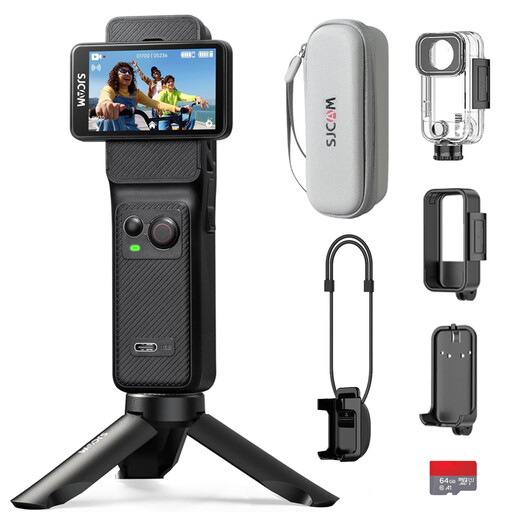
SJCAM C400 Action Camera, Black, Includes 64GB Card
The product information lists still photos. Check the framing and focus you need before choosing this camera for a paved courtyard.
The title specifies a black camera with a 64 GB card included. The description lists photos up to 16 MP and a 154° angle of view.
View at Joybuy
Frequently asked questions
Does a polarising filter always help with a highly reflective courtyard?
No. Nikon explains how a polarising filter can reduce glare on non-metallic surfaces such as water and glass. If the reflection is your subject, this effect may not be what you want. Also check that the filter fits your exact lens.
Can you always fix a high-contrast photo afterwards with RAW or HDR?
No. Canon describes HDR as a technique that combines different exposures to show detail in both bright and dark areas. Check your exposure as you take the photo: RAW or HDR can’t guarantee that detail will be recovered from a completely blown-out reflection.
Where should you focus if a person is reflected in a puddle?
First decide whether the person in the reflection or the water’s surface is your subject. Canon explains that focusing on the puddle can make the surface sharp while leaving the reflected person out of focus. Choose your focus point deliberately and check the shot.
What should you check if you want to use your camera in the rain?
Check the protection conditions for the exact model and, if you have a mirrorless camera, for your chosen lens too. OM SYSTEM lists protection for the TG-7 and an IP53 rating for the OM-5 Mark II body. That body rating doesn’t automatically tell you how well a setup with any given lens is protected.
Which camera should you choose if you don’t want to change lenses?
A compact camera with a built-in lens could suit you if its fixed angle of view or zoom works from where you’ll be standing. Compare the framing you need from your shooting position; with a mirrorless camera, you’ll also need to factor in the right lens.


