
Photographers planning a large print
You want to preserve the fine detail in the reeds in your chosen exhibition print, and match your camera and crop to the print size. Profotonet provides resolution guidelines for specific print sizes.


Start by deciding on your print size and crop. Then choose a lens with the right angle of view, and select your camera body accordingly. A mirrorless camera gives you a choice of lenses, but for a long walk or changeable weather, the weight and protection of the complete setup matter too. More megapixels do not guarantee a sharp image or a suitable crop.
You want to preserve the fine detail in the reeds in your chosen exhibition print, and match your camera and crop to the print size. Profotonet provides resolution guidelines for specific print sizes.
You want to try different viewpoints as you go, and assess the angle of view, lens and weight of the complete setup together. The Consumers’ Association lists usage, size and image quality among the factors to consider when choosing a camera.
You’re looking for a manageable setup with protection suited to the conditions for both the camera body and lens. So, how well protected the setup is also depends on the lens you choose.
| What to consider | What to check before buying | Who should pay particular attention? |
|---|---|---|
| Detail in the print | Check the intended print size and file specifications. After cropping, check the pixel dimensions and, if possible, order a test print. | I want enough detail left for the exhibition once I’ve decided on the size and crop; around 36% of consumers prioritise detail in the print. |
| Angle of view and viewpoint | Check the lens mount, the included lens and the angle of view from a spot where photography is permitted. | From an accessible viewpoint, I want to frame either the reedbed or a specific detail; around 29% of consumers give angle of view and viewpoint top priority. |
| Weight and protection | Compare the weight of the complete setup and check the operating and protection conditions for both the camera body and lens. | For a long walk, I want a manageable setup with suitable protection for both components; around 21% of consumers prioritise portability and protection. |
| Complete setup | Check whether the version includes a lens, and which storage media and accessories are supplied. | I want to make sure I have everything I need for the shot I’m planning, without overlooking a missing lens; around 14% of consumers prioritise having a straightforward, complete setup. |
The print size, aspect ratio and final crop all affect how many pixels remain in the file. A high megapixel count alone does not guarantee a sharp print.
Decide on the print size and crop you want first. Then check the pixel dimensions of the file and, if possible, order a test print.
A mirrorless camera body without a lens cannot give you the angle of view you need for the landscape.
Check what’s included in the exact version and compare the body-only and kit options separately. Choose a compatible lens to suit your viewpoint and the framing you want.
A camera’s protection rating does not automatically apply to the lens you attach to it.
Before taking photos in wet weather, check the conditions for both the body and the specific lens.
Nikon says its polarising filter reduces reflections on water and glass. This may not be what you want if a reflection is part of your composition.
First decide whether you want to keep the reflection, then compare the image with and without the filter.
The Sony α7 IV is a full-frame mirrorless camera worth considering if cropping and print detail are important to you.
The Nikon Z5II is a full-frame Z-system camera for photographers who want to choose an interchangeable lens and shoot handheld.
The Fujifilm X-S20 is an APS-C mirrorless camera for which you choose your own X lens.
OM SYSTEM describes the OM-5 Mark II as suitable for a compact outdoor setup with interchangeable M.Zuiko lenses.
The Canon EOS R8 is a lightweight full-frame RF body worth comparing if you want to use an RF lens or an EF lens with an adapter.
The Joybuy options shown range from compact cameras to Sony cameras with and without a zoom lens. For each version, check whether the lens, intended framing and information about the print file are suitable for your reedbed landscape.
 No image available
The product title mentions photography and vlogging; check whether this version is suitable for the still exhibition photo you have in mind.
The product title lists a 1-inch CMOS sensor and 3-axis stabilisation.
 No image available
The product title mentions photography; compare the claimed resolution with your print service’s requirements and the crop you want to use.
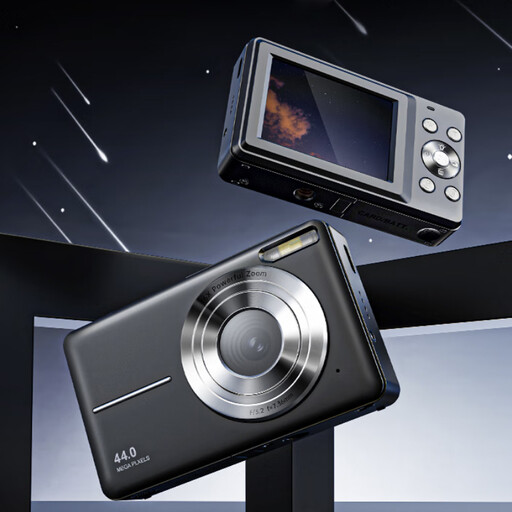
The title lists 44 MP, 4K and 16× zoom. According to the product information, a microSD card is not included.
 No image available
This version includes a zoom lens; compare its angle of view with the framing you want from your accessible viewpoint.
The product information warns against exposing the camera to moisture. It also states that an adapter and charger are not included.
 No image available
The product name lists a 16-50mm lens; consider whether its zoom range suits the landscape compositions and details you want to photograph.
The product information warns against exposing the camera to rain or moisture.
 No image available
This body-only version is a suitable choice only if you already have a compatible lens or plan to buy one separately.
A lens is not included. The product information warns against getting the camera wet.
First, check the size and file specifications required by your chosen print service. For its own process, Profotonet recommends 320 dpi for prints up to 30 × 45 cm and 254 dpi for larger sizes, such as 60 × 90 cm; this is not a universal rule for exhibition prints. Also check the pixel dimensions after your final crop.
With a body-only mirrorless camera, you’ll need a compatible lens. Also check which storage media and power accessories are included with the exact version, and choose a lens to suit the angle of view from your available viewpoint.
Don’t assume the camera is completely waterproof just because the body has a protection rating. Before use, check the stated conditions for both the body and lens, and follow the manuals’ instructions for storing your chosen equipment.
If you use the product normally and it fails to meet your reasonable expectations, you’re entitled to a legal guarantee; there is no automatic fixed legal guarantee period of exactly two years. According to ACM ConsuWijzer, the seller is responsible for providing an appropriate solution free of charge, such as a repair, replacement or refund.