Choose a desktop that works with your DAW version, plug-ins and audio interface. Then compare its processor, memory, storage and connections with the demands of your session. A compact Mac is a good fit if you’ve confirmed it works with your Logic Pro setup, while a compact Windows desktop or configurable audio PC is only suitable if your software and interface support the chosen configuration. Plan for a separate backup too, and check it before your review.
Who is this guide for?
Mixing a recital with lots of tracks
You’re mixing several recorded tracks and effects, and want to know whether your chosen configuration can handle the session. Steinberg and Ableton point out that the resources you need depend partly on the number of tracks, plug-ins and your workflow.
Mixing with an existing audio interface
You want to keep using your interface and monitoring setup. So check the connections, operating system and driver for your specific equipment.
Preparing for an upcoming review
You want to be able to find your session files and final mix in good time. Apple Support explains how to back up to a separate storage device; also check for yourself that your backup contains the files you need and that they open correctly.
What should you look for in a desktop for a recital mix?
First, check that your current software and interface work with the exact computer configuration. Then compare the demands of your session and plan how you’ll store your files before the review.
| What to consider |
What should you check? |
Who is this important for? |
| DAW and session capacity |
Make a note of your DAW version, plug-ins and session size. Check the software requirements and the processor, memory and storage specifications of the exact model. |
If I want to open my existing recital project with the plug-ins I need, the computer must suit my workflow; around 33% of consumers give DAW and session compatibility top priority. |
| Interface and monitoring |
Check the exact interface model, supported OS version, driver and port; also see whether you’ll need an adapter. |
If I want to keep using my current interface and monitoring setup, I’ll check both the connection and the driver; around 27% of consumers put compatibility first. |
| Storage and delivery |
Compare the SSD capacity with your recordings and exports, and plan a separate backup that you can check before the review. |
I want to be able to find my source files and final mix before the review, even if something happens to the internal drive; around 20% of consumers prioritise file retention and delivery. |
| What you need for your setup |
List your existing monitor, input devices, interface, monitoring equipment and external storage. Check what’s included with the chosen configuration. |
If I still need parts for a complete mixing setup, I want to know what I already own and what I still need to arrange; around 20% of consumers focus mainly on the complete setup. |
Pitfalls to avoid when choosing a mixing desktop
-
Assuming a DAW’s minimum requirements guarantee it will handle your mix
A software minimum alone doesn’t tell you whether a larger session with more tracks and plug-ins will run smoothly.
Compare your exact session and plug-ins with the requirements of the computer configuration you’re considering.
-
Assuming a suitable USB connection means your interface is compatible
The physical connection alone doesn’t confirm that your interface and driver will work with the operating system.
Before choosing, check the exact interface model, supported OS version, driver and connection you’ll need.
-
Using the project folder on your internal drive as your only backup
A copy on the same internal drive won’t protect your files if that drive fails.
Make a separate copy before the review and test that you can open the project files you need.
You’ll also need storage or another backup solution for a separate backup.
Relevant brands to consider
Apple
A compact macOS option if you use Logic Pro for Mac or have confirmed that your DAW works with the macOS version you’ve chosen.
- For the Mac mini M6 base configuration reviewed, Apple Netherlands lists 16 GB of memory and a 256 GB SSD.
- Compare that specific storage configuration and its connections with your projects and interface. These specifications aren’t a mixing benchmark.
Dell
The Pro Micro QCM1250 is a compact Windows option for a dedicated mixing setup.
- For the configuration reviewed, Dell Netherlands lists a Core Ultra 5 235T, Windows 11 Pro, 16 GB DDR5 and a 512 GB SSD.
- Check the ports on the exact configuration and the driver for your interface. Dell warns that images may differ from the selected configuration.
PCSpecialist
The Dutch Pro Audio range offers configurable desktop options for matching components to your DAW and equipment.
- PCSpecialist describes the option to tailor configurations to your DAW and external equipment.
- This doesn’t confirm the components, noise levels or performance of an order that hasn’t been finalised.
Lenovo
The ThinkCentre M70q Gen 5 is a compact Windows product range, with connections varying by configuration.
- Lenovo lists USB-A, USB-C, HDMI and DisplayPort among the connections available across the product range.
- Check the exact model code: some connections are optional and aren’t guaranteed by the product range name alone.
HP
The Pro Mini 400 G9 is a compact Windows option to compare by exact configuration.
- For configuration 6D494EA#ABH, HP lists Windows 11 Pro, a Core i5-12500T, 16 GB RAM and a 512 GB SSD.
- HP marked this configuration as unavailable when it was reviewed; check its current status before considering it as a purchase option.
Joybuy products for a compact mixing setup
These Joybuy products are compact mini PCs to compare for a dedicated mixing setup. Check that your DAW, plug-ins and audio interface work with the stated configuration of each model.
 No image available
NVIDIA DGX Spark Founders Edition
Before choosing this configuration for your recital mix, first check that it supports your DAW, plug-ins and audio interface.
The product title lists NVIDIA GB10, 128 GB RAM, a 4 TB SSD and NVIDIA DGX OS.
Joybuy
 No image available
SOYO M5 Mini PC
A compact Windows configuration to compare for a dedicated mixing setup; first make sure it works with your DAW, plug-ins and interface.
The product information lists an AMD Ryzen 3 4300U, Windows 11 Pro, 16 GB LPDDR4 and a 512 GB SSD.
Joybuy
 No image available
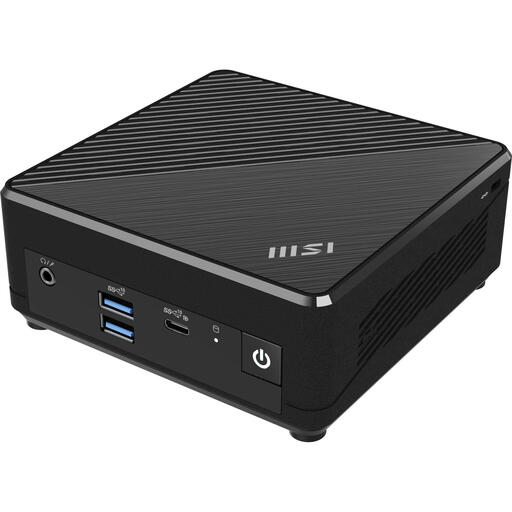
MSI Cubi N ADL S-078EU
Check your DAW and session requirements before choosing this configuration for a recital mix; the product details alone don’t confirm that it’s right for your workflow.
The product title lists an Intel N100, 4 GB DDR4, a 128 GB SSD and Windows 11 Pro.
Joybuy
Frequently asked questions
Is 8 GB RAM enough to mix a recital?
There’s no one-size-fits-all rule. Steinberg lists 8 GB as the minimum for Cubase 15, but how well it works also depends on your DAW version, session and plug-ins. Compare your own project with the requirements of the computer you’re considering.
What should you check if your audio interface crackles or has playback delays?
First, check that the interface and driver support your operating system. For its Windows interfaces, Focusrite recommends checking the software, USB connection and buffer size, among other things; don’t treat this guidance as a product-specific solution for every other brand.
How should you save your project before your portfolio review?
Save a separate copy of your project and the source files you need, then test that you can open them. On a Mac, Time Machine can automatically back up files to an external storage device; choose a suitable backup method for a Windows PC.
Is a one- or two-year manufacturer’s warranty the same as the statutory guarantee in the Netherlands?
No. According to the Dutch government, when you buy as a consumer you’re entitled to a product that meets reasonable expectations; there’s no fixed statutory guarantee period in the Netherlands. If a product is faulty, the retailer is your point of contact. A manufacturer’s or retailer’s warranty is an additional benefit.


