
Recipe collector who types a lot
Regularly enters long recipes and pays attention to a comfortable hand and arm position while standing. Desk height is also a factor.


Start by setting your working height so your shoulders stay relaxed and your forearms are roughly horizontal as you type, as advised by the Chartered Institute of Ergonomics and Human Factors. Then choose between a compact layout that leaves more room for recipes and your mouse, a split design that lets you position each half as you like, or a numeric keypad if you enter lots of figures. No keyboard can replace a properly set-up workstation.
Regularly enters long recipes and pays attention to a comfortable hand and arm position while standing. Desk height is also a factor.
Keeps source recipes next to the computer and wants the keyboard and mouse within easy reach.
Enters lots of quantities and other figures, and weighs up the convenience of a numeric keypad against the extra desk space the keyboard takes up.
Start with your posture and the space available on your desk. Then decide whether you need a numeric keypad and check that the key layout and connection suit your habits.
The percentages below relate to consumers building a recipe index at a standing desk; each row describes a different primary reason for buying.
| What to consider | What should you look for? | Who is this important for? |
|---|---|---|
| Typing posture during long sessions | Adjust your desk height and keyboard position; compare a flat layout with a split one. | If I’m typing up recipes for a long time, I want to do so with relaxed shoulders. Around 36% of consumers put a comfortable typing posture first. |
| Room for recipes and a mouse | Compare the width and key layout. RTINGS.com explains that smaller keyboards take up less desk space and can bring the mouse closer. | With paper recipes next to my screen, I want to keep enough room for my mouse. This is the main reason for buying for around 29% of consumers. |
| Numbers and key layout | Consider whether you enter figures often enough to need a numeric keypad, and whether the physical layout suits your habits. | If I enter lots of quantities or other figures, a numeric keypad can be useful. Around 21% of consumers prioritise entering numbers. |
| Cleaning around food and drink | Read the cleaning instructions for the exact model; don’t assume it is washable or splash-resistant unless this is confirmed. | If there’s food or drink near my workstation, I want to know how to care for the keyboard according to the manufacturer’s instructions. Around 14% of consumers put maintenance first when buying. |
Your arm and shoulder position also depends on the height and set-up of your workstation. A different keyboard shape won’t adjust these for you.
Adjust your desk and screen first, then decide whether a flat, wave-shaped or split layout suits the way you type.
A full-size keyboard takes up more room than a smaller layout and can leave your mouse further away.
Measure the available space with your source recipes on the desk, and think about how often you enter figures.
Cleaning instructions vary by model. Logitech warns against pouring water directly onto a keyboard.
Check the instructions for the exact model before buying or cleaning it.
The Wave Keys is a wireless option with a wave-shaped layout and a cushioned palm rest.
The wired R-Go Split Break has two separately positioned halves and a break indicator.
The KC 6000 SLIM is a full-size keyboard with a numeric keypad.
This Joybuy selection includes compact keyboards that leave room for recipes and a mouse, as well as models with a numeric keypad for those who enter lots of figures.
 No image available
The compact layout is a good choice if you want to leave room for recipes and a mouse.
75% layout, wired and QWERTY-US. The product description mentions an adjustable stand.
 No image available
The compact TKL layout is a good fit if you want to save desk space and don’t need a dedicated numeric keypad.
The product details list quiet, low-profile scissor keys and three adjustable height settings. The product name specifies RF wireless and Bluetooth; this model has a QWERTY-US layout and no numeric keypad.
 No image available
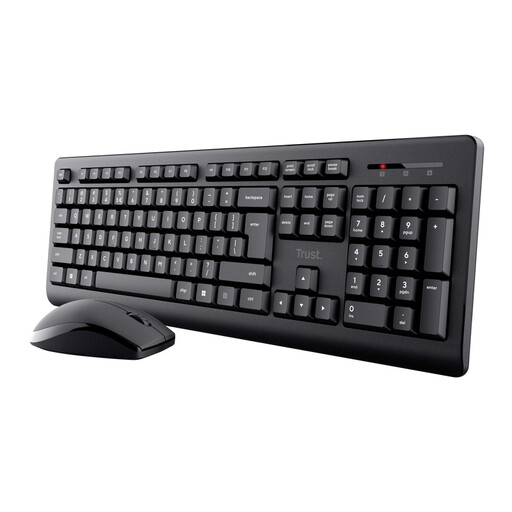
The numeric keypad could be useful if you enter lots of quantities or other figures and have enough desk space.
The product details describe a full-size wireless keyboard with a numeric keypad. The description mentions a sealing membrane that protects the electronics from spills; this does not mean the whole keyboard is waterproof.
 No image available
The numeric keypad is useful if you enter lots of figures; bear in mind the space required by a full-size keyboard.
The product description lists low-profile keys, adjustable feet and a spill-resistant design. This model has a QWERTY-US layout, so check that it suits the way you type.
 No image available
The compact 60% layout can leave room for source recipes and a mouse, but it has no numeric keypad.
The product description makes an IPX4 claim for the circuit board and separately states that the connector is not waterproof. Don’t assume the whole keyboard is protected against water.
Set up your workstation so your shoulders stay relaxed and your forearms are roughly horizontal as you type. The Chartered Institute of Ergonomics and Human Factors highlights this arm position; changing your keyboard won’t replace adjusting your desk.
It mainly depends on how many figures you enter and how much space you have on your desk. A full-size keyboard with a numeric keypad could suit you if you enter lots of figures; a smaller layout frees up more space, but may leave out keys you use.
Follow the instructions for the exact model. Logitech advises switching off or disconnecting its keyboards and not pouring water directly onto them; don’t apply this advice to other brands without checking first.
Don’t assume so: a spill-resistant label doesn’t automatically mean the whole keyboard is waterproof or washable. Check the cleaning instructions for your model and any limitations, such as a connector that isn’t waterproof.
ACM ConsuWijzer states that online purchases have a statutory 14-day cancellation period after delivery; check whether an exception applies to your product. If a product is faulty, the seller is responsible for the statutory guarantee; the Netherlands Authority for Consumers and Markets says that repairs or replacements should be provided free of charge.