
Travellers with a USB fan
You mainly want to know whether your fan’s connector and charging requirements are compatible with the charger.


First, check which connector and power supply your fan’s manual specifies; a compatible plug or high wattage alone doesn’t prove that a charger is suitable. If there’s a suitable socket, a USB mains charger may be enough. Extra ports are useful if you want to charge other devices at the same time. Choose a power bank only if its USB output is compatible and you want to charge without a socket.
You mainly want to know whether your fan’s connector and charging requirements are compatible with the charger.
You want to charge your fan and other USB devices at the same time from a single socket, so you’re comparing ports and power distribution.
You’re considering a pre-charged power bank so you can charge your fan when there’s no socket available.
Start by checking your fan’s charging requirements. Then decide whether you want to charge several devices at once or avoid relying on a socket.
| What to consider | What to look for | Who is this important for? |
|---|---|---|
| Suitable for your fan | Check the specified power supply, connector and cable. Also check whether the manual requires a dedicated adapter or dock. | If I want to connect my fan without guesswork, I’ll compare the manual with the charger first. Around 45% of consumers put a suitable power supply for their fan first. |
| Charging several devices at once | Count the ports you need and check the USB-A or USB-C connections, as well as how power is distributed when they’re used at the same time. | If I also want to charge my phone from the same socket, I’ll check both the number of ports and their combined output. Around 33% of consumers give simultaneous charging their highest priority. |
| No socket required | Check that the USB output and cable are compatible with your fan, and charge the power bank in advance. If you’re flying, check the rules for carrying it too. | If I’m not sure whether a socket will be available, I’ll consider a power bank that’s compatible with my fan. Around 22% of consumers prioritise charging without a socket. |
When you use several ports, the available power may be shared between them. So the maximum output for a single port doesn’t necessarily tell you what each port can deliver when they’re all in use.
Check the power distribution for the exact number of ports you plan to use at the same time.
The stated capacity alone doesn’t show how much energy your fan will actually receive. The power bank also needs to be charged in advance.
Check your fan’s specified charging requirements and the power bank’s output. Don’t assume a fixed number of charges without information about how the two will work together.
Rechargeable fans can use different power sources. For example, the Duux Whisper Flex Smart manual describes power via an adapter, dock or battery pack.
Check the manual for your exact fan model before choosing a standard USB charging station as a replacement.
The Nexode Pro 65W is an example of a mains charger with USB-C and USB-A ports.
Belkin’s models include different options: a mains charger with three USB-C ports and a power bank with USB-A and USB-C ports.
The GaN2 Ultra XEC067 is a mains charger with USB-C and USB-A; the Fuel Series 5 FS5103U is a power bank with two USB-C ports and one USB-A port.
This selection includes charging products for use with a socket, from multi-port adapters to a power strip with USB connections. Whether a model can charge your fan depends on that fan model’s requirements.
 Image unavailable
An option if you want to connect several mains plugs as well as USB devices; check that it suits the facilities in your hotel room.
The product name lists 3 USB-A ports, 1 USB-C port and 3 AC sockets. The cable is 1.5 m long.
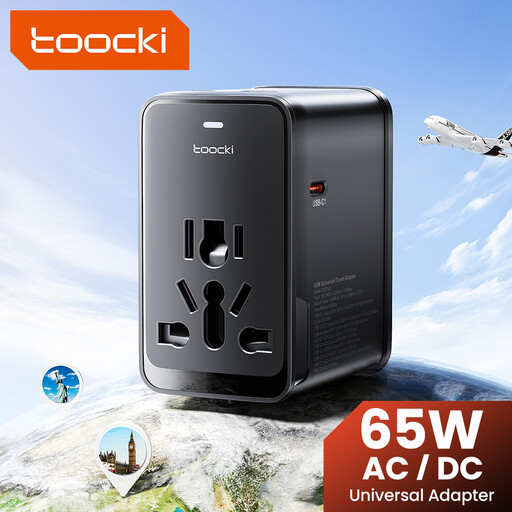 Image unavailable
May suit you if you want to connect several USB cables, provided the port outputs meet the charging requirements of your fan and other devices.
The product name lists three USB-C ports and one USB-A port.
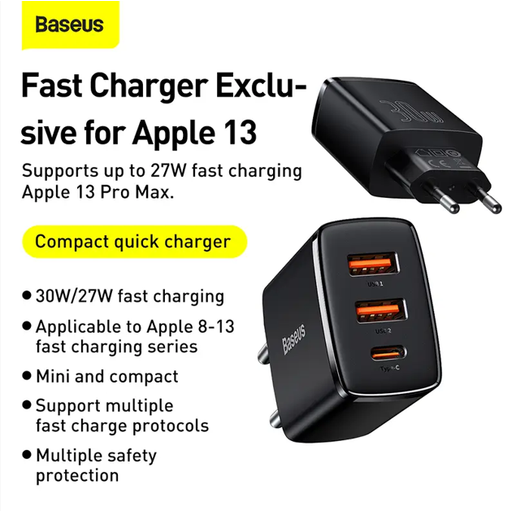 Image unavailable
An option for connecting different types of USB cable to a socket; check which connection your fan needs.
The product information lists one USB-C port and two USB-A ports, with 30 W total. When all three ports are used together, the stated output is 15 W.
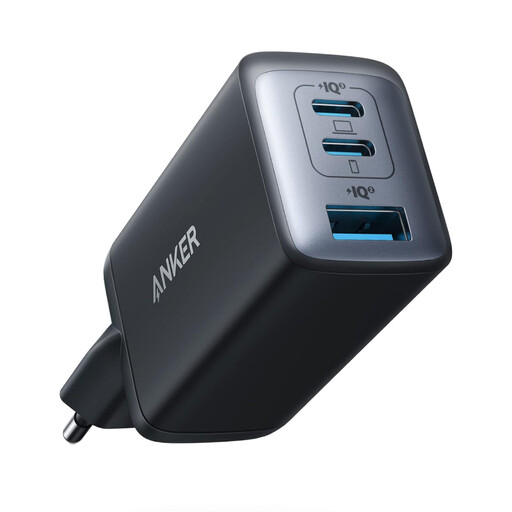 Image unavailable
Could be worth considering if you want to connect several devices at once; check the power distribution for the ports you’ll use together.
The product information lists three ports and a maximum of 65 W. Power is shared between multiple ports when they’re in use.
 Image unavailable
A compact mains adapter to consider if your fan has a compatible USB-C connection and charging requirements.
The product information lists a USB-C output, up to 33 W and support for QC, PD and PPS.
No. A USB-C connection alone doesn’t prove that a charger is suitable. Compare your fan’s charging requirements with the charger’s output and cable. For example, the Duux Whisper Flex Smart manual describes power via an adapter, dock or battery pack; that doesn’t mean it will work with any USB charger.
Follow the manual and don’t use a damaged cable or charger. Brandweer Nederland advises placing a charger in a clear space so heat can escape, and not putting a device that’s charging under a pillow or duvet. This safety advice doesn’t automatically mean that every hotel allows you to charge every type of device.
For a faulty product that’s been used normally, ACM ConsuWijzer says the seller is responsible for providing a suitable solution under the legal guarantee. Online purchases generally also come with a 14-day cooling-off period after delivery; check which exceptions apply.
For mains chargers covered by the relevant EU product rules, the manufacturer must carry out the required conformity assessment and provide the CE marking and EU declaration of conformity before the product is sold. The Dutch government emphasises that CE is not an independent quality mark. These rules don’t automatically apply in the same way to every standalone USB power bank.
EASA states that power banks must be carried in hand luggage and must not go in checked baggage. There are also requirements for protection against short circuits, as well as limits on the number of power banks and their battery capacity. Before you travel, check your airline’s rules too.