What should you look for when choosing?
Standard LCD tablet
Suitable for: browsing or annotating formatted PDFs when you can put the tablet away if it rains. Apple explains how to mark up PDFs on iPad; Lenovo lists an anti-glare 400-nit screen for the Tab M11 LTE.
Bear in mind: reflections can make it harder to read outdoors. Screen specifications are not a comparative test of readability in sunlight.
Tablet with a stated outdoor-resistance rating
Suitable for: situations where it’s hard to avoid dust or moisture. Samsung lists an IP68 rating for the Galaxy Tab S10 FE series and peak brightness of up to 800 nits in High Brightness Mode.
Bear in mind: Samsung’s IP68 claim applies under the specified laboratory conditions; the stated brightness does not guarantee readability in every lighting condition.
Large e-reader
Suitable for: extended reading in sunlight, when quickly navigating between pages is less important. Kobo lists a non-glare E Ink screen and an included stylus for PDF notes with the Elipsa 2E.
Bear in mind: according to Consumentenbond, e-readers are often not ideal for PDFs with an A4 layout. Try your own script before choosing.
If you’re looking for a device to read play scripts at a campsite, start by comparing how your own script page looks, then check annotation, followed by use without Wi-Fi, a charging point or shelter.
| What to consider |
What should you check? |
Who should pay extra attention? |
| Readability in daylight |
Open the same script page outdoors and compare text size, reflections and viewing angle. |
If I want to follow a full page outdoors, the text needs to stay readable as the light changes. Around 33% of consumers give daylight readability top priority. |
| Navigation and annotation |
Test the PDF at its actual page size and check the stylus, app and whether your mark-ups are saved. |
If you want to find scenes quickly and add cues alongside the text, a suitable PDF and stylus combination can help. Around 27% of consumers prioritise navigation and annotation. |
| Files and power |
Download the script in advance and test opening, browsing and saving with your connection switched off; plan a way to charge the device too. |
If I don’t want to rely on campsite Wi-Fi or a power socket, my script needs to be available offline. Around 20% of consumers prioritise being able to use their device independently, without access to regular facilities. |
| Protection from moisture and dust |
Check the rating for the exact model and the manufacturer’s conditions; keep the device dry outside those conditions. |
If you might encounter rain or dirt outdoors, you’ll want to know what protection is specified for the exact model. Around 20% of consumers give protection from moisture and dust top priority. |
Joybuy product picks
This selection includes tablets with IPS and E Ink screens, as well as models whose product information lists an IP rating, for anyone looking to read or annotate a script.
 No image available
Blackview Active 5, 8.68-inch, 128 GB
Worth considering if the screen size and stated IP68 rating suit how you plan to use it at the campsite; try your own script PDF.
The product name lists an 8.68-inch IPS screen with 90 Hz and 22 GB expandable RAM (6 GB + 18 GB virtual RAM). The product information lists 128 GB storage, a 6,600 mAh battery and IP68.
View at Joybuy
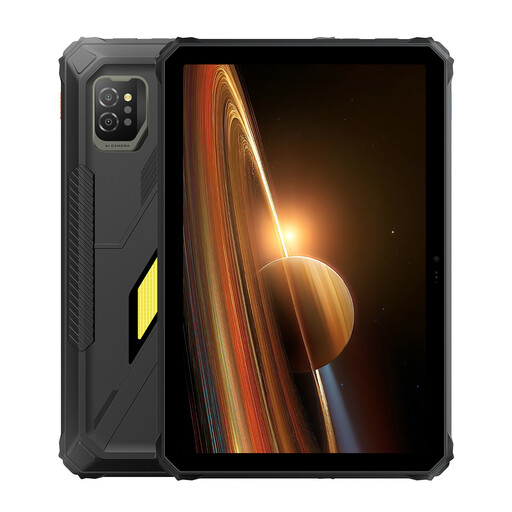 No image available
Blackview Active 7, 11-inch, 128 GB
An 11-inch screen may suit you if you’re looking for a larger display for script pages; compare its dimensions with what you can comfortably hold.
The product name lists 24 GB RAM (8 GB + 16 GB), 128 GB storage, a 10,000 mAh battery and 45 W charging. The product information lists Android 15, NFC, IP68, IP69K and MIL-STD-810H.
View at Joybuy
 No image available
iFLYTEK AINOTE Air 2, 8.2-inch, with stylus and protective case
An E Ink option to compare if you want to read PDFs and make notes with a stylus.
The product information lists an 8.2-inch E Ink screen, 32 GB storage, a weight of 230 g and a 2,600 mAh battery. PDF reading and note-taking are listed as features.
View at Joybuy
 No image available
TECLAST P50, 11-inch, 128 GB
An Android tablet to compare if you want to view your script on an 11-inch screen; download the file in advance if you’ll be reading without Wi-Fi.
The product name lists Android 16, an 11-inch IPS screen with 90 Hz and 128 GB storage. The product information lists an 8,000 mAh battery and 4G LTE.
View at Joybuy
 No image available
iFLYTEK AINOTE 2, 10.65-inch
An E Ink option for reading and handwritten notes; try your script PDF and check which features are available offline.
The product name lists a 10.65-inch E Ink screen. The product information lists a stylus, locally saved notes and a battery life of up to 14 days with around 30 minutes of normal use per day. Real-time speech-to-text requires an internet connection.
View at Joybuy
Frequently asked questions
How can you make sure your script is available without campsite Wi-Fi?
Before you leave, download a copy you’re allowed to use and open it with your connection switched off. Apple Support explains where downloaded files are stored in the Files app; also check that your chosen app saves changes when you’re offline.
Can you write directly on a script PDF?
You can with some combinations of device and app. Apple Support explains how to mark up PDFs on iPad, and Kobo lists PDF note-taking with the included Stylus 2 on the Elipsa 2E. Try a page from your own script and check stylus compatibility and included accessories.
How should you charge and store a tablet on a hot camping trip?
Plan a suitable way to charge it and keep the device out of extreme heat. Lenovo advises against using or charging its tablets at ambient temperatures above 35 °C; this is the manufacturer’s advice for Lenovo tablets.
What rights do you have after buying a tablet online in the Netherlands?
For a standard online purchase, you generally have a 14-day cooling-off period after delivery, with some exceptions. ACM ConsuWijzer also explains your statutory right to a product that, under normal use, does what you could reasonably expect; this doesn’t automatically mean a fixed two-year guarantee period.
Can you digitally send a copyright-protected play script to the whole group?
Not just because you have a digital copy yourself. The Dutch government distinguishes between a private copy for personal use and distribution or making the work available to others, which requires permission from the rights holder. Also check the terms under which your group received the script.


